My Health Record compliance for healthcare providers
Every registered healthcare provider organisation in Australia must have a written Security & Access policy in place, name a Responsible Officer (RO) and Organisation Maintenance Officer (OMO), and actively enforce that policy before accessing My Health Record. These are not optional best-practice recommendations. They are mandatory participation obligations under the My Health Records Act 2012 and the My Health Records Rules 2026, and failure to meet them can result in suspension or cancellation of your organisation’s access.
Here is what must be in place today:
- Written Security & Access policy — documented, version-controlled, and communicated to all staff with access
- Named Responsible Officer and Organisation Maintenance Officer — recorded on your registration and operationally active
- Current user access list — every authorised user linked via their Healthcare Provider Identifier — Individual (HPI-I), with no orphaned accounts
- Pre-access training records — signed acknowledgements or training register entries for every user before first access
- Audit log review schedule — documented, with evidence of completed reviews
- Account deactivation process — a written procedure for immediate revocation when staff leave or change roles
- Breach and incident response procedure — aligned to notification timelines for the System Operator and the Office of the Australian Information Commissioner (OAIC)
If any of these items is missing or out of date, your organisation has a compliance gap that the System Operator can act on.
Key takeaways
My Health Record compliance requires a written, enforced Security & Access policy, named RO and OMO, current user access lists, documented training, regular audit log reviews, and a tested incident response procedure — all of which must be producible on seven days’ notice.
| Point | Details |
|---|---|
| Security & Access policy | Must be written, version-controlled, communicated to all users, and updated after material changes. |
| Named RO and OMO | Both roles must be operationally active, not just listed on the registration form. |
| Account lifecycle controls | Deactivate accounts on the day of departure; conduct at minimum annual access list reconciliations. |
| Audit log reviews | Schedule daily, weekly, and monthly reviews; retain signed evidence of each review cycle. |
| Meddle for compliance workflows | Meddle’s practice tools support training checkpoints, role-based access management, and on-demand audit exports. |
Table of Contents
- What is the My Health Record legal framework you must follow?
- Who must register and how do you set up access?
- What must your Security & Access policy contain under Rule 42?
- How do you manage user access and authentication day to day?
- How should you handle audit logs and emergency access?
- What do you do when something goes wrong?
- How do you embed compliance into daily practice workflows?
- Why compliance is really a patient safety question
- Meddle helps your practice stay audit-ready, not just registered
- Sources
- FAQ
What is the My Health Record legal framework you must follow?
My Health Record is a legislated national digital health record system. It is not a voluntary platform your practice opts into casually. The My Health Records Act 2012 creates the legal basis for the system, establishes offences for unauthorised collection, use, or disclosure of health information, and gives the System Operator statutory powers to suspend or cancel access, compel policy production, and delete records in defined circumstances. Civil and criminal penalties apply to contraventions.
The My Health Records Act 2012 creates offences for unauthorised collection, use or disclosure of information from a My Health Record and gives the System Operator powers over retention, deletion, suspension and enforcement — meaning a policy failure is not just an administrative shortcoming, it is a potential criminal matter.
The System Operator function is shared between the Australian Digital Health Agency (ADHA) and the Chief Executive Medicare. The ADHA administers the system and sets participation requirements; the Chief Executive Medicare holds certain statutory functions under the Act. Together, they can request your Security & Access policy within seven days, conduct audits, and suspend your organisation’s access if obligations are not met.
The My Health Records Rules 2026 sit beneath the Act as subordinate legislation. They specify access control mechanism requirements, registration conditions, and the exact triggers for automatic suspension or cancellation. Rule 42, in particular, defines what your Security & Access policy must contain. The Rules were updated in 2026, so if your policy was drafted against an earlier version, it needs a review now.
The relationship with the Privacy Act 1988 matters too. A contravention of the My Health Records Act can also constitute an interference with privacy under the Privacy Act, bringing the OAIC into scope. The OAIC investigates complaints about unauthorised use of My Health Record information and can take action independently of the System Operator. Two regulators, one incident.
| Instrument | Key function | Administered by |
|---|---|---|
| My Health Records Act 2012 | Offences, penalties, System Operator powers | Parliament / ADHA / Chief Executive Medicare |
| My Health Records Rules 2026 | Registration conditions, Rule 42 policy requirements, suspension triggers | ADHA |
| Privacy Act 1988 | Privacy interference, OAIC complaints jurisdiction | OAIC |
| OAIC Rule 42 guidance | Policy drafting checklist, enforcement expectations | OAIC |
Who must register and how do you set up access?
Any healthcare provider organisation that wants to access My Health Record on behalf of its practitioners must register. That means obtaining a Healthcare Provider Identifier — Organisation (HPI-O) and naming both a Responsible Officer and an Organisation Maintenance Officer before registration is complete. The RO is accountable for the organisation’s compliance; the OMO handles day-to-day administrative tasks in the system.
Registration follows a defined sequence, and skipping steps creates access problems downstream:
- Set up PRODA access — the RO and OMO each need a verified Provider Digital Access (PRODA) account to authenticate with government systems.
- Register the RO and OMO — both roles must be formally assigned and recorded with the Agency.
- Obtain your HPI-O — register your organisation with the Healthcare Identifiers Service through HPOS (Health Professional Online Services).
- Link HPI-Is for staff — each practitioner who will access My Health Record needs their individual HPI-I linked to the organisation’s HPI-O.
- Obtain a NASH certificate or CSP number — conformant clinical software connects to My Health Record via a National Authentication Service for Health (NASH) PKI certificate or a Contracted Service Provider (CSP) number. The National Provider Portal is available for providers without conformant software, but it is read-only.
- Choose your access route — most practices use conformant clinical software (Best Practice, MedicalDirector, Genie, and similar systems). The NPP suits providers who need occasional read access without a full software integration.
- Attest to participation obligations — before registration is finalised, the RO must attest that the organisation has a Security & Access policy in place and will comply with ongoing obligations.
Assisted registration is available for organisations that need support through the process, and contracted service providers or network organisations have specific registration pathways. The Digital Health Agency’s implementation guidance covers these variants in detail.
What must your Security & Access policy contain under Rule 42?
Rule 42 of the My Health Records Rules 2026 is the single most audited compliance requirement. It requires a written Security & Access policy that is actively communicated to all authorised users, enforced in daily operations, and updated when material changes occur. The System Operator can request your policy within seven days of asking. If you cannot produce it, or if it does not address the mandatory matters, your registration is at risk.

The OAIC’s Rule 42 guidance sets out the minimum matters the policy must address:
| Policy section | Minimum content required |
|---|---|
| Authorisations and deactivation | Who may access, approval process, immediate deactivation on role change or departure |
| Pre-access training | Training required before first access, format, and how completion is recorded |
| Identity verification | How the organisation verifies the identity of users before granting access |
| Physical security | Controls over devices, workstations, and premises where records are accessed |
| Information security | Encryption, password standards, screen locks, secure transmission |
| Breach mitigation and reporting | How suspected breaches are detected, contained, and notified to the System Operator and OAIC |
| Assisted registration | How the organisation manages access for contracted or assisted-registration users |
| Versioning and retention | Version number, effective date, and retention of prior versions |
A policy template from the Agency or OAIC is a useful starting point, but templates become a liability when they are not tailored to your practice. An auditor reviewing a policy that still contains placeholder text, or that describes processes your practice does not actually follow, will treat that as evidence of non-enforcement. Tailor every section to reflect your actual workflows, then document how you enforce each one.
Pro Tip: The evidence auditors look for is not the policy document itself but proof that the policy is followed. Maintain a training register with staff names, training dates, and signed acknowledgements. Keep records of every account deactivation with the date, the staff member’s name, and who authorised it. These records are your defence.
Rule 42 is not a set-and-forget requirement. The participation obligations guidance makes clear that organisations must conduct annual reviews, update the policy after material operational changes, and retain each version with a unique version number and effective date. A policy last reviewed two years ago is a compliance gap, even if it was excellent when first written.
For third parties and independent practitioners who access your systems, the policy must be enforceable in contracts. Include monitoring rights, account suspension clauses, and reporting obligations in any agreement with a contractor or locum who will access My Health Record through your organisation’s systems. The OAIC guidance is explicit on this point.
How do you manage user access and authentication day to day?
The most common compliance failure in practice is not a missing policy document. It is the gap between what the policy says and what actually happens with user accounts. Assign every authorised user a unique account. Never share login credentials. Implement role-based access so practitioners can only access the functions their role requires.
A defensible account lifecycle looks like this:
- Onboarding: complete training verification before granting access; record the training date and method in the training register; confirm the staff member’s HPI-I is correctly linked
- Active employment: conduct periodic access reviews (at minimum annually) to confirm every account on the list still belongs to a current, appropriately authorised staff member
- Role change: reassess access permissions immediately when a staff member’s role changes; document the reassessment and any access adjustments
- Departure: deactivate the account on the day of departure, or before if notice has been given; record the deactivation date and authorising officer
- Contractors and locums: apply the same lifecycle controls; include account suspension and reporting obligations in the engagement contract
RACGP guidance recommends annual refresher training for all authorised users, not just new starters. The training register is the evidence that demonstrates this happened. A register entry should capture the staff member’s name, HPI-I, training date, training format, and the name of the person who verified completion.
The Responsible Officer must have genuine operational visibility over these processes. Appointing an RO who is not involved in IT access decisions or daily practice management is a common gap. The RO needs to be part of the workflow that approves new accounts, reviews the access list, and signs off on deactivations. An RO who only learns about access changes after the fact cannot meaningfully fulfil the role.
How should you handle audit logs and emergency access?
Review audit logs regularly and have a documented Emergency Access (Break-Glass) protocol that defines authorised circumstances and requires a post-event review. Both are mandatory in practice, even where the Rules do not specify exact review frequencies, because the System Operator and OAIC will examine your audit history and your Break-Glass records if an incident occurs.
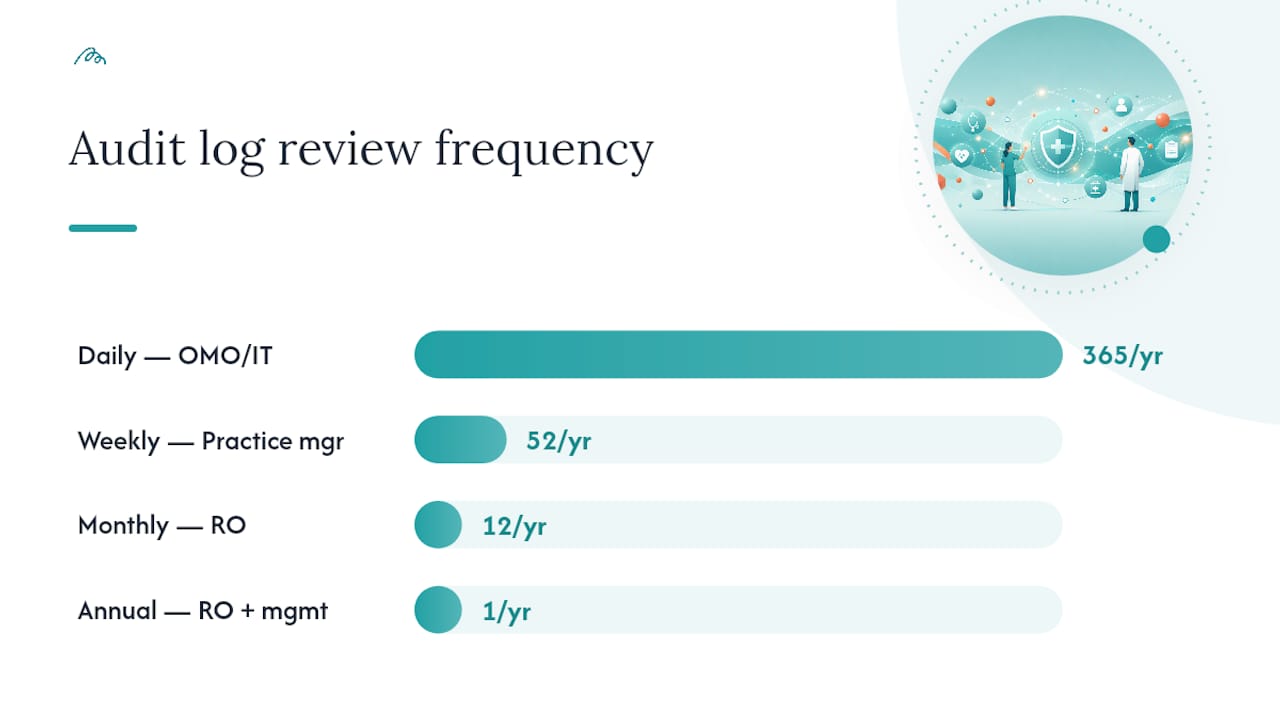
A practical audit log review schedule:
| Review frequency | Responsibility | What to check |
|---|---|---|
| Daily | OMO or nominated IT contact | Unusual access volumes, after-hours access, access to records outside normal patient cohort |
| Weekly | Practice manager | Accounts with no recent activity, new accounts created without documented approval |
| Monthly | Responsible Officer | Full access list reconciliation, Break-Glass events, any flagged anomalies from daily/weekly reviews |
| Annually | RO with practice management | Full policy review, training register audit, access list against current staff list |
For each log entry, capture: user name and HPI-I, date and time of access, the record accessed, the stated reason for access, and the access type (standard or Break-Glass).
Break-Glass events require their own procedure. When a clinician accesses a record under Emergency Access, the steps are:
- Clinician documents the immediate clinical justification at the time of access
- Access is logged automatically by the system; the clinician adds a manual note to the internal incident record
- The RO or OMO reviews the event within 24 hours
- If the access was clinically justified and properly documented, retain the record with the review outcome
- If misuse is suspected, notify the System Operator and the OAIC without delay and preserve all audit evidence
Emergency Access is a high-risk event. The System Operator and OAIC will check justification if a complaint or audit arises. A Break-Glass event with no documented clinical reason and no post-event review is difficult to defend.
Pro Tip: Where your clinical software supports it, configure automated alerts for access patterns that fall outside normal parameters — after-hours access, high-volume record views, or access to records with no appointment link. Automated alerts do not replace human review, but they reduce the chance that an anomaly goes unnoticed for weeks.
What do you do when something goes wrong?
Immediately secure access and preserve audit logs. That is the first action, before any assessment or notification. Audit evidence that is overwritten or deleted after a suspected breach is itself a compliance failure.
The incident response sequence:
- Contain — suspend the affected account(s) if unauthorised access is suspected; preserve all relevant audit logs and system records
- Assess clinical risk — determine whether patient health information was accessed, disclosed, or used without authorisation, and whether any patient is at risk as a result
- Notify the System Operator (ADHA) — report the incident to the Agency; the participation obligations guidance specifies notification timelines (two business days for certain system errors; 14 days for eligibility changes)
- Notify the OAIC — if the incident constitutes a notifiable data breach under the Privacy Act or an unauthorised disclosure under the My Health Records Act, notify the OAIC as required
- Remediate — fix the access control failure that allowed the incident; update the Security & Access policy if the gap was a policy deficiency
- Document and review — complete a written incident report; record what happened, what was done, and what was changed; retain the report as part of your compliance evidence
Keep a template for internal incident reports ready before you need it. A template with pre-filled fields for date, nature of incident, accounts involved, clinical risk assessment, notification actions, and remediation steps means your team can act quickly under pressure rather than constructing a document from scratch.
How do you embed compliance into daily practice workflows?
Make My Health Record compliance part of your practice management system and clinical workflow so that policy enforcement, training records, and audit evidence are produced during daily work rather than assembled retrospectively before an audit. Retrospective compliance is fragile. Embedded compliance is defensible.
Concrete examples of embedded workflows:
- Training tickboxes in onboarding checklists — before a new staff member’s account is activated, the practice management system requires a training completion record to be entered; the account cannot be provisioned until the field is complete
- Automated access list reminders — schedule a monthly calendar reminder for the OMO to reconcile the active user list against current staff; link the reminder to the access review template in your document management system
- Templated Break-Glass forms — store a pre-filled Break-Glass documentation form in your clinical system or shared drive so clinicians can complete it at the time of access, not hours later
- Audit export scheduling — configure your clinical software to generate a monthly audit log export automatically; the OMO reviews and signs off; the signed export is stored in the compliance folder
If any of these metrics trends in the wrong direction, act before the System Operator does.*
For small practices with one or two practitioners, the RO and OMO roles may be held by the same person or a practice manager who also handles clinical work. The workflows above still apply; they just need to be lighter. A single-page checklist pinned to the onboarding folder and a monthly calendar reminder can cover most obligations for a small practice. Larger clinics with multiple sites need more formal governance: a compliance calendar, a designated compliance contact at each site, and a centralised evidence repository.
Why compliance is really a patient safety question
The framing of My Health Record compliance as a paperwork exercise misses the point. When a clinician accesses a patient’s record without authorisation, or when an orphaned account belonging to a departed staff member remains active, the risk is not primarily regulatory. It is clinical. A patient’s medication history, diagnostic results, and care plans are exposed to someone who has no legitimate reason to see them. That is a patient safety failure, not just a policy gap.
Responsible Officers who treat compliance as a quality activity rather than an administrative burden tend to prioritise differently. They fix account deactivation first, because an active account belonging to someone who no longer works at the practice is an immediate, concrete risk. They invest in training evidence second, because a staff member who accessed a record without understanding the authorisation rules is a liability that no policy document can retrospectively fix. Audit log reviews come third, not because they are less important, but because they are the mechanism that surfaces the first two problems before the System Operator does.
The 2026 Rules updates are a signal that the regulatory environment is tightening, not relaxing. Practices that have treated My Health Record compliance as a registration formality rather than an ongoing operational discipline are likely to find the gap between their current state and audit readiness larger than they expect. The good news is that the gap is closable with structured, prioritised action over 30 to 90 days.
Regulators and RACGP guidance consistently identify the same weakness: practices focus on technical security controls and neglect the people element. Training documentation, identity verification, and timely deprovisioning are where audits find failures. A firewall and encrypted storage matter, but they do not protect against an authorised user who was never properly trained, or an account that should have been deactivated six months ago.
Meddle helps your practice stay audit-ready, not just registered
Practices that manage training records, access lists, and audit exports inside their practice management platform reduce compliance risk significantly compared with those relying on spreadsheets and manual reminders. Meddle’s practitioner tools are built for exactly this kind of embedded workflow: role-based account management, training checkpoints that must be completed before access is provisioned, and audit exports your RO can retrieve on demand.
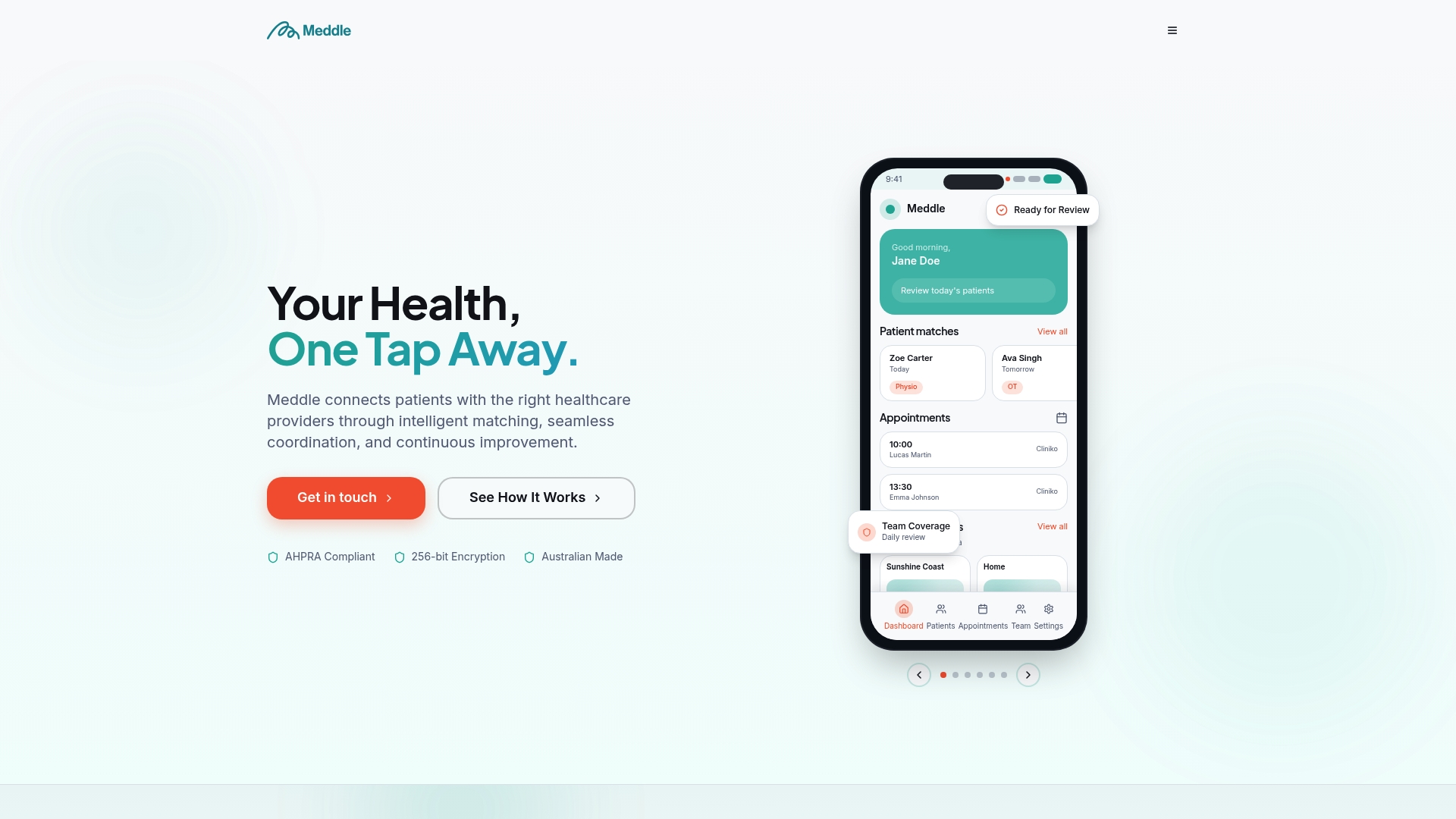
For allied health clinics evaluating a platform that supports both patient matching and practice administration, Meddle’s simple rollout from A$40 per practitioner means compliance-supporting workflows can be configured without a lengthy IT project. The platform does not replace your legal obligations under the My Health Records Act or the Rules. Those obligations remain with your organisation and your Responsible Officer. What Meddle does is make the evidence of compliance easier to produce, maintain, and retrieve when the System Operator asks for it. Visit Meddle to see how the platform fits your clinic’s compliance and care coordination needs.
Sources
The sources below are the authoritative references for My Health Record compliance. Bookmark them and store copies in your compliance evidence pack.
- My Health Record for healthcare providers
- My Health Records Act 2012 (compilation)
- Security and privacy requirements for practice owners | RACGP
This article is general information, not a substitute for advice from a qualified doctor. Consult a qualified healthcare professional about your own circumstances before acting on anything here.
FAQ
What is the minimum a practice needs to access My Health Record legally?
Your organisation must have a registered HPI-O, named Responsible Officer and Organisation Maintenance Officer, and a written Security & Access policy in place before accessing My Health Record. These are mandatory participation obligations under the My Health Records Act 2012 and My Health Records Rules 2026.
How quickly must you provide your Security & Access policy if the System Operator asks?
The System Operator can request your Security & Access policy and you must be able to produce it. The My Health Records Rules 2026 and Agency guidance make clear that organisations must assist with audits and inquiries, and the policy must be retrievable promptly — treat seven days as the working standard.
What happens if a staff member accesses a My Health Record without authorisation?
Unauthorised collection, use, or disclosure of information from a My Health Record is an offence under the My Health Records Act 2012, carrying civil and criminal penalties. The incident must be contained, assessed for clinical risk, and reported to the System Operator and the OAIC as required.
How often should you review your Security & Access policy?
Review the policy at minimum annually and after any material operational change, such as a new clinical software system, a change in staff structure, or an update to the My Health Records Rules. Retain each version with a unique version number and effective date as part of your compliance evidence.
Can Meddle help manage My Health Record compliance obligations?
Meddle’s practice management tools support training checkpoints, role-based account management, and audit exports that make compliance evidence easier to maintain. Legal obligations under the My Health Records Act and Rules remain with your organisation and Responsible Officer.