Digital queue management healthcare guide for clinics

Digital queue management systems cut actual waiting time nearly in half and improve how patients feel about the wait itself. One randomised controlled trial in an emergency department recorded actual wait times falling from 27.03 minutes to 15.5 minutes after a queue system was introduced, with perceived wait and satisfaction scores improving alongside it. That’s the evidence base. The action is simpler: pick one department, run a pilot, and track two or three KPIs before you scale anything.
Before you brief your IT team or book a vendor demo, get these basics locked in:
-
Start with a single high-volume clinic or department, not a hospital-wide rollout.
-
Track arrival-to-consultation time and no-show rate from day one of the pilot.
-
Treat Meddle’s matching and booking layer as complementary to your queue tooling, not a replacement for it.
-
Give reception staff a same-day training session so the tool gets used correctly from the first patient through the door.
Key Takeaways
Digital queue management works because it combines faster physical throughput with clearer patient communication, and both factors move satisfaction scores together.
| Point | Details |
|---|---|
| Wait time reduction is proven | A controlled trial recorded actual wait time falling 42.6%, from 27.03 to 15.5 minutes, with statistically significant results. |
| Queue discipline drives satisfaction | Queue discipline and waiting environment were significant predictors of satisfaction across a multi-hospital study. |
| Pilot before you scale | Test one department with two to three KPIs, such as arrival-to-consultation time and no-show rate, before a full rollout. |
| Integration prevents downstream delay | A shared visit state between your queue tool and EHR avoids duplicate records and re-queues. |
| Matching reduces queue pressure upfront | Meddle’s matching approach cuts mismatched bookings before patients ever join a queue, easing pressure on triage and throughput. |
Table of Contents
What the evidence says about queue management in healthcare
The strongest data point available comes from an emergency department trial where researchers measured actual and perceived waiting time before and after a queue management system went live. Actual wait time dropped significantly, nearly halving, from about 27 minutes to about 15.5 minutes, and the result was statistically significant (p < 0.001) according to the randomised controlled trial published in AAEM. Perceived waiting time and overall patient satisfaction improved too, which matters because patients often rate a visit poorly even when the clock says the wait wasn’t that long.
Statistic callout: Actual wait time fell by 42.6% (27.03 to 15.5 minutes) in a controlled emergency department trial, with statistically significant gains in perceived wait and satisfaction.
Wait time is only part of the story. A multi-hospital study using survey and regression analysis found that queue discipline, the physical waiting environment and perceived service quality were all significant predictors of patient satisfaction. Queue discipline was found to be a significant predictor of patient satisfaction, explaining a substantial portion of the variance in satisfaction scores across studied hospitals. That tells you something administrators often underestimate: how the queue is managed, not just how long it runs, shapes the patient experience.
Put together, the operational upside of a well-run queue system usually shows up in four places:
-
Lower average and perceived wait times, which is the headline metric but not the only one.
-
Fewer no-shows, because notifications and accurate ETAs give patients confidence to leave the waiting room and come back.
-
Higher throughput per clinician, since reception spends less time fielding “how much longer?” questions.
-
Better use of staff time, freeing reception and nursing staff for exception handling instead of queue policing.
None of this requires ripping out your existing scheduling software. It requires a queue layer that talks to it.
Core features that actually reduce delay
Not every feature in a queue management platform earns its keep. The ones that move the needle share a common thread: they remove a manual step a staff member used to do by hand.

Digital check-in and virtual queuing is the foundation. Whether it’s a kiosk in the lobby, a web link sent before the appointment, or an SMS link for walk-ins, the goal is the same: get the patient into the queue without a receptionist typing their details in. A 2026 OPD implementation guide recommends web-based check-in with no app required, since app downloads are the single biggest adoption barrier for older or less tech-comfortable patients.

Live token boards and staff dashboards keep everyone, clinicians included, looking at the same queue state. A shared dashboard stops the scenario where reception thinks a patient has been called and the clinician thinks they’re still waiting.
Automated notifications and ETA updates let patients step outside, grab a coffee, or wait in the car instead of a crowded lobby. This is where perceived wait time drops even when actual wait time hasn’t moved yet.

Analytics and timestamping turn every check-in, call, and consult into data you can act on. Timestamped event logging is what makes ETA predictions get more accurate over time, rather than staying a static guess.
Exception rules — priority flags for urgent cases, skip and re-queue logic for patients who step away — are the feature most pilots get wrong by ignoring them until go-live day. Build them in from the start.
Pro Tip: Configure your priority flag and re-queue button before you train staff on anything else. These two functions get used dozens of times a day, and a clunky exception process is the fastest way to make reception abandon the whole system.
Rolling out a queue system: pilot, train, iterate
A queue management rollout doesn’t need a six-month project plan. It needs a tight pilot, a short training session, and a habit of checking the data daily for the first fortnight.
Start by mapping the patient journey as it actually happens, not as your policy documents describe it. Walk the floor for a day. Note where patients bunch up: is it check-in, is it the handoff between reception and the clinical room, or is it the gap between consult and billing? Most facilities find one dominant bottleneck, and it’s rarely where they expected.
-
Map the current journey and flag the single biggest delay point. Don’t try to fix everything at once.
-
Define pilot scope — one clinic, one department, or one clinician’s list — and pick two to three KPIs you’ll track daily (arrival-to-consultation time and no-show rate are a solid starting pair).
-
Set queue rules covering the mix of booked appointments versus walk-ins, buffer slots for overruns, and a priority lane for urgent cases. A walk-in heavy OPD often runs on a 60/40 split between reserved walk-in capacity and online bookings to keep both patient types moving.
-
Merge booked and walk-in queues with an explicit merge rule rather than running two separate lists, since split queues are a common cause of operational breakdown in high walk-in settings.
-
Train reception and clinical staff on three actions only: check a patient in, skip or re-queue, and apply a priority tag. Vendor guidance suggests a 30-minute session is enough for receptionists to operate a dashboard competently.
-
Collect feedback daily during the pilot from both staff and patients, and adjust queue rules before you even think about scaling to a second department.
The pattern that separates pilots that scale from pilots that stall isn’t the software vendor. It’s whether someone actually reads the daily numbers and adjusts the rules in week one, rather than waiting for a month-end report.
KPIs that tell you if the pilot is working
Arrival-to-consultation time (ACT) is the metric to anchor everything else to. It’s simply the timestamp gap between check-in and the start of consultation, and a practical OPD operations playbook treats it as the core operational metric because it captures the entire waiting experience in one number.
Alongside ACT, track:
-
Average wait time, calculated the same way across every reporting period so comparisons stay valid.
-
No-show rate, which usually falls once patients get accurate SMS ETAs instead of a vague “please wait.”
-
Throughput per clinician, the number of patients seen per session or day.
-
Average consult time, since a queue fix that just shifts delay into longer consults hasn’t solved anything.
-
Lobby occupancy and patient satisfaction scores, captured through a quick post-visit prompt.
Statistic callout: In one controlled trial, cutting actual wait time by 42.6% produced a statistically significant lift in patient satisfaction — proof that the ACT number and the satisfaction number move together.
When you take results to leadership, a simple before-and-after ACT chart alongside a no-show cost estimate makes a far stronger case than a narrative summary.
Integrating queue tools with EHR, billing and pharmacy
A queue system that doesn’t talk to your electronic health record just moves the wait somewhere else. If check-in status lives in one system and clinical status lives in another, staff end up manually reconciling two sources of truth, which is exactly the friction you’re trying to remove.
The fix is a shared visit state: a single encounter ID and a visit status flag that both the queue tool and your EHR or OPD system can read and update. Government guidance on outpatient system integration recommends exactly this approach, specifically to avoid the downstream re-queues that happen when a patient’s status isn’t updated consistently across systems.
Watch for these common integration pitfalls:
-
Siloed tokens, where the queue number exists only in the queue app and never reaches billing or pharmacy, forcing patients to explain their status twice.
-
Duplicate records, created when check-in data doesn’t map to an existing patient ID in the EHR.
-
Notification overreach, sending more patient data via SMS than is actually needed for the message to work. Keep notification payloads to the minimum: a name, a time, and a queue number is usually enough.
Before go-live, run through a short IT checklist: map every endpoint the queue tool needs to touch, test the data flow in a staging environment, and confirm you have a rollback plan if the integration breaks mid-shift. A single source of truth for visit status, built on lightweight APIs rather than a full system replacement, is almost always the lower-risk path.
How better matching reduces queue pressure before patients arrive
Queue tools manage the line once a patient is in the building. The more overlooked lever is reducing how many patients end up in the wrong line in the first place. When a patient is matched with a practitioner who doesn’t suit their needs, the consult often runs long, gets rebooked, or triggers a referral that starts the wait cycle over again.
Meddle’s matching approach analyses individual patient needs before a booking is even made, matching by discipline, location and the capacity each clinician has shared, so fewer appointments need rework. Paired with virtual queuing on the day, that means triage time shortens because the clinician already has the right context, and throughput improves because fewer slots get burned on mismatched consults.
Reducing inappropriate bookings before they enter the queue does more for throughput than almost any change made after the patient has already checked in.
Cost-benefit analysis and budgeting for queue management
Budgeting for a queue system starts with what you’re already losing. A missed appointment costs a clinic the slot, the admin time spent booking it, and often a rebooking cycle that adds further delay for other patients. Weigh that ongoing cost against the fairly modest cost of a pilot: most digital queue tools can launch with a token board, a QR check-in point and SMS notifications, without a full hardware overhaul.
Budget across three categories: setup (hardware, integration work, staff training time), ongoing subscription or licensing fees, and the admin hours saved once the system is running. That third category is where most cost-benefit cases fall down, because facilities rarely measure the “before” state properly. Track how many hours reception spends on manual queue management for two weeks before you pilot anything, so you have a real baseline to compare against.
Smaller clinics should resist the urge to buy an enterprise platform’s full feature set upfront. A lean pilot, focused on the one bottleneck identified in your journey mapping, proves the case with real numbers before you commit budget to a facility-wide rollout. Larger hospital networks will need to factor in integration costs with existing EHR and billing systems, which is typically the largest line item after the initial pilot phase.
Whatever the facility size, the return case is strongest when you can show leadership a direct link between reduced no-shows and recovered revenue, alongside the admin hours freed up for other work.
Accessibility and inclusivity in patient queue systems
A queue system that only works for tech-comfortable patients isn’t actually solving your waiting room problem, it’s just shifting confusion onto the patients least equipped to handle it. Elderly patients, people with disabilities, and non-English speakers all need a path through the queue that doesn’t depend on downloading an app or reading a screen unaided.
Practical accommodations worth building into any rollout:
-
A staffed fallback option at check-in for patients who can’t or don’t want to use self-service kiosks.
-
Audio and large-text display options on token boards, not just visual number displays.
-
Multilingual SMS templates and, where volume justifies it, translated on-screen instructions.
-
Companion support, allowing a carer or family member to be linked to a patient’s queue notifications.
None of these are exotic requirements. They’re the difference between a queue system that genuinely reduces friction for every patient and one that quietly makes the experience worse for a portion of your patient base while looking efficient on a dashboard. Test your check-in flow with a patient who’s never used a smartphone before you assume it’s intuitive.
Data privacy and security in healthcare queue systems
Queue systems handle patient names, appointment times, and often health-related notes tied to priority flags. That’s personal health information, and it needs the same handling discipline you’d apply to any other clinical record.
Keep notification content to the minimum necessary: a queue number and an estimated time is enough for an SMS, and it doesn’t need to reference the reason for the visit. This principle of data minimisation is echoed in government guidance on queue and outpatient system integration, which stresses that shared visit data between systems should be limited to what each system genuinely needs to function.
Access control matters just as much as data minimisation. Not every staff member needs to see every patient’s full queue history, only their current status. Set role-based access so reception sees queue position and contact details, while clinical staff see the clinical context they need for the consult.
Before signing with any vendor, confirm where patient data is stored, how long it’s retained, and whether the platform meets the privacy obligations that apply to health information in your jurisdiction. A queue tool that improves flow but creates a compliance gap has simply traded one problem for another.
Impact on patient satisfaction and experience
Patients rarely separate “how long did I wait” from “how was I treated while waiting.” The multi-hospital regression study found that queue discipline and the waiting environment were both significant, independent predictors of satisfaction, meaning a well-run queue in a shabby waiting room still underperforms, and a great environment with a chaotic queue doesn’t fix satisfaction either. Both need attention.
The emergency department trial referenced earlier backs this up from a different angle: when actual wait time dropped by 42.6%, perceived wait time and satisfaction scores improved in tandem, not because the clinical care changed, but because patients felt informed and in control of their own wait. That’s the pattern worth remembering: transparency about wait time often does as much for satisfaction as reducing the wait itself.
For administrators building a case internally, this means your queue rollout metrics shouldn’t stop at operational KPIs. Pair your ACT and throughput numbers with a simple post-visit satisfaction prompt, even a one-question survey, so you can show leadership the human side of the improvement alongside the operational one.
Scaling queue management across different facility types
A single-practitioner allied health clinic and a multi-site hospital network don’t need the same queue infrastructure, and treating them the same is how rollouts stall. Smaller practices generally do best with a lightweight, low-hardware setup: a QR code for check-in, a shared tablet or TV screen as a token board, and SMS notifications. No integration heavy lifting required.
Larger facilities and hospital networks face a different challenge: multiple departments, multiple queue types (walk-in, booked, emergency, referral), and the need for a queue platform that can hold department-specific rules while still reporting into a single dashboard for facility-wide oversight. This is where integration with EHR and OPD systems becomes non-negotiable rather than optional.
The adaptable systems share one trait: modular configuration. You can add a department, adjust a priority rule, or plug in a new notification channel without re-architecting the whole platform. When evaluating a queue tool, ask directly whether the same platform that suits a two-clinician practice can also support a twelve-department hospital wing, and what changes operationally between those two deployments. If the vendor can’t answer that clearly, expect friction later.
Compliance with healthcare flow and queue regulations
Queue and patient flow decisions don’t sit outside your regulatory obligations, they sit inside them. Any system that touches patient identifiers, appointment data, or health information needs to meet the same standards your broader clinical record-keeping does.
Government integration principles specifically address how queue systems should connect with outpatient services to maintain safe, accurate patient flow data, rather than treating the queue as a separate, unregulated layer bolted onto clinical operations. That guidance exists because a poorly integrated queue system can create exactly the kind of data inconsistency that compliance frameworks are designed to prevent, duplicate records, mismatched visit statuses, or notifications sent against outdated information.
Before rollout, confirm your queue vendor can demonstrate how patient data is handled end to end, and build compliance review into your pilot checklist rather than treating it as a post-launch afterthought.
What administrators get wrong about queue rollouts
Technology is the easy part. The mistake we see most often is treating a queue system as the fix itself, rather than the enabler of a process fix that still requires staff buy-in and clear rules.
Overcustomising the pilot is the second trap: teams spend weeks configuring every possible rule before testing anything, then wonder why frontline staff feel unprepared on launch day. Keep the pilot simple and assign one person clear ownership of queue state and KPIs. Without an owner, nobody checks the daily numbers, and the pilot quietly reverts to the old way of doing things within a fortnight.
How Meddle fits into your patient flow strategy
Queue tools manage the line once patients arrive. Meddle addresses what happens before that: getting the right patient to the right practitioner in the first place, so fewer appointments turn into rework, and fewer patients end up stuck in triage explaining symptoms to someone who then has to refer them elsewhere.
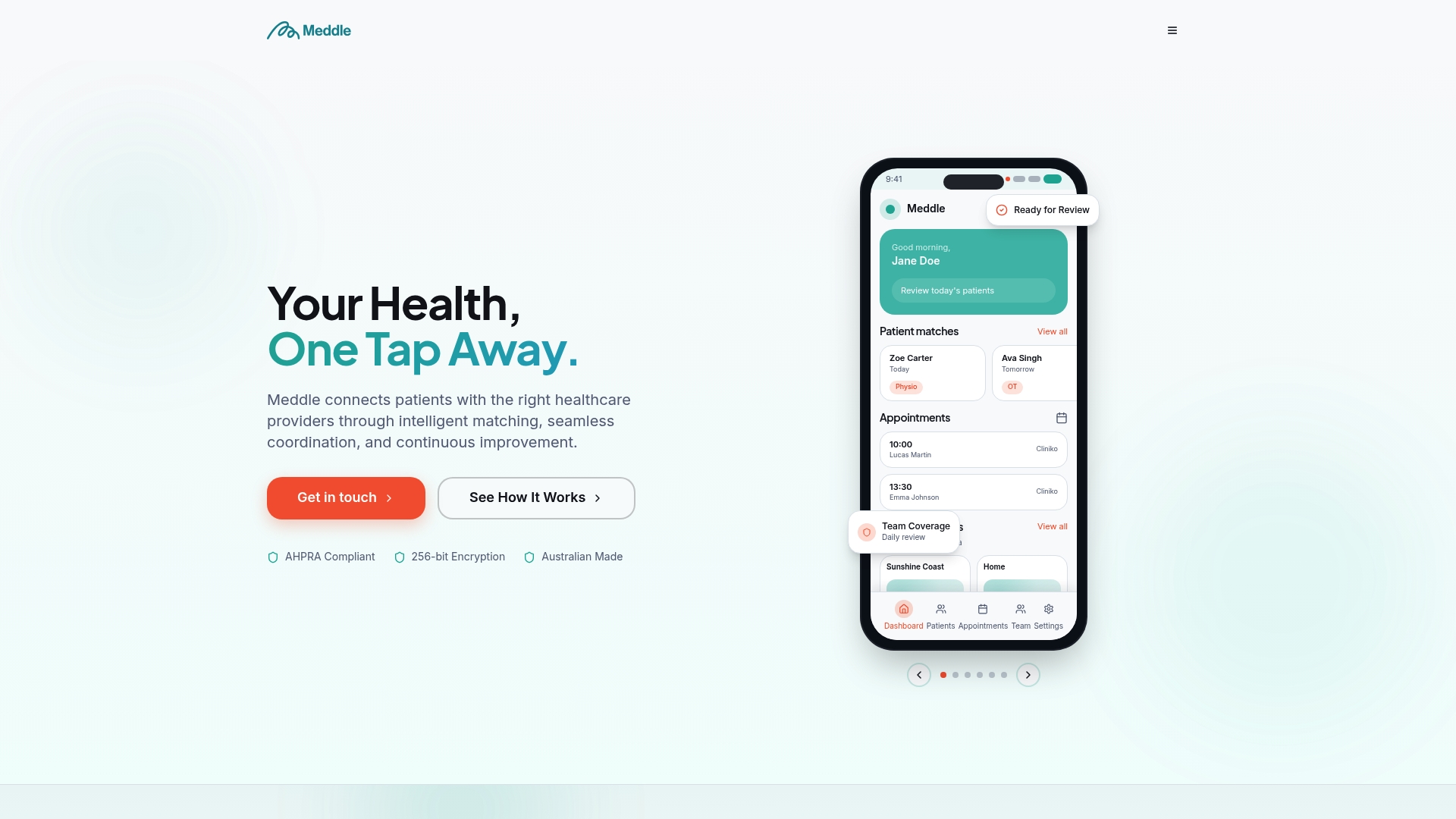
Meddle’s algorithm matches patients to practitioners based on their actual needs, then routes the referral so the clinic can confirm a booking without a back-and-forth of calls and voicemail. For clinics, that means fewer mismatched consults clogging the schedule and fewer no-shows from patients who booked the wrong appointment type in frustration. The platform also handles referral routing and SMS and email notifications, which keeps care joined up instead of scattered across separate systems.
If you’re weighing this up against your current booking setup, start with the practitioner benefits overview to see how matching reduces admin load, then check the simple rollout page, which starts from $40 per practitioner per month (ex GST, $250 monthly minimum, SMS included). Book a pilot conversation to see how matching and queue management work together in your clinic.
Sources
FAQ
What is queue management in healthcare?
Queue management in healthcare refers to the systems and processes clinics use to organise, track and communicate patient waiting order, typically using digital check-in, live token displays and automated notifications to reduce both actual and perceived wait times.
What are the 4 P’s in healthcare queue management?
Queue and patient flow discussions commonly reference people, process, place and patients, covering staff roles, workflow rules, physical environment and the patient experience itself, though the exact framework varies by source.
How does queuing theory apply to hospitals?
Queuing theory models how arrival rates, service times and staffing levels interact to predict wait times and bottlenecks, helping hospitals decide where to add capacity or adjust rosters based on patient demand patterns.
What are queue management systems used for in clinics?
They’re used to digitally check patients in, display live queue status on dashboards, send SMS or app notifications with ETA updates, and capture timestamp data that improves both accuracy and future planning.
How does Meddle help reduce queue pressure?
Meddle matches patients to the right practitioner before booking, which reduces mismatched appointments and rework that would otherwise add pressure to the queue and extend consultation times.