Single sign on healthcare: what it delivers and how to roll it out

Single sign on lets a clinician log in once, usually with a smartcard tap, and move between clinical systems without re-entering a password for each one. The core claim is straightforward: SSO cuts login friction and paired with multi-factor authentication and proper governance, it strengthens security rather than weakening it. That combination is what makes the difference between an SSO project that clinicians embrace and one they route around.
The clearest evidence sits with WA Health’s statewide rollout, which now supports 27,000 clinicians across roughly 90 clinical applications, processing about 348,000 logins every week through a single card tap. That is not a pilot number. It is a health system demonstrating that SSO for healthcare providers can operate at genuine scale.
What SSO changes in practice:
-
One credential and one authentication event unlocks multiple clinical systems instead of separate logins for each.
-
Time saved per login compounds across thousands of daily authentications into real clinician hours.
-
Centralised authentication improves audit trails and makes access reviews far more manageable.
-
Properly configured MFA sits alongside SSO rather than being replaced by it.
The headline metric: tens of thousands of clinicians, dozens of applications, hundreds of thousands of logins a week, all through one WA Health rollout, according to Health Support Services. That scale is the strongest available signal that healthcare SSO solutions can work in complex, multi-system hospital environments.
Key Takeaways
Single sign on healthcare succeeds when workstation readiness, clinical informatics involvement, and correctly configured MFA are treated as equally important as the login technology itself.
| Point | Details |
|---|---|
| Scale is achievable | WA Health’s rollout supports 27,000 clinicians across ~90 apps and ~348,000 logins weekly. |
| Hardware gates success | Slow workstations undermine even well-configured tap-on/tap-off SSO systems. |
| MFA stays essential | Configure authentication frequency by role and risk, not as a single fixed setting. |
| Break-glass needs design | Build emergency access review and audit steps in before go-live, not after complaints. |
| Meddle complements SSO | Pairs authentication efficiency with AI-powered referral matching to cut adjacent admin friction. |
Table of Contents
-
Benefits of SSO in healthcare for clinicians, IT and patients
-
How does SSO work in healthcare: architectures and standards
-
Scalability and performance at large healthcare organisations
Benefits of SSO in healthcare for clinicians, IT and patients
The efficiency case for single sign on healthcare starts with seconds, but it doesn’t stay small. WA Health’s rollout coverage put the average time saved per login at around five seconds, a figure that sounds trivial until you multiply it across 348,000 logins a week. Aggregated across a workforce that size, those seconds turn into hundreds of staff hours redirected from password entry back to patient care.

The benefits split across three groups, and each one has a different reason to care.
For clinicians, the win is fewer interruptions mid-workflow. A nurse moving from the medication chart to pathology results to the discharge summary shouldn’t have to stop and type a password three times. Reduced friction here isn’t just a comfort factor. It changes how often clinicians tolerate workarounds like shared logins or sticky-note passwords, both of which are genuine security liabilities.
For IT and help desk teams, password resets and locked accounts are among the most common tickets in any hospital service desk. Fewer credentials in active use means fewer forgotten passwords, fewer lockouts after failed attempts, and a help desk that can spend more time on higher-value work.
For security and compliance teams, centralised authentication gives a single point of control and a single audit trail, rather than a patchwork of application-level logs. That’s a meaningfully different position when you need to demonstrate who accessed what and when.
Key benefits to track post-implementation:
-
Average login time before and after rollout
-
Help desk tickets related to password resets and lockouts
-
Number of shared or generic accounts identified and retired
-
Clinician satisfaction scores tied specifically to system access, not overall EMR experience
Patient care benefits flow indirectly but genuinely. Every minute a clinician isn’t fighting a login screen is a minute available for direct care, chart review, or handover communication, particularly in high pressure environments like emergency departments.
How does SSO work in healthcare: architectures and standards
Understanding how does SSO work in healthcare comes down to a handful of protocols doing different jobs, and healthcare IT teams need to know which one solves which problem before evaluating any vendor.
SAML (Security Assertion Markup Language) is the workhorse of enterprise SSO for browser-based and web application access. It works by having an identity provider issue a signed assertion that a user is authenticated, which the application then trusts. Most legacy hospital web portals and many EMR web modules speak SAML.
OAuth 2.0 and OpenID Connect (OIDC) handle a different problem: authorisation and identity for modern APIs and mobile or cloud-native applications. OAuth grants scoped access to resources; OIDC layers identity verification on top of it. If a healthcare system is integrating a newer cloud-based clinical app or a patient-facing mobile tool, it’s more likely speaking OIDC than SAML.
Kerberos underpins much of workstation-level SSO within Windows-based hospital networks, handling ticket-based authentication between a workstation and domain-joined resources without repeated password prompts.
These aren’t competing options so much as layers. A large hospital network typically runs Kerberos for workstation and Active Directory authentication, SAML for legacy web app federation, and OIDC for newer cloud services, often all under one identity provider umbrella.
Workstation SSO, the tap-on/tap-off model using proximity cards or smartcards, is distinct from all of the above. It is the physical layer that lets a clinician badge onto a shared ward computer and immediately resume a session, sometimes their own suspended session from another terminal. Imprivata’s healthcare SSO documentation describes this as the deployment model behind most large Australian hospital rollouts, including WA Health’s.
Directory integration matters more than most procurement documents suggest. Active Directory or LDAP coupling determines how quickly new starters get provisioned, how cleanly departing staff get deprovisioned, and how consistently role-based access control gets enforced across every connected app.
MFA sits inside this flow, not bolted onto the end of it. Developer guidance from digitalhealth.gov.au notes that authentication frequency should be configured by role and risk, not applied uniformly.
Pro Tip: Map every clinical application against SAML, OIDC, or “neither” before you shortlist an identity provider. Applications that support none of the standard protocols need custom connectors, and that discovery work should happen before contract signature, not after.
Implementation best practices for a healthcare SSO rollout
A successful SSO for healthcare providers rollout follows a sequence, and skipping steps is where most projects lose clinician trust.
-
Form a cross-functional steering group. Include clinical informatics, ward-level champions, IT security, and procurement from day one. Clinical informatics involvement at the configuration stage, not just at sign-off, is what separates rollouts that stick from ones clinicians route around.
-
Run a contained pilot with defined success metrics. Pick one ward or department, set explicit targets (login time, help desk tickets, satisfaction scores), and staff it with on-site support during the first fortnight. Peer-reviewed implementation research confirms adoption depends heavily on workflow fit, and a pilot is where you discover misfit before it scales.
-
Audit and upgrade workstation hardware where needed. A perfect tap-on/tap-off configuration still feels broken if the underlying machine is slow to load a roaming profile or bogged down by antivirus scanning at boot. One documented account from an Australian emergency department found clinicians judged the entire SSO system as unreliable when the real bottleneck was desktop readiness, not authentication.
-
Test integration with the EMR and every third-party clinical app, including logout behaviour, session timeouts, and kiosk mode for shared terminals. A shared ward computer needs different timeout logic than a clinician’s personal laptop.
-
Train, then roll out in phases, then measure. Staggered rollout by ward or department lets support teams handle issues without being overwhelmed, and it gives you comparison data between SSO-enabled and not-yet-enabled areas.
Pro Tip: Budget on-ward troubleshooting capacity for the first two weeks of any pilot, not just a help desk phone line. Problems that would sit in a ticket queue for days get fixed in minutes when someone can walk over and look at the actual workstation.
The lesson from documented Western Australian rollouts is that strong vendor onboarding and dedicated clinical-team involvement materially improved satisfaction and adoption speed, according to case documentation from Imprivata covering the Western Health deployment.
Meeting Australian security standards with SSO
SSO doesn’t automatically satisfy Australian security expectations. It has to be configured to meet them, and that means engaging directly with two frameworks: the Australian Cyber Security Centre’s Information Security Manual (ISM) and the My Health Record conformance requirements.
The ISM’s guidance on authentication centres on multi-factor authentication for privileged and remote access, and on authentication frequency proportional to risk. SSO doesn’t remove this requirement. It changes where MFA sits, typically at the initial tap-on or login event rather than repeated at every application.
Systems connecting to My Health Record must meet the Connecting Systems Security Conformance Profile, which specifies penetration and vulnerability testing, logging standards, and encryption requirements before a system can integrate. Any SSO-enabled application touching My Health Record needs conformance evidence documented, not assumed.
Authentication frequency should be balanced deliberately: re-authenticate too often and clinical workflow suffers; too rarely and risk exposure grows. The right setting depends on the role and the sensitivity of the system being accessed, according to developer guidance from digitalhealth.gov.au.
Practical evidencing steps for procurement and audit:
-
Request penetration and vulnerability test reports for any system connecting through SSO to shared clinical records.
-
Confirm logging captures authentication events at both the SSO layer and the application layer.
-
Verify patching schedules and version currency for identity provider software, not just the connected applications.
-
Check breached-credential detection is active for accounts with elevated privileges.
Privileged accounts, admin logins, and anything touching prescribing or pathology results deserve tighter authentication frequency settings than a general ward terminal used for chart review.
Real-world evidence: what rollouts actually show
The most substantial documented healthcare SSO solutions deployment in this region remains WA Health’s, and the numbers are worth sitting with. Twenty-seven thousand clinicians, roughly 90 clinical applications, and 348,000 logins processed weekly, all through a single card tap rather than repeated password entry, per Health Support Services’ rollout report.
| Metric | Reported figure |
|---|---|
| Clinicians supported | 27,000 |
| Weekly logins processed | ~348,000 |
| Clinical applications connected | ~90 |
| Estimated time saved per login | ~5 seconds |
That last figure, five seconds per login, comes from rollout coverage of the WA Health and Imprivata deployment, and it’s the number that translates scale into actual staff hours recovered.
Peer-reviewed implementation research adds nuance that raw rollout statistics can’t. A study published via PMC examining SSO deployment between practice, research and learning systems found usability improvements and reduced security incidents, but flagged that outcomes depend heavily on local workflow fit and whether infrastructure was ready before go-live.
What separates a rollout that delivers from one that underdelivers usually comes down to a short list:
-
Workstation hardware fast enough that tap-on doesn’t introduce its own delay.
-
Clinical informatics staff embedded in configuration decisions, not consulted after the fact.
-
On-site troubleshooting capacity during the first weeks of any pilot ward.
-
Realistic authentication frequency settings that don’t force re-logins mid-task.
Documented feedback from an Australian emergency department raised exactly this concern: when tap-on/tap-off SSO was layered onto slow, poorly configured workstations, clinicians judged the whole system as unreliable, even though the authentication layer itself was working as designed.
Choosing a healthcare SSO vendor: an evaluation checklist
Procurement teams evaluating integrated healthcare login options need a structured way to compare capability without getting lost in vendor marketing. Break the evaluation into four categories.
-
Functional fit — does the platform support workstation SSO (tap-on/tap-off), federated web access via SAML, API-level access via OAuth/OIDC, and virtual desktop environments if your organisation uses them?
-
Security posture — can MFA frequency be configured per role and risk level, and does the vendor provide conformance evidence for standards like the My Health Record profile?
-
Operational fit — what does user provisioning and deprovisioning look like against your existing Active Directory or LDAP, and what’s the actual support SLA once you’re live?
-
Cost and rollout impact — is licensing per-seat, per-application, or enterprise-wide, and what hardware upgrades will the rollout actually require?
Security checklist specifics worth pressing vendors on:
-
Evidence of recent penetration and vulnerability testing, not just a compliance statement.
-
Configurable authentication frequency by role, not a single fixed setting for the whole organisation.
-
Breached-credential monitoring for privileged and clinical prescriber accounts.
-
Clear audit logging that satisfies both internal governance and external compliance review.
Red flags worth walking away from: vendors who can’t produce documented conformance evidence on request, platforms with no configurable authentication frequency, and any proposal that skips a hardware readiness assessment entirely. If a vendor’s demo environment runs on far newer hardware than your wards actually have, ask directly what performance looks like on your real fleet.
Handling emergency access and break-glass scenarios
Break-glass access, the ability for a clinician to override normal authentication controls in a genuine emergency, has to be designed into SSO from the start, not added as an afterthought once clinicians complain.

The scenario is real and recurring: a card reader fails, a clinician’s credential is locked, or an unregistered staff member needs urgent access to a deteriorating patient’s record. Without a defined break-glass pathway, the default outcome is a workaround, usually someone else’s login shared verbally, which defeats the entire audit purpose of SSO.
A workable break-glass process needs three elements. First, a distinct emergency access credential or override procedure that’s separate from normal daily authentication, so it’s clearly identifiable in logs. Second, mandatory post-event review, every break-glass access should trigger an automatic flag for a supervisor or security officer to review within a defined window, typically 24 to 48 hours. Third, a hard limit on scope, break-glass access should open only what’s clinically necessary for the emergency, not a full administrative session.
Documentation matters as much as the technical control. Every break-glass event needs a recorded reason, the accessing clinician’s identity, the patient record touched, and the reviewing officer’s sign-off. This isn’t paperwork for its own sake, it’s what turns an emergency override from a security gap into an accountable, auditable exception.
Test the break-glass pathway during your pilot phase, not after go-live. If nobody has actually triggered it before a real emergency happens, you don’t know if it works.
Monitoring, auditing and managing SSO activity
Centralised authentication only pays off on the compliance side if you actually use the centralisation. A single sign on system generates a single, consistent stream of authentication logs, which is a considerably stronger audit position than chasing logs across dozens of disconnected applications.
Effective monitoring for a healthcare SSO deployment covers a few consistent layers. Authentication logs should capture every login, failed attempt, and session timeout, tied to a specific user identity and workstation. Privileged account activity, anything touching prescribing systems, pathology results, or administrative configuration, deserves closer real-time monitoring than routine ward-level chart access.
Anomaly detection is where SSO’s centralisation genuinely earns its keep. A login from an unusual location, an unusual time of day, or a rapid sequence of failed attempts followed by success is far easier to flag when every application authenticates through one identity layer, rather than being buried across separate application logs nobody correlates.
Regular access reviews matter just as much as real-time alerts. Quarterly or biannual reviews of who has access to what, cross-checked against current role and employment status, catch the accumulated privilege creep that happens naturally as staff move between wards and departments over time.
Audit reporting needs to satisfy two audiences at once: internal governance committees who want trend data, and external compliance reviewers who want specific, timestamped evidence tied to named individuals and systems. Build reporting templates that serve both from the start, rather than retrofitting reports under audit pressure.
Scalability and performance at large healthcare organisations
Scale changes the calculus for SSO in ways that a small clinic rollout doesn’t reveal. WA Health’s system processes roughly 348,000 logins a week across 27,000 clinicians and around 90 applications, and that volume demands infrastructure genuinely built for peak load, not just average load.
Peak demand in a hospital isn’t evenly distributed. Shift changes, typically early morning and late afternoon, create authentication surges as hundreds of clinicians badge onto shared terminals within a narrow window. An identity provider that performs well under steady load can still bottleneck badly during a 7am shift handover if it wasn’t load-tested against that specific pattern.
Directory synchronisation is another scale-dependent pressure point. Large organisations with high staff turnover, casual pools, and rotating trainee placements need provisioning and deprovisioning that keeps pace automatically, rather than relying on manual IT tickets that lag days behind actual staffing changes.
Multi-site organisations add a further layer: network latency between a rural or regional site and a centralised identity provider hosted elsewhere can turn a near-instant tap-on into a noticeable delay. Test performance from your most remote site, not just from head office, before committing to an architecture.
Redundancy planning deserves the same scrutiny as any other critical clinical system. If the identity provider goes down, clinicians lose access to every connected application simultaneously, not just one. That single point of failure needs failover capacity and a documented manual fallback procedure that ward staff actually know how to use.
Data privacy considerations for patient information in SSO
SSO changes how access to patient information is authenticated, but it also changes how that access needs to be governed from a privacy standpoint. Centralising authentication means one compromised identity credential potentially opens far more clinical systems than it would have under separate logins.
That concentration of risk is precisely why MFA configuration and authentication frequency deserve the attention outlined earlier. A single sign on system without properly enforced MFA is a single point of failure sitting in front of every patient record it touches, not just one.
Systems that connect to My Health Record carry additional obligations under the conformance profile, including encryption requirements and logging standards specifically designed to protect patient data in transit and at rest. SSO implementations touching these systems need conformance evidence, not just a general assurance that “security is handled.”
Role-based access control matters more, not less, once SSO is in place. Because SSO can make moving between systems fast and frictionless, it’s tempting to grant broader access than a role genuinely requires, simply because the technical barrier to switching systems has dropped. Resist that temptation. Access scope should still be built around clinical need, with SSO handling the authentication convenience, not the authorisation decision.
Session management also carries privacy weight. Shared ward terminals need aggressive timeout settings so a clinician who taps off, or simply walks away, doesn’t leave a live session exposing patient records to the next person at that workstation.
Making SSO actually work: the clinical informatics view
The technical rollout is the easy half. What determines whether clinicians embrace SSO or quietly work around it is whether clinical informatics staff were in the room during configuration, not just at the go-live announcement.
Success isn’t just faster logins. Watch help desk ticket volume, watch clinician satisfaction specifically about system access, and watch whether shared credentials disappear from ward practice.
Sceptical clinical leaders respond to evidence, not enthusiasm. Show them WA Health’s numbers, offer a small pilot with a genuine exit option, and let the workflow speak for itself once hardware and configuration are actually right.
— Taylor
Where Meddle fits alongside your SSO rollout
SSO solves who gets into your systems and how fast. It doesn’t solve what happens between authenticated sessions, the referral that sits in an inbox, the booking that takes three phone calls to confirm, or the coordination gap between a GP referral and an allied health appointment. That’s a separate friction point, and it’s the one Meddle was built to close.
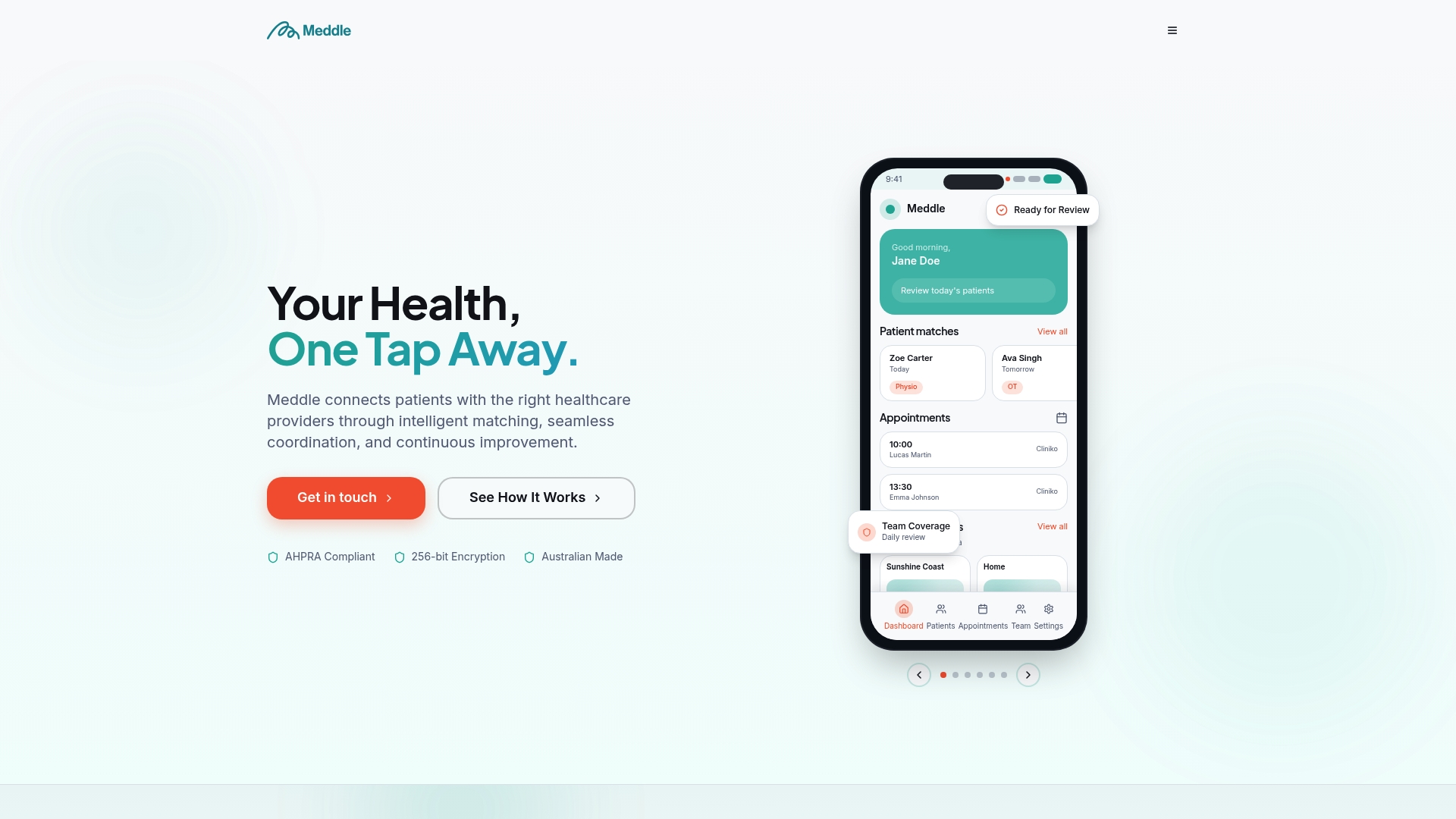
Meddle uses AI-powered matching to connect patients with the right practitioner by discipline, location and the capacity each clinician has shared, then routes the referral for the clinic to confirm, which means less time spent by clinic admin staff manually triaging referrals and chasing availability. For a clinic that’s just invested in smoother authentication, adding smoother booking and referral coordination on top compounds the time saved rather than competing with it. Clinics can see practitioner-facing time savings in more detail on the practitioner benefits page, and allied health clinics assessing operational ROI can start with the tools built for clinics to see what a simplified rollout actually looks like alongside existing IT projects.
Sources
-
Single sign on and DMR completion (WA Health) — Health Support Services
-
Implementation of a Single Sign-on System Between Practice, Research and Learning Systems — PMC
-
My Health Record connecting systems security conformance profile — Digital Health Implementer Hub
FAQ
What does SSO mean in healthcare?
SSO means single sign on: a clinician authenticates once, often by tapping a smartcard, and gains access to multiple clinical applications without re-entering credentials for each one.
What is SSO with an example?
A nurse tapping a proximity card once to open the medication chart, pathology results, and discharge summary system in sequence, without typing a password for each, is a working example, similar to the model WA Health runs across 90 clinical applications.
What is API vs SSO?
An API is a set of rules letting two systems exchange data or trigger actions; SSO is a specific authentication method that lets one login session grant access across multiple systems. OAuth, a protocol often used for SSO, is also commonly used to secure API access, which is why the two terms get confused.
What’s the difference between SSO and SAML?
SSO is the overall concept of logging in once for multiple systems; SAML is one specific protocol, mostly used for browser-based web applications, that makes federated SSO technically possible by passing signed authentication assertions between systems.
Can Meddle help clinics after an SSO rollout?
Yes. Meddle addresses the coordination and booking friction that sits outside authentication, using AI-powered practitioner matching to reduce the admin time clinics spend on referrals and scheduling, detailed on the Meddle platform page.