Digital front door healthcare: a guide for providers

A digital front door in healthcare is a single, governed access layer that connects scheduling, intake, telehealth, messaging, payments and referrals into one entry point for patients. It replaces a maze of phone lines and static websites with one consistent path in, backed by identity assurance and privacy safeguards rather than a bare login page, as the Digital Health Agency frames it.
Getting this right means aligning three things at once: the Australian Privacy Principles, the Essential Eight baseline cyber controls, and a platform, such as Meddle, that can actually deliver matching and booking on top of that governance.
If you administer a clinic or health service, your first move is simple: nominate a digital access lead (often a practice manager or IT security lead) to audit your current entry points this quarter before you buy anything new.
Key Takeaways
A digital front door works when identity assurance, privacy compliance and patient-facing convenience are designed together, not added as separate projects.
| Point | Details |
|---|---|
| Definition matters | A digital front door is a governed access layer covering scheduling, intake, telehealth and referrals, not just a portal login. |
| Start with an audit | Nominate a digital access lead to map current entry points before selecting any new technology. |
| Compliance is non-optional | Australian Privacy Principles, NASH authentication and Essential Eight controls all apply before go-live. |
| Measure early and often | Track self-scheduling uptake, no-show change and admin hours saved weekly during a pilot. |
| Meddle as a starting point | Meddle brings referral intake, matching and routing into one platform, with the clinic confirming bookings, for allied health clinics running a pilot or full rollout. |
Table of Contents
-
What are the benefits of a digital front door for patients and providers?
-
What privacy and security standards apply to a digital front door?
-
Does a single platform actually work as a digital front door?
What makes up a digital front door in healthcare?
A digital front door is built from components that work together, not a single app. Each one closes a specific gap between what patients expect and what most practices still offer by phone.
-
Public website and search presence — the discovery layer where patients first find you and decide whether to proceed.
-
Online self-scheduling — lets patients book without calling, usually the single biggest driver of adoption.
-
Mobile registration and digital intake — replaces paper forms with structured data that flows straight into your systems.
-
Patient portal access — a persistent account for results, history and ongoing communication.
-
Telehealth gateway — a defined pathway into virtual care, ideally paired with a telehealth suitability tool so patients and staff know when video visits fit.
-
Symptom triage or virtual triage — routes patients to the right level of care before an appointment is even booked.
-
Secure messaging — an auditable channel for follow ups that doesn’t rely on personal mobile numbers or email.
-
Payments and financial estimation — upfront cost clarity, which reduces billing disputes later.
-
Referral and care navigation — connects GPs, specialists and allied health without faxes or lost paperwork.
-
APIs and EHR integration — the plumbing that makes everything above actually talk to your clinical record.
Pro Tip: Map identity once, not per channel. A patient who registers on the web, then calls, then opens a mobile portal should never have to re-prove who they are three times. Scope a single identity and session model across all channels early, or you’ll end up patching it later at far greater cost.
What are the benefits of a digital front door for patients and providers?
The value case splits cleanly between what patients feel and what your operations team measures.
For patients: faster access to appointments, fewer repeated phone calls, clearer cost estimates before treatment, and multi-channel options that support people with limited English or variable digital confidence. A digital front door done well is an equity tool, not just a convenience feature, because it gives patients who struggle with phone queues a written, self-paced alternative.
For providers: self-scheduling typically lifts appointment fill rates and cuts no-shows, since patients can rebook online rather than missing a callback window. Digital intake reduces claim denials tied to incomplete or mistranscribed information. Automated referral routing saves administrative hours that used to go into chasing paperwork between practices.
Patient demand for these features is not marginal. Industry survey data shows a large share of patients now expect online scheduling, registration and payment as standard, and providers that lag on these basics risk losing patients to services that offer them.
Practices that want a defensible business case should track fill rate, no-show change and admin hours saved from day one, using tools like a no-show cost calculator or admin hours estimator to put real numbers against the pitch.
What privacy and security standards apply to a digital front door?
Treat your digital front door as a regulated access boundary, not a marketing microsite. Because it captures health information, moves it between systems, and authenticates patients and staff, several obligations apply at once.
-
Digital Health Agency guidance sets expectations for systems acting as patient-facing access points.
-
Australian Privacy Principles govern how you collect, store and disclose health information, and consent needs to be captured and recorded, not just implied.
-
National Authentication Service for Health (NASH) is the recognised mechanism for authenticated access to certain health record systems, and it matters as soon as your front door touches shared clinical data.
-
Essential Eight controls form the baseline cyber posture your vendor and internal systems should meet, covering patching, application control and restricted admin privileges.
-
AUCDI and interoperability standards determine whether your booking, intake and EHR systems can actually exchange data without manual re-entry, an issue Victoria Health’s data standards guidance addresses directly for services operating at scale.
Your procurement checklist should also cover data residency, identity proofing levels appropriate to the sensitivity of the data involved, and contract clauses that spell out breach notification timelines. State-level nuances matter too: NSW’s privacy framework and Queensland’s guidance differ enough from each other that a service operating across states needs a jurisdiction-by-jurisdiction check, not a single national assumption.
Pro Tip: Watch for three vendor red flags during selection: account recovery flows that rely on weak security questions instead of proper re-verification, vague or missing incident response service levels in the contract, and no clear answer on how secrets and API keys are managed. Any one of these should slow down a signature.
How do you plan and roll out a digital front door?
A digital front door rollout succeeds or stalls based on who’s in the room early, not on the technology you eventually choose.
Stakeholders to involve from the outset:
-
Clinical leads who understand patient workflow disruption risk
-
A digital access or product owner accountable for the whole journey
-
IT and security, covering identity, authentication and Essential Eight alignment
-
Procurement, to negotiate contract terms and total cost
-
Patient experience staff, who catch friction points clinicians miss
-
Revenue cycle owners, since intake quality directly affects claim denial rates
-
Legal and privacy, to sign off consent capture design
-
Integration owners responsible for API and EHR connections
A typical rollout runs in four phases:
-
Discover (4 to 6 weeks): audit existing access points, map gaps, agree success metrics.
-
Pilot (6 to 10 weeks): launch with one service line or clinic, run parallel workflows.
-
Integrate (8 to 12 weeks): connect scheduling, intake and messaging to your EHR and billing systems.
-
Scale (ongoing): extend to remaining sites, monitor adoption, retire legacy channels gradually.
Cost drivers worth budgeting for early include API and EHR integration work, NASH-related identity proofing fees, SMS and payment gateway charges, staff training and change management, and data migration. Ongoing support costs are often underestimated compared with the initial build. Practices scoping this for the first time can use a rollout guide built specifically around allied health procurement timelines.
Pro Tip: Run your pilot with a strict rollback plan and a small patient cohort. If self-scheduling or intake causes confusion in week one, you want the option to pause and fix it, not a facility-wide rollout you can’t easily unwind.

How do you measure whether a digital front door is working?
Track a short list of metrics rather than a dashboard nobody reads. The core operational set: online appointment conversion rate, percentage of bookings made through self-scheduling, change in no-show rate, average admin hours saved per FTE, intake error and claim denial rate, and patient satisfaction via NPS or CSAT.
-
Review operational metrics (conversion, self-scheduling uptake, no-show rate) weekly during the first quarter.
-
Review financial ROI (admin savings, revenue capture from filled capacity, reduced denials) monthly with executive stakeholders.
-
Assign one owner per metric so results don’t fall through the cracks between departments.
Providers who tie a dollar figure to admin time saved and denials avoided tend to secure faster sign off for scaling beyond the pilot, since a finance committee responds to a modelled return far more readily than a satisfaction score alone.
Does a single platform actually work as a digital front door?
A useful test case: a small allied health clinic piloting a digital front door doesn’t need to build ten separate systems. A platform like Meddle can cover intake, matching and referral routing in one pass, using algorithmic matching to route patients to the right practitioner rather than a generic booking calendar, with the clinic confirming the booking.

In a pilot of this kind, the components that matter most early are self-scheduling and structured intake, since these are what patients notice first and what admin staff feel the benefit of fastest. A parallel-run approach, old workflow alongside new, for two to four weeks lets a clinic verify booking accuracy and identity handling before switching over fully.
Pro Tip: Keep pilots small and reversible. A single clinic location, a defined patient cohort, and a documented rollback trigger protect you from a bad first impression becoming a bad first year.
How Meddle supports your digital front door strategy
Meddle gives allied health clinics a working digital front door without the multi-vendor integration project most services assume they need. Intake, matching by discipline, location and the capacity each clinician has shared, referral routing and SMS and email notifications sit on one platform, and the clinic confirms each booking. Privacy controls are built around Australian health data obligations rather than bolted on afterwards, and patient data is hosted in Sydney.
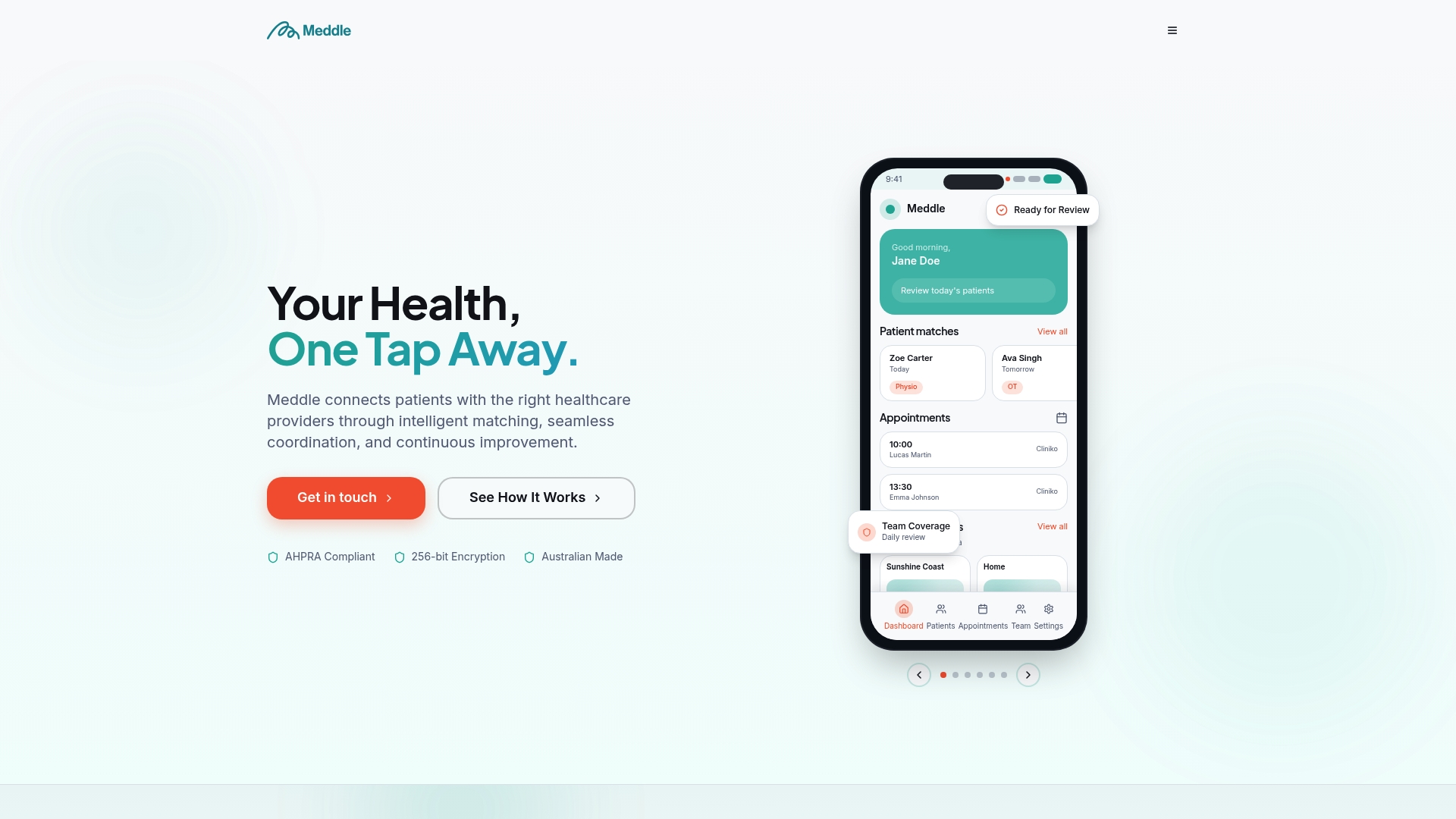
If you’ve been assessing components piece by piece, from telehealth gateways to intake forms, the practical shortcut is a platform that already connects them. Clinics can see how the matching and booking workflow operates and check rollout options starting from $40 per practitioner per month (ex GST, $250 monthly minimum, SMS included) before committing to a pilot. Book a walkthrough to see whether a staged rollout fits your service this quarter.
Sources
FAQ
What is a digital front door in healthcare?
It’s a governed, single-access layer that connects scheduling, intake, telehealth, messaging, payments and referrals so patients have one consistent way to reach care.
Is a digital front door the same as a patient portal?
No. A patient portal is one component of a digital front door; the front door also includes scheduling, triage, telehealth gateways and referral navigation working together.
What privacy rules apply to a digital front door in Australia?
The Australian Privacy Principles govern collection, storage and disclosure of health information, and NASH governs authenticated access to certain health record systems.
How long does a digital front door pilot typically take?
A discovery phase of 4 to 6 weeks followed by a pilot of 6 to 10 weeks is a realistic timeline before moving to broader integration and scale.
Can one platform cover the whole digital front door?
Yes, in many cases. A platform such as Meddle can combine intake, matching, referral routing and SMS and email notifications in one system, with the clinic confirming each booking, rather than requiring separate tools for each function.
What’s the biggest barrier to digital front door adoption?
Staff and patient adoption usually outweighs technical difficulty; clear training, parallel workflows during rollout, and simple patient-facing design reduce this risk significantly.