Practice management dashboard for Australian clinics
A practice management dashboard is a centralised, configurable interface that pulls financial, scheduling, clinical, and compliance data into a single view so practice managers and clinic directors can act on it in real time. For Australian allied health clinics, Meddle adds the referral side of that picture: it matches patients by discipline, location and the capacity each clinician has shared, routes the referral for the clinic to confirm, and shows referrals in a practice dashboard that works alongside your practice software. Patient data is hosted in Sydney.
The core value a well-configured dashboard delivers:
-
Visibility across all practitioners, appointment types, and revenue streams in one place
-
Automated alerts that flag exceptions (rising DNA rates, billing shortfalls, recall failures) before they compound
-
Actionability through drilldowns, task queues, and workflow triggers tied directly to the data
-
Reduced double-handling by connecting booking, billing, and Clinical Information System (CIS) data so staff stop re-entering the same information
RACGP and My Health Record alignment are non-negotiable for Australian practices handling personal health information, so confirm both in writing with any vendor you assess.
Key takeaways
A well-configured practice management dashboard, integrated with your CIS, booking, and billing systems and aligned with Australian data residency requirements, is the most direct lever a practice manager has for improving capacity utilisation and reducing admin overhead.
| Point | Details |
|---|---|
| Track four metric categories | Financial, utilisation, patient retention, and attendance cover the 14+ metrics that drive operational decisions. |
| Prioritise Australian data residency | Confirm hosting location in writing; non-compliant data storage creates legal exposure under the Privacy Act. |
| Use exception-based alerts | Configure alerts for DNA rate, billing shortfalls, and recall conversion rather than reviewing every metric daily. |
| Pilot before full rollout | Run a 30–60 day pilot with baseline KPIs measured before go-live to validate ROI and catch integration gaps. |
| Meddle for Australian clinics | Meddle starts from $40 per practitioner per month (ex GST) and includes AI matching, referral routing, SMS reminders and a practice dashboard built for Australian allied health. |
Table of Contents
-
What security and compliance requirements apply in Australia?
-
What does deployment typically cost and how long does it take?
-
How Meddle’s dashboard performs in Australian practice settings
-
Meddle gives your clinic a dashboard built for Australian practice
What does a practice management dashboard actually do?
A practice management dashboard aggregates data from your booking system, billing platform, CIS, and communication tools, then presents it as configurable widgets, charts, and exception reports. The goal is to replace the daily ritual of pulling separate spreadsheets and give your team a single source of operational truth.
Core capabilities you should expect from any credible platform:
-
Real-time metrics on appointments, billings, and patient flows updated without manual refresh
-
Configurable widgets so each team member sees the data relevant to their role
-
Role-based access that limits what reception, clinicians, and finance staff can view or edit
-
Drilldown reports that let you move from a summary figure to the individual appointment or invoice behind it
-
Export options for board reporting, accreditation, or external benchmarking
Scheduling and financial views are the two workhorses. Appointment overviews show utilisation per practitioner, gap rates, and forward booking depth. Financial snapshots surface total billings, outstanding debtors, bulk billing percentages, and income per hour. Together, these two views answer the questions practice managers ask most often: are we full, and are we getting paid?
Workflow automation sits on top of the data layer. Automated appointment reminders, recall campaigns, referral tracking, and task queues all depend on the dashboard surfacing the right trigger at the right time. Vendor platforms describe interactive dashboards that combine financial and appointment metrics with role-specific views to deliver up-to-the-minute insights, and that pattern holds across the Australian market.
Pro Tip: Set up a separate dashboard view for each role in your clinic — reception, treating practitioners, and the practice manager — rather than one shared view. Each role has different decision triggers, and a cluttered shared view means everyone ignores it.
Which metrics should your dashboard track?
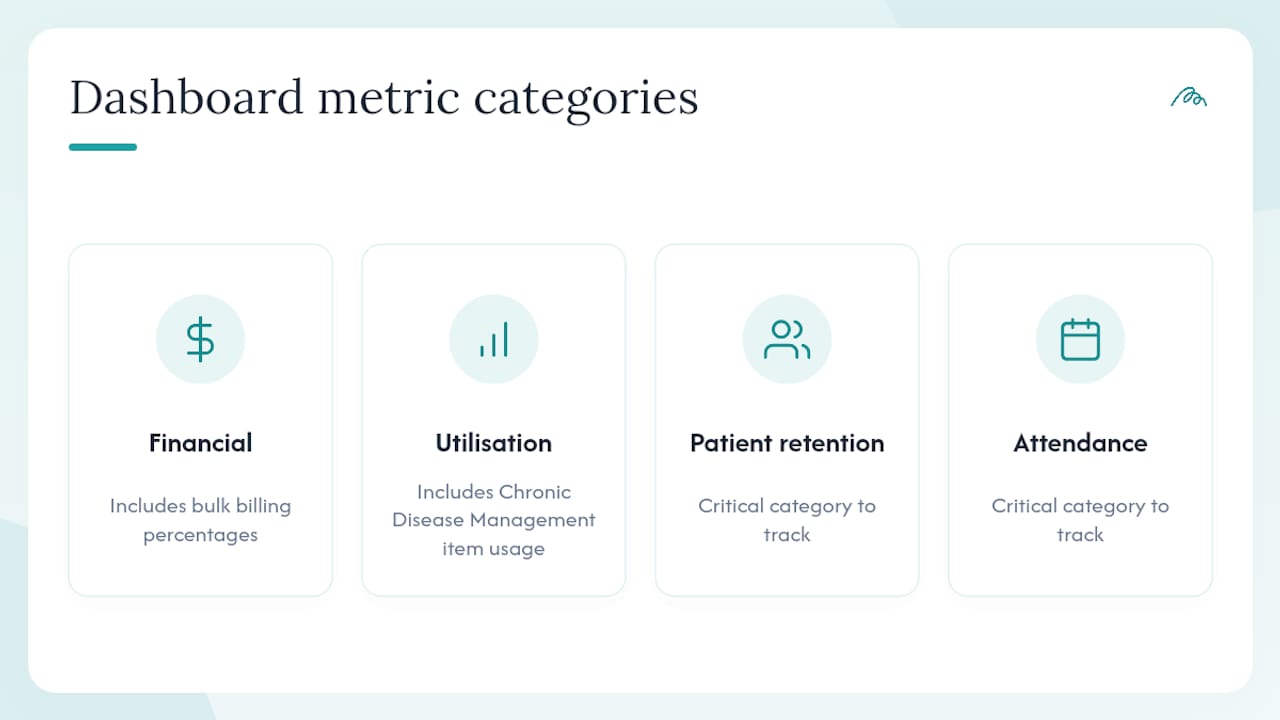
A high-performing dashboard should track at least four critical categories: financial, utilisation, patient retention, and attendance. Australian practice dashboards commonly surface 14 or more specific metrics, including bulk billing percentages and Chronic Disease Management item usage.
Financial metrics
| Metric | What it tells you | Action it drives |
|---|---|---|
| Total billings (daily/weekly/monthly) | Revenue trend against target | Adjust practitioner hours or billing mix |
| Debtors days outstanding | Cash flow health | Trigger payment follow-up workflows |
| Billings per practitioner per hour | Individual productivity | Identify under-utilised appointment types |
| Bulk billing percentage | Funding mix | Rebalance private vs bulk billing ratios |
Utilisation metrics
Appointments per practitioner, gap rate (unfilled slots as a percentage of available slots), and forward booking depth (how many days ahead the diary is filled) are the three figures that tell you whether your capacity is being used. A gap rate above 15% in a typical allied health clinic usually warrants a review of your recall and re-booking workflows.
Patient retention metrics
New versus returning patient ratio, recall conversion rate, and average time between visits show whether patients are coming back. A declining recall conversion rate is often the first visible sign of a patient experience problem, well before it shows up in revenue.
Attendance and DNA metrics
Did-not-attend (DNA) and late cancellation rates are the most operationally damaging metrics in any clinic. A rising DNA rate should automatically trigger an SMS reminder review or a re-booking outreach workflow. Tracking DNA by practitioner and appointment type helps you target the intervention precisely rather than blanketing all patients with more reminders.
Statistic callout: Dashboards tracking these four categories commonly surface 14+ specific metrics, including bulk billing percentages and CDM item usage, giving practice managers a genuinely complete operational picture.
Pro Tip: Use trend lines over a rolling 12-week period rather than point-in-time figures. A DNA rate of 8% this week means nothing without knowing whether it was 5% six weeks ago or 11%. Trend-based alerts catch drift before it becomes a crisis.
Which systems should you integrate with your dashboard?
RACGP recommends integrating booking and billing systems with your Clinical Information System to maintain continuity of care and reduce administrative double-handling. That recommendation is the right starting point for any Australian practice building an integration architecture.
The core data sources to connect:
-
Clinical Information System (CIS/EHR): Patient records, clinical notes, care plans, and referral history. AHPA’s CIS checklist confirms that scheduling, billing, and reporting should all be supported within or connected to the CIS.
-
Practice booking system: Appointment data, practitioner availability, and gap tracking feed directly into utilisation metrics.
-
Billing and claims system: Invoice status, debtors, and bulk billing data power your financial dashboard.
-
Medicare Online / ECLIPSE: Claims status and processing times. Choosing software that lacks integration with Australian digital health infrastructure including Medicare Online and My Health Record creates bottlenecks even when the dashboard itself looks polished.
-
My Health Record: Shared health summaries, discharge reports, and medication records for clinical continuity.
-
SMS and communication platforms: Reminder and recall campaign data closes the loop between the dashboard alert and the patient action.
When you sit down with a vendor, work through this integration checklist:
-
Does the platform offer a documented API for each integration, or does it rely on manual data exports?
-
Is data synchronised in real time or in scheduled batches, and how does that affect the freshness of your dashboard metrics?
-
Where is data stored, and can the vendor confirm Australian data residency in writing?
-
What authentication standards does the API use (OAuth 2.0, SMART on FHIR)?
-
Who is responsible for maintaining integrations when a connected system updates its API?
How do you configure alerts that actually drive action?
Experts recommend exception-based reporting so your dashboard acts as a proactive control room rather than a passive report library. The distinction matters: a passive dashboard shows you what happened; an exception-based dashboard tells you what needs your attention right now.
Configuration starts with widgets and saved views. Build a morning view that shows yesterday’s billing total, today’s appointment fill rate, and any outstanding recalls due this week. Build a separate weekly view for the practice manager that surfaces trend lines and flags any metric outside its target band.
Exception alerts worth configuring from day one:
-
DNA rate exceeds your practice threshold for any practitioner or appointment type
-
Monthly billings drop more than a significant amount against the prior four-week average
-
Recall conversion rate falls below target for a specific recall type
-
Outstanding debtors exceed a set dollar threshold or age past 30 days
-
Forward booking depth drops below a defined number of days
Alert delivery channels typically include in-dashboard notifications, email digests, SMS to the practice manager, and task queue items assigned to specific staff. Escalation rules matter: a DNA spike at 9 AM should create a task for reception, not an email to the practice director.
Pro Tip: Start with three alerts only. Practices that configure 20 alerts on day one find that staff start ignoring all of them within a fortnight. Add alerts incrementally as your team builds the habit of acting on each one.
What ROI can you expect from a well-configured dashboard?
The operational benefits are measurable and tend to compound. Implementation partners advise mapping workflows and scoping integrations first so dashboards return usable insights rather than introducing extra manual steps. When that groundwork is done, the returns are concrete.
Expected benefits in order of typical impact:
-
Reduced admin hours from eliminating manual report compilation and cross-system data entry
-
Lower DNA rates through automated reminder and re-booking workflows triggered by dashboard alerts
-
Improved capacity utilisation by identifying and filling gap appointments before the day starts
-
Faster claims processing through real-time billing status visibility and exception flagging
-
Better practitioner allocation by matching appointment demand to practitioner availability using scheduling analytics
Allied health performance dashboards used as an operations engine room bring systems and data together, enrich that data with business context, and return insights directly into workflows. The practical result is that a practice manager spends less time assembling information and more time acting on it.
To measure ROI during a pilot, baseline three figures before go-live: admin hours spent on reporting per week, current DNA rate, and current gap rate. Measure the same three figures at 30 and 60 days. Those six numbers tell you whether the investment is working.
Measurement tip: Track matching outcomes in your own pilot, meaning the share of referrals that reach a suitable practitioner and a confirmed booking, against your pre-pilot baseline. Meddle’s practitioner benefits page explains how matching works for clinics.
What security and compliance requirements apply in Australia?
Australian practices handling personal health information must meet the Australian Privacy Principles (APPs) under the Privacy Act 1988, and any dashboard that touches My Health Record data must comply with the My Health Records Act 2012. These are not optional considerations; they are legal obligations.
Technical safeguards to confirm with any vendor:
-
Encryption at rest (AES-256 or equivalent) and in transit (TLS 1.2 minimum)
-
Role-based access controls with audit logging of all data access events
-
Australian data residency, confirmed in writing in the vendor agreement
-
Multi-factor authentication for all administrative accounts
-
Documented incident response plan with defined notification timelines
Australian digital health standards emphasise interoperability and secure handling of health data. Vendors must support relevant integrations including My Health Record and Medicare Online alongside appropriate data security measures.
Trust signals to look for during vendor evaluation:
-
Published data residency statement specifying Australian hosting
-
ISO 27001 certification or equivalent third-party security audit
-
Documented My Health Record conformance
-
Clear data processing agreements aligned with APP obligations
| Security checkpoint | What to verify |
|---|---|
| Data residency | Written confirmation of Australian hosting location |
| Encryption | AES-256 at rest, TLS 1.2+ in transit |
| Access controls | Role-based with full audit trail |
| Incident response | Documented plan with notification SLAs |
| My Health Record | Conformance documentation available |
What does deployment typically cost and how long does it take?
Pricing for Australian practice management platforms generally follows a per-practitioner SaaS subscription model. Meddle’s pricing starts from $40 per practitioner per month (ex GST, $250 monthly minimum) with SMS and email notifications included, plus optional price-on-application add-ons for CRM integration, telehealth, transcription and white labelling. Tiered module pricing is common across the market, where core scheduling and billing dashboards sit at a base tier and advanced analytics or multi-site reporting cost more.
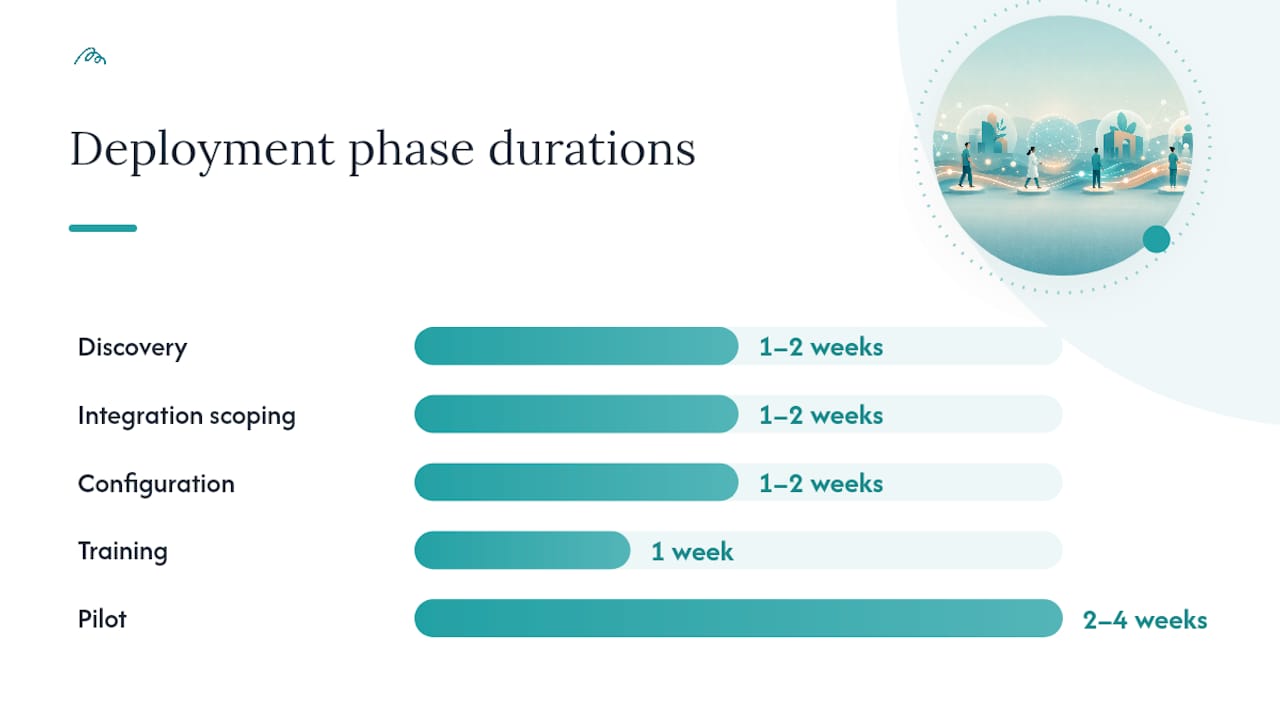
A typical deployment sequence runs across six phases:
-
Discovery (1–2 weeks): Map existing workflows, identify integration points, and define the KPIs your dashboard must surface.
-
Integration scoping (1–2 weeks): Confirm API availability with your CIS, booking, and billing vendors; agree on real-time versus batch sync.
-
Configuration (1–2 weeks): Build widgets, saved views, role-based dashboards, and initial alert thresholds.
-
Training (1 week): Role-specific training for reception, clinicians, and the practice manager.
-
Pilot (2–4 weeks): Run the dashboard alongside existing reporting to validate accuracy and catch integration gaps.
-
Full rollout: Retire legacy reports and make the dashboard the operational standard.
Hidden costs to budget for:
-
Integration development if your CIS or billing system requires custom API work
-
SMS credits for reminder and recall campaigns
-
Change management time for staff who are accustomed to existing reporting tools
-
Ongoing support and SLA costs beyond the base subscription
PracticeAssist recommends demonstrations, trials with real data, and stakeholder involvement when evaluating systems. Budget for at least one full pilot cycle before committing to a long-term contract.
How do you choose the right dashboard vendor?
A sound selection process includes stakeholder mapping, trialling with real data, and validating workflow automation to confirm the dashboard reduces manual steps rather than adding them. Run your evaluation against this checklist before shortlisting vendors.
Must-have capabilities:
-
Native integrations with your existing CIS, booking, and billing systems
-
Exception-based alerting with configurable thresholds
-
Role-based dashboards with granular permission controls
-
Confirmed Australian data residency
-
Documented API access for future integrations
Vendor questions to ask during demonstrations:
-
What is your uptime SLA, and how is downtime communicated?
-
How do you handle API changes from connected systems (CIS updates, Medicare Online changes)?
-
What does onboarding include, and is training included in the base subscription?
-
Can we trial with our own live data before signing a contract?
-
How are security incidents reported to customers?
When to pilot versus when to buy outright: Practices with fewer than five practitioners and a single-site setup can usually reach a confident buying decision after a 30-day trial. Multi-site practices or those with complex CIS integrations should run a full 60-day pilot with at least one integration live before committing. AHPA’s CIS selection checklist is a useful parallel reference for confirming that your clinical system supports the scheduling, billing, and reporting connections your dashboard will depend on.
For scheduling-specific analytics in multi-site or aged-care settings, dashboard tools designed for complex care environments offer a useful reference point for the kinds of operational metrics and role-based views that translate well into allied health clinic contexts.
How Meddle’s dashboard performs in Australian practice settings
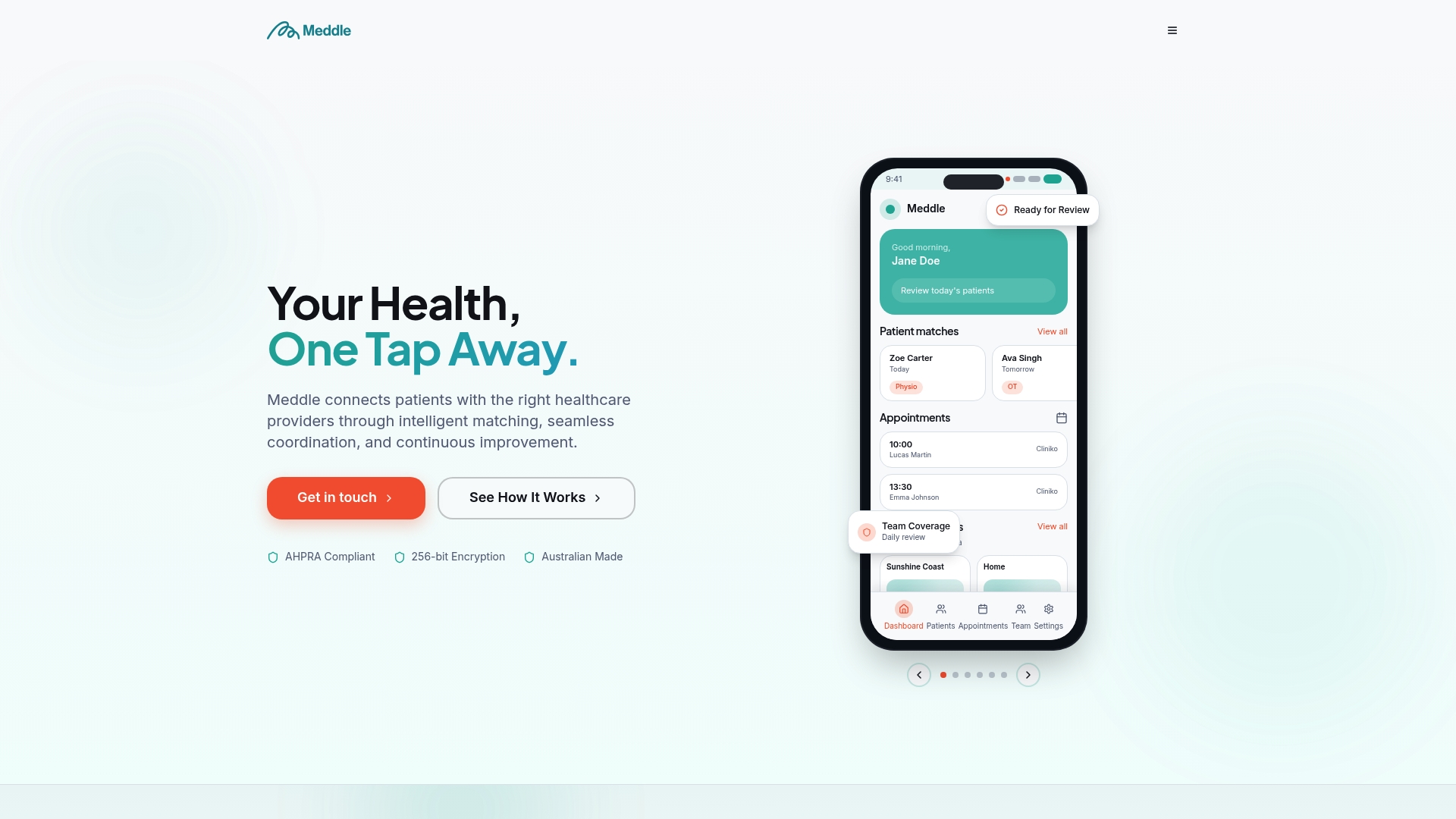
Meddle’s dashboard is the operational view of its referral layer: patients are matched by discipline, location and the capacity each clinician has shared, the referral is routed, and the clinic confirms the booking in its own system. The platform is built for Australian allied health clinics, with patient data hosted in Sydney, and it works alongside your practice software rather than replacing it.
What Meddle’s dashboard and matching are designed to support:
-
Referral matching that connects patients to practitioners whose shared capacity, location and clinical scope fit the patient’s needs
-
Less double-handling of referrals, because intake, matching and routing sit in one workflow alongside your practice software
-
Faster referral processing, with referral status visible in the practice dashboard
-
Fewer missed appointments, supported by the SMS and email reminders included in Simple Rollout
Statistic callout: Meddle’s admin hours saved estimator lets practices calculate the specific time reduction their team can expect based on current appointment volume and admin workflows.
The referral quality scorecard is a practical example of dashboard-derived measurement: it surfaces referral accuracy and practitioner appointment metrics so practice managers can identify where referral pathways are working and where they are breaking down.
Pro Tip: In your first 90 days with any new dashboard, focus exclusively on three metrics: DNA rate, appointment fill rate, and recall conversion. Configure alerts for each, review them weekly with your reception team, and resist the temptation to add more metrics until those three are consistently within target.
The case for starting with three KPIs, not thirty
Most clinic dashboards fail not because the technology is wrong but because the implementation asks too much of the team too quickly. The practices that get the most from their analytics tools in the first year are the ones that deliberately constrain their initial KPI set.
Three metrics, reviewed weekly, with a clear owner for each one, outperforms a 30-metric dashboard that nobody has time to interpret. The evidence for exception-based monitoring is consistent: Huddle Lab’s allied health performance research describes the dashboard as a control room that surfaces only the items outside preset targets, freeing the team to act rather than analyse.
The internal alignment piece is just as important as the technology. Reception, treating practitioners, and the finance lead each need to understand which metrics belong to them and what action each alert requires. A dashboard that generates alerts nobody acts on is worse than no dashboard at all, because it creates the illusion of oversight without the substance. Run a pilot with one site, one integration, and three KPIs. Validate the data, build the habit, then expand.
Meddle gives your clinic a dashboard built for Australian practice
Practices that have worked through this guide know what they need: a configurable dashboard with Australian data residency, exception-based alerts, and integrations that connect booking, billing, and clinical records without manual re-entry. Meddle covers the referral side of that picture, with matching, routing and a practice dashboard, and it works alongside your practice software rather than replacing billing or clinical records. Pricing is from $40 per practitioner per month (ex GST, $250 monthly minimum), with SMS and email notifications included, with a simple rollout process designed for allied health clinics that cannot afford a six-month implementation project.
The pilot measures what matters: referral-to-booking conversion, admin hours saved, recall conversion, and appointment fill rate. You set the baseline before go-live and compare it at 30 days (the free pilot length), then again at 60 days if you continue. Meddle’s clinic ROI tools and guided onboarding are included, so your team is not left to configure the platform alone. Visit Meddle’s practitioner benefits page to review the feature set and start your free 30-day pilot.
Sources
-
Clinical information systems for allied health — Allied Health Professions Australia
-
Practice management software — Australian Digital Health Agency
-
Software for General Practice — key considerations (PracticeAssist PDF)
-
How to choose the right medical software and vendor — Medic Cloud
FAQ
What is a practice management dashboard?
A practice management dashboard is a configurable interface that aggregates data from your booking, billing, and clinical systems into a single real-time view, allowing practice managers to monitor financial performance, utilisation, patient retention, and attendance without pulling separate reports.
Which metrics matter most for an allied health dashboard?
The four critical categories are financial (billings, debtors), utilisation (appointments per practitioner, gap rate), patient retention (recall conversion, new vs returning ratio), and attendance (DNA and late cancellation rates). Australian dashboards commonly track 14 or more specific metrics across these categories.
Does Meddle support Australian data residency requirements?
Meddle hosts patient data in Sydney and is designed around the Australian Privacy Principles. Ask for written confirmation of data residency and privacy terms during evaluation, as you would with any vendor.
How long does it take to implement a practice management dashboard?
A typical rollout runs several weeks across discovery, integration scoping, configuration, training, and a pilot phase. Smaller single-site practices can often reach full deployment faster; multi-site or complex CIS integrations warrant a longer pilot period.
What should I ask a vendor before signing a contract?
Ask for written confirmation of Australian data residency, API documentation for your existing CIS and billing system, uptime SLA details, and whether a trial with live data is available before commitment. PracticeAssist recommends stakeholder involvement and a demonstration with real data as minimum steps before any purchase decision.