Message GPs Securely: Test 5–10 Messages in Australian Practices

Use Secure Message Delivery (SMD) through your conformant clinical software when you message GP colleagues with clinical documents. It’s the recommended, auditable method for exchanging referrals, reports and results between Australian providers. Encrypted email with documented patient consent is a fallback, governed by RACGP and OAIC guidance, never the default.
TL;DR:
- Before going live, confirm your software conforms to the National Secure Messaging Network, then test five to ten messages with each major referral partner.
- Check each destination’s messaging network, endpoint, and accepted document types; incomplete interoperability may require a second provider subscription, a gap expected to persist through 2026.
- Use email only when secure messaging is unavailable, after verifying the recipient, applying encryption or password protection, and recording the patient’s consent.
- Verify identity with two identifiers, train staff on their sending roles, and run the new workflow alongside existing processes during its first month.
Table of Contents
- What secure messaging and SMD mean for your practice
- How a secure message travels from sender to inbox
- Setting up secure messaging: a practical checklist
- Using email safely when SMD isn’t available
- Staying connected when networks don’t talk to each other
- Why this matters beyond compliance
- How Meddle supports secure referrals and messaging workflows
- FAQ
- Sources
What secure messaging and SMD mean for your practice
Secure Message Delivery is the Australian standard for exchanging clinical information between healthcare providers. It relies on encryption, authenticated sender and receiver identities, and an auditable delivery trail built directly into clinical software, so messages land in a practice inbox rather than a shared email account.
The Australian Digital Health Agency oversees the National Secure Messaging Network, which sets conformance requirements that participating software products must meet. Conformance matters because it guarantees your sending system and a specialist’s receiving system can actually talk to each other, with predictable security and formatting.
SMD commonly carries:
- Referrals between GPs and specialists
- Specialist letters and consultation reports
- Pathology and radiology results
- Hospital discharge summaries
Because these documents arrive as structured data rather than scanned attachments, they import directly into the correct patient file instead of requiring manual re-keying.
How a secure message travels from sender to inbox
A secure message moves through a defined chain of systems, each with a specific job.
- Your clinical software creates the message and attaches the referral, report or result as a structured payload.
- The message passes to your sending edge node, which checks the recipient’s address against a provider directory.
- A core node routes the message, applying encryption and logging the transaction for audit purposes.
- The receiving edge node authenticates the incoming message and confirms the payload type.
- The message lands in the recipient’s clinical inbox, where it can import automatically into the patient record.
An effective rollout usually pairs technical onboarding with a short trial, sending five to ten test messages with each major referral partner to confirm payloads and error handling before relying on the connection for live clinical work, according to the ADHA implementation guide.
Every step generates a delivery acknowledgement, so your practice has evidence a referral was sent and received, not just drafted. That audit trail is one of the clearest advantages SMD has over a standard email account, where delivery and read confirmation are unreliable at best.

Setting up secure messaging: a practical checklist
Rolling out secure messaging is mostly an administrative project, not a technical one. Start with these steps.
- Confirm your clinical software is NSMN-conformant, checking against the ADHA implementation guide before assuming compatibility.
- Register with a conformant secure messaging provider and request endpoints for the specialists, pathology services and hospitals you refer to most.
- Update your practice policy to name secure messaging as the default channel and document how patient consent for electronic communication is captured and stored.
- Verify patient identity before sending any message, using at least two identifiers such as full name and date of birth.
- Train reception and clinical staff on their specific roles in the sending workflow, then run supervised test messages before going live.
- Plan for internet outages with a documented backup workflow, such as secure fax or a controlled email fallback, so care isn’t delayed.
Our Six Step Secure Patient Messaging Checklist walks through consent documentation and staff sign-off in more detail, and pairs well with broader guidance on securing patient records under APP 11.
Pro Tip: Run your first month of secure messaging in parallel with your existing workflow, so nothing gets lost while staff build confidence in the new system.
Using email safely when SMD isn’t available
The RACGP is clear that ordinary email carries real risk for clinical information and should only be used as a controlled fallback, with mitigations in place and patient consent documented, never as the default channel for sensitive results or referrals.
If email is genuinely your only option, a few steps reduce the risk meaningfully.
- Verify the recipient’s email address directly with them before sending anything clinical.
- Password-protect attachments or use an end-to-end encrypted email service rather than a standard consumer account.
- Log patient consent for electronic communication in the file, including what was sent and when.
- Enable multi-factor authentication on every staff email account that might handle health information.
Under the Privacy Act, practices must also respond to a patient’s access request within 30 calendar days and maintain a documented data breach response plan, regardless of which channel carried the original message.
Staying connected when networks don’t talk to each other
Interoperability between secure messaging providers is still incomplete. Many Australian practices need more than one messaging service to reach every specialist, hospital and allied health provider they deal with regularly, and that fragmentation is expected to persist through 2026 even as the NSMN continues to expand.
A few habits keep referrals moving despite that gap.
- Check which messaging network your top referral destinations actually use before signing up with a provider.
- Confirm the specific endpoint and payload types (referral, report, result) a receiving system accepts, rather than assuming every message type works.
- Test new connections with a phone call to the receiving practice plus a real test message, not just a technical handshake.
- Reserve a second provider subscription for destinations you reach often, and use controlled, consented email only as a short-term bridge for occasional contacts.
Why this matters beyond compliance
Practices that move clinical correspondence onto secure messaging consistently report fewer transcription errors and faster specialist replies, because documents import directly into the record instead of being retyped from a fax or scanned letter. The audit trail also makes it far easier to prove what was sent, to whom, and when.
Most failures we see aren’t technical. They’re missing consent records or staff who were never properly trained on the workflow, which is exactly what a practical checklist and a short trial period are meant to prevent.
— Taylor
How Meddle supports secure referrals and messaging workflows
Setting up secure messaging is one part of a bigger challenge: getting the right patient to the right practitioner without the admin blowing out your week. We built Meddle to handle that coordination work alongside your clinical communication, not instead of it.
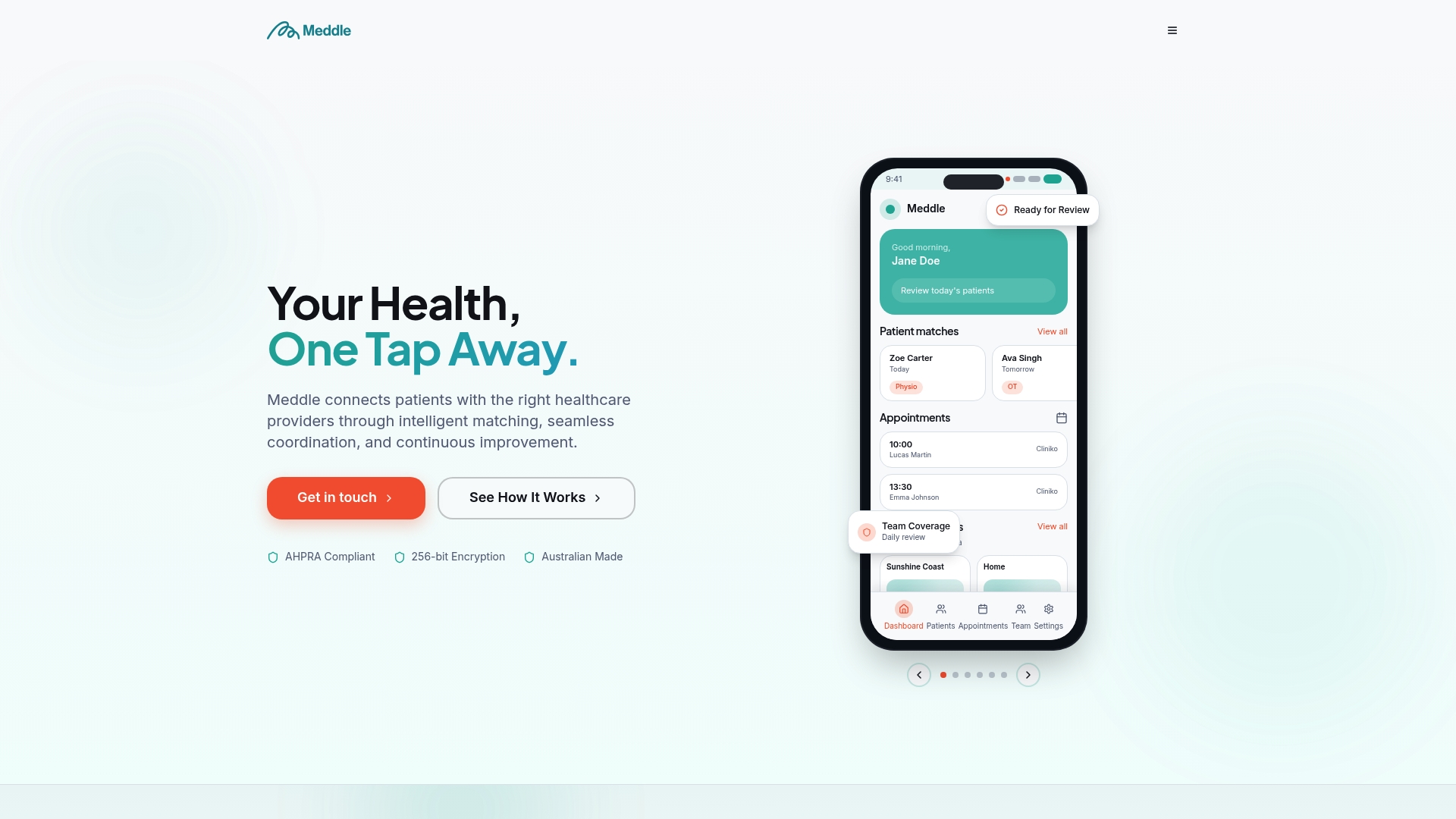
Our platform pairs referral automation with the consent and checklist templates practices need for compliant patient communication, so the paperwork side of secure messaging doesn’t fall through the cracks.
- Referral automation that routes patients to the right practitioner and keeps the audit trail intact
- Messaging integration that works alongside your existing secure messaging setup
- Consent and checklist templates ready to adapt for your own practice policy
- A practice management dashboard that keeps scheduling, intake and coordination in one place
If you’re weighing up how this fits your practice, our how it works page walks through the coordination side in more detail, and our pricing page lists current plans including SMS Notifications and CRM Integration add-ons at $50 AUD per month per practice. Our help centre is there if you want to talk through rollout before you commit.
This article is general information, not a substitute for advice from a qualified doctor. Consult a qualified healthcare professional about your own circumstances before acting on anything here.
FAQ
Where can I chat with a doctor online for free in Australia?
Several Australian telehealth services offer free or Medicare-rebated consultations with a GP, depending on your eligibility and location. Check with your regular practice first, since many now offer their own telehealth bookings alongside in-person appointments.
What is the best secure messaging app for healthcare professionals?
There’s no single best option: the right choice depends on which software your most frequent referral partners already use, since messaging providers aren’t fully interoperable with each other. Confirm NSMN conformance and endpoint compatibility with your clinical software provider before choosing.
What is secure messaging in healthcare?
Secure messaging is an encrypted, authenticated way to send clinical documents like referrals, reports and results directly between healthcare providers’ clinical software. In Australia, Secure Message Delivery is the standard model for this exchange, built into most general practice and specialist software.
What is secure message delivery?
Secure Message Delivery (SMD) is the Australian technical standard that routes clinical messages through sending and receiving edge nodes and a core node, with encryption and audit logging at every step. It lets a referral or report import straight into the recipient’s clinical inbox instead of arriving as a loose attachment.
Is it safe to message my GP by email?
Email can carry health information only when it’s genuinely necessary, the recipient’s address has been verified, appropriate protections like encryption or password protection are used, and the patient has given documented consent. The RACGP treats this as a fallback, not a routine channel for sensitive clinical content.
Sources
- Secure messaging — Australian Digital Health Agency
- Using email in general practice — RACGP
- Guide to health privacy — OAIC (May 2025)
- NSMN conformance profile and implementation guidance — Digital Health Implementer Hub