Australian clinics: Migrate patient records with OAIC privacy and FHIR
The safest way to migrate patient records is a staged approach: appoint a named migration lead, run a privacy review, then test the conversion on a small sample before touching live data. Budget several weeks of planning, run multiple trial conversions, and get formal sign‑off before go‑live. In the first 48 to 72 hours, lock your data audit scope, confirm privacy obligations, and schedule your first test conversion.
TL;DR:
- Conduct multiple trial conversions with sample data to identify mapping errors and ensure clinical fields like allergies and medications are correctly transferred.
- Allocate at least four to six weeks for planning, data cleansing, staff training, and testing, instead of rushing into the final migration.
- Migrate active patient records from the last two years, including scheduled appointments and referrals, while archiving older or unnecessary data to prevent clutter.
- Implement strict privacy controls during migration by encrypting data, documenting custody, and restricting access to reduce compliance risks.
- Use a staged, governance-driven process with clear sign-off points to prevent errors that could delay or compromise the entire patient record migration.
Table of Contents
- How do you migrate patient records safely?
- How long does an EHR migration realistically take?
- What patient data should you migrate versus archive?
- Getting field mapping and clinical standards right
- How do you test a data migration before going live?
- What happens on go‑live day and the week after?
- Meeting privacy obligations while you migrate
- Consent, retention, and the legal side beyond privacy
- What most migration guides miss
- Moving your practice onto Meddle without the migration headache
- Sources
- FAQ
How do you migrate patient records safely?
A safe patient data migration follows a short chain of decisions, not a single event. Getting the order right matters more than moving fast.
- Appoint a project owner. One person, not a committee, signs off on each phase and answers for the outcome.
- Scope your data. Separate active patients, historical files due for archive, and genuine junk before anyone touches the export.
- Lock down privacy controls. Update contracts with your vendor, confirm audit logging, and check encryption in transit and at rest.
- Plan your trial conversion. Set the sample size and the sign‑off criteria before you run it, not after.
- Prepare for go‑live and contingency. Decide who covers the front desk if the system goes down, and how patients get seen regardless.
Each step feeds the next. Skipping the data audit to save a week almost always costs two weeks later, once mapping errors surface in the trial run.
How long does an EHR migration realistically take?
Australian practices generally allow several weeks of planning before the production migration itself, according to implementation guidance from Podium IT. That window covers everything from data cleansing to staff training, and it is rarely wasted time. Here is roughly how that period breaks down.
- Week 1: Data audit and stakeholder sign‑off. Confirm what moves, what gets archived, and who owns each decision.
- Weeks 2 to 3: Cleansing and mapping. Fix duplicate patient records, standardise coding where possible, and map core clinical fields.
- Week 4: First trial conversion. Load a sample into a staging environment and check it against your acceptance criteria.
- Week 5: Second trial and corrections. Address anything the first pass flagged, then re‑run the sample.
- Week 6: Final sign‑off and go‑live scheduling. Confirm the production cutover date, ideally outside clinic hours.
Budget staff hours honestly. Scanning paper files, retraining reception on a new diary system, and reconciling exceptions logs all take longer than most practice managers expect, a pattern flagged consistently in RACGP’s clinical information systems guidance. Medicare Minor ID setup can take several weeks, so start that process early rather than treating it as an afterthought.
What patient data should you migrate versus archive?
Not every record deserves a spot in your new system on day one. A useful rule of thumb: if a patient has been seen in the last two years, or has an open referral, treatment plan, or upcoming appointment, that record is active and migrates in full. Anything older moves to archive, accessible but not cluttering daily workflows.
- Active records: current patients, open referrals, anything with an appointment booked.
- Historical records: discharged patients, closed episodes of care, records past your retention trigger but still within your legal retention window.
- Junk records: test entries, duplicate patient files, and anything genuinely superseded.
Count your records and attachments early. A practice with 4,000 active files and heavy imaging attachments needs a very different migration plan to a solo allied health clinic with 600 files and no scans. Treat paper‑to‑digital scanning as its own project with its own deadline, Pabau’s migration guide notes it rarely finishes on the same schedule as the digital migration.
Pro Tip: Build a manual document kit, a printed or offline summary of each active patient’s essentials, before go‑live. If the new system hiccups on day one, reception can still safely see patients.
Getting field mapping and clinical standards right
Extract, transform, load (ETL) is the model most migration guides use, and for good reason: it forces you to separate “get the data out,” “make it fit,” and “put it in” into distinct, checkable stages. Mapping is where migrations most often go wrong, particularly around medication lists, allergy fields, and free‑text notes that don’t translate cleanly between systems.
Prioritise HL7 FHIR and SNOMED CT‑AU wherever your systems support them. National clinical information system guidance recommends RESTful FHIR APIs and AU Core profiles specifically because they hold up for future integrations, not just this one migration.
- Map allergies, medications, immunisations, and the problem list first. These carry the highest clinical risk if they land wrong.
- Keep an exceptions log recording the source value, target field, transformation rule, and the person responsible for reviewing it.
- Preserve auditability. Every transformed field should trace back to its original source record if a clinician later questions it.
Adopting standards like these has real overhead. The national interoperability plan is upfront that governance and mapping maintenance take ongoing resourcing, not a one‑off setup task.
How do you test a data migration before going live?
Never trust a migration you haven’t tested twice. Run your first trial conversion into a staging environment using a representative sample, typically 5 to 10 patient files and 5 to 10 documents, rather than your whole database.
- Select your sample. Mix routine patients with edge cases: complex medication histories, multiple providers, unusual appointment patterns.
- Check clinical content. Open every file and document in the sample. Confirm notes render correctly and nothing has silently truncated.
- Validate the diary and integrations. Appointment history and any connected systems (billing, referral pathways) need to survive the conversion intact.
- Run 2 to 3 test cycles. Fix what the first pass flags, then test again before anyone signs off.
Trial conversions exist to catch mapping irregularities before they touch a live clinic, and Podium IT’s implementation guidance treats multiple test cycles as standard practice rather than a luxury step. Skipping straight to production because the first trial “looked fine” is the single most common cause of a bad go‑live day.
What happens on go‑live day and the week after?
Go‑live is a gate, not a deadline. Don’t cut over until your migration lead, your vendor, and your clinical staff have all signed off on the final trial review, and until you’ve confirmed a fresh backup exists.
- Check a sample of patient files immediately after cutover, the same way you did in the trial.
- Validate the diary: confirm today’s and this week’s appointments are all present and correctly timed.
- Test every integration, pathology results, billing, referral systems, before the first patient arrives.
- Keep vendor support on call for the first day, not just available by ticket.
- Run parallel access to the old system for a short window in case something needs cross‑checking.
Budget a genuine post‑migration support window. Pabau’s guide recommends 30 to 90 days of active support and clean‑up, covering everything from staff questions to clearing the exceptions log your mapping team built during testing.
Meeting privacy obligations while you migrate
Migration is exactly the moment your privacy obligations get tested, because data is moving between systems, vendors, and sometimes staff who don’t normally handle it. The OAIC Guide to Health Privacy sets out a four‑step cycle for this: embed, establish, evaluate, enhance. Update your privacy management plan before migration starts, not after something goes wrong.
- Document chain of custody for every stage the data passes through, extraction, transfer, staging, load.
- Apply role‑based access so only the people who need to see records during migration can.
- Encrypt data in transit and at rest, and confirm your vendor contracts specify this.
- Keep audit trails showing who accessed what, and when, throughout the process.
- Understand APP 11 obligations around reasonable steps to protect personal information, they apply during migration just as much as day‑to‑day operation.
| Governance task | Why it matters during migration |
|---|---|
| Updated privacy management plan | Meets OAIC’s embed/establish/evaluate/enhance cycle |
| Documented chain of custody | Evidences APP 11 compliance if questioned |
| Role‑based access controls | Limits exposure during the highest‑risk data movement |
| Encryption in transit and at rest | Protects records while outside your usual system |
| Breach notification readiness | Required regardless of migration status |
If any part of your migration touches My Health Record, check the compliance implications before assuming your existing upload arrangements carry over automatically.
Consent, retention, and the legal side beyond privacy
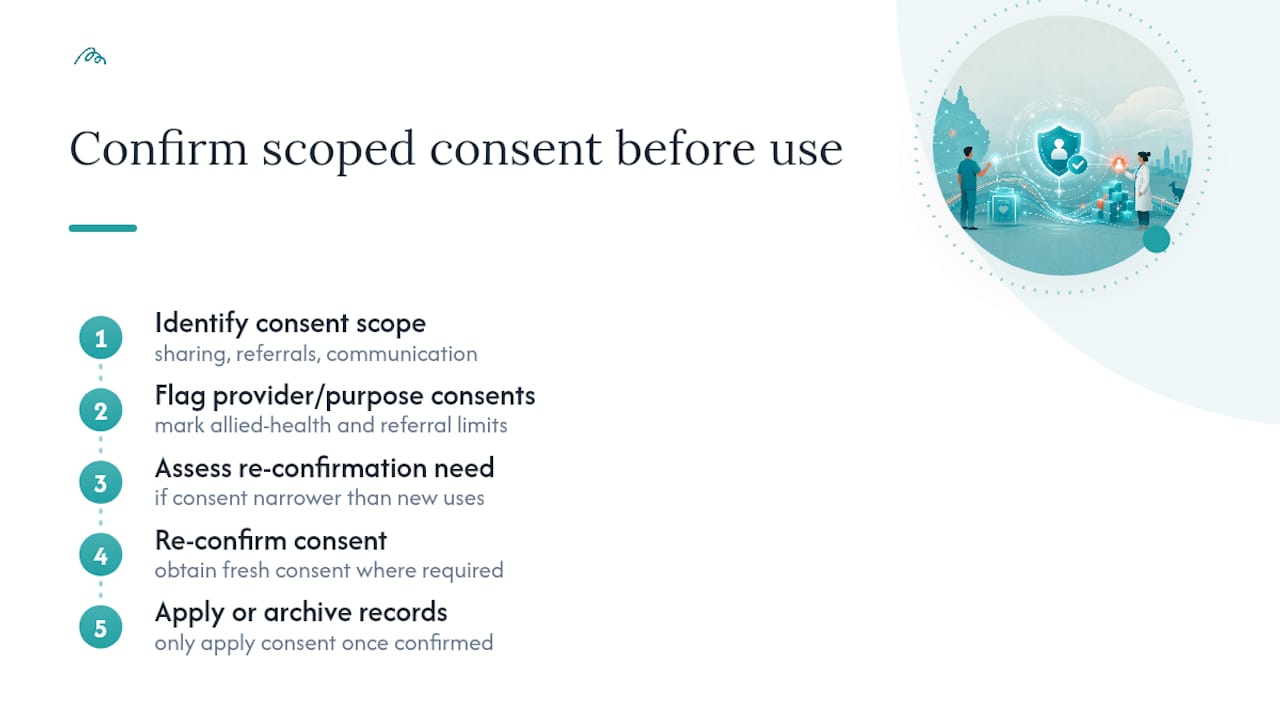
Privacy law is only part of your legal exposure during a migration. Consent management deserves its own line item: if your new system changes how patients are asked to consent to data sharing, referrals, or communication, you may need to re‑confirm consent rather than assume the old system’s records still apply correctly. This matters most for allied health referral pathways, where a patient’s original consent may have been scoped to a specific provider or purpose rather than a blanket agreement.
Retention policy is the other piece practices tend to underestimate. Migrating records doesn’t reset your retention clock, and it doesn’t give you licence to delete anything early just because it’s inconvenient to map. Most Australian jurisdictions require health records to be retained for a minimum period after last contact, longer again for minors. Decide during your data audit which records fall under active retention obligations and flag them clearly, rather than letting an archive decision accidentally breach a retention rule.
Contracts with your outgoing and incoming vendors also carry legal weight here. Check who owns the data during the transition window, what happens to your old system’s records after cutover, and whether your vendor agreement specifies a data return or destruction clause. None of this is exciting work, but an unclear contract clause is a far more common source of migration disputes than any technical failure.
What most migration guides miss
Most checklists treat migration as a technical event. It isn’t. It’s a governance decision dressed up as an IT project, and the practices that get it right treat it that way from week one.
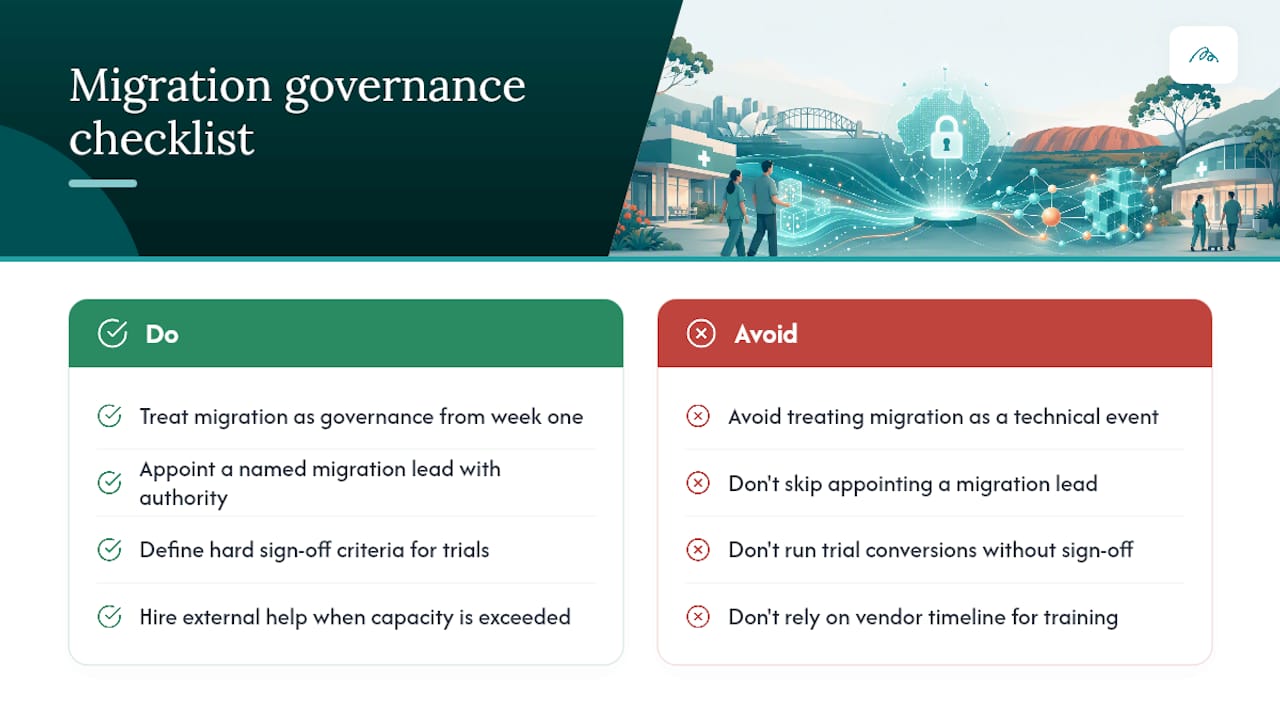
The pattern I keep seeing: practices that skip a named migration lead lose the plot somewhere around week three, when mapping exceptions pile up and nobody has authority to make the call. A trial conversion without hard sign‑off criteria is theatre, not testing. And staff training always takes longer than the vendor’s timeline suggests, because workflow change is harder than button‑pushing.
Hire migration help when your data volume, integration count, or compliance exposure genuinely exceeds your internal capacity, such as solutions integrating with Panora for Clinics. Keep it in‑house when your migration lead has the authority and the time to actually own it.
— Taylor
Moving your practice onto Meddle without the migration headache
Meddle’s Simple Rollout plan is built for exactly the staged approach this article recommends, structured onboarding with secure record import, so you’re not left mapping fields and chasing sign‑offs alone.
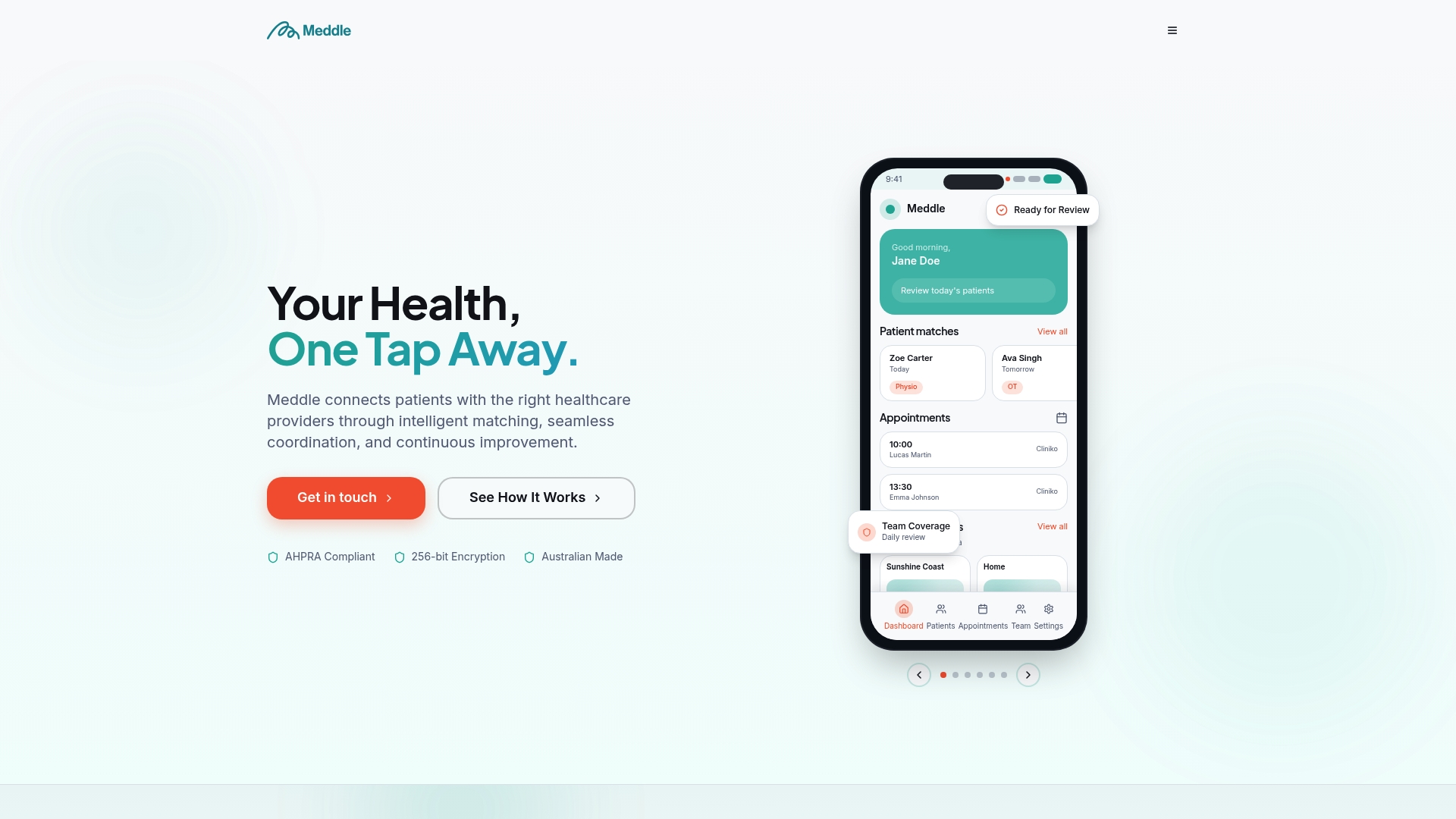
Where a full in‑house migration project demands a named lead, weeks of trial conversions, and a privacy management plan built from scratch, Meddle’s onboarding process handles the secure import and continuity of care questions as part of getting your clinic connected. Additional features such as CRM integration or SMS notifications can be added during the same rollout rather than in a separate project. Meddle’s matching and referral tools also mean your migrated patient data starts working immediately, connecting patients to the right allied health support, from physiotherapy to psychology, rather than sitting idle in a new system.
Check pricing and rollout options to see what a Simple Rollout looks like for your clinic size and start the onboarding conversation this week.
Sources
- OAIC Guide to Health Privacy (Collated May 2025)
- Bp Premier considerations for go‑live (Podium IT)
- Common clinical information system requirements (Australian Digital Health implementer guidance)
- EHR migration: a practical guide for practice owners (Pabau)
FAQ
How long does it take to migrate patient records?
Most Australian practices allow 4 to 6 weeks of planning before the production migration itself, covering data audit, mapping, and trial conversions. Larger practices with heavy scanning or complex integrations often need longer.
What is a trial conversion and why does it matter?
A trial conversion loads a representative sample of patient files and documents into a staging environment so you can catch mapping errors before they reach live data. Running 2 to 3 test cycles before sign‑off is standard practice, not excessive caution.
What should we do with old paper patient files?
Decide early whether paper records get scanned, archived physically, or digitised only on request, and treat scanning as its own project timeline. A manual document kit with printed summaries of active patients gives your team a safety net if the new system has issues on day one.
Does Meddle handle patient record import during onboarding?
Yes, Meddle’s Simple Rollout plan includes structured onboarding with secure record import, built to support continuity of care rather than a disruptive cutover. Current pricing details are available on Meddle’s pricing page.
What privacy rules apply when migrating patient records?
Migration falls under the Australian Privacy Principles, particularly APP 11’s requirement to take reasonable steps to protect personal information. The OAIC Guide to Health Privacy recommends updating your privacy management plan before migration begins, covering encryption, access controls, and audit trails.