90 Day Pilot to Automate Patient Referrals for Australian Clinics
Yes, you can and should automate patient referrals, but only if you build it as workflow architecture that preserves ownership at every step until a consult is booked. Done properly, automation lifts referral completion rates, cuts the time to first contact, and reduces the admin hours your team spends chasing missing information. Done badly, it just digitises the same gaps. Run a readiness check before you commit to a platform.
TL;DR:
Automation must treat referrals as live tasks with specific states and ownership, not just static documents or PDFs.
A successful system handles intake, normalization, routing, ownership assignment, scheduling, reminders, and outcome documentation in sequence.
Most automation failures occur due to not establishing clear ownership and exception management, leaving referrals to age without processing.
Pilots should start small, map current workflows, and measure baseline metrics such as completion rate and time to contact before scaling.
Key KPIs include referral completion rate, time to first contact, leakage rate, cost per referral, and conversion rate, assessed through pre- and post-implementation data.
Table of Contents
-
Why does automating referrals improve patient outcomes and margins?
-
What causes referral automation to fail, and how do you prevent it?
-
How does Meddle support referral automation for allied health?
What does it mean to automate patient referrals?
A referral isn’t a document. It’s a living, trackable work item that moves through states, accumulates data, and needs an owner at every point until a patient sits in front of a practitioner. That distinction sits at the heart of good referral automation, and it’s where most clinics get the concept wrong. They think of a referral as a fax or a PDF to be filed. Automation treats it as a task with a lifecycle, deadlines, and accountability.
The systems worth evaluating share a similar architecture, even when the interfaces look different. Each handles a specific job in the referral’s journey from arrival to close.
-
Intake adapters pull referrals in from fax, email, EHR export, or direct API submission, so nothing depends on someone remembering to check an inbox.
-
Normalisation converts whatever format arrives into a consistent internal record, extracting patient details, clinical notes, and requested service type.
-
A rules layer applies routing logic, matching the referral to the right specialty, location, or practitioner based on urgency, payer, and clinical need.
-
An ownership-aware queue assigns each referral to a named person or role, not just a folder, so nothing sits unclaimed.
-
Scheduling offers suitable appointment options based on capacity the clinic keeps current, rather than a static calendar, with the clinic confirming the booking.
-
Reminders keep both the patient and the practice moving toward the booked appointment.
-
Documentation return sends a summary or outcome letter back to the referrer, closing the loop.
A single referral moves through all seven in sequence, but not always cleanly. A physiotherapy referral might arrive by fax, get normalised into structured fields, then stall at the rules layer because the requested location has no capacity, triggering a reroute. Academic work on SMART on FHIR referral automation shows this kind of digital handling is technically achievable, converting faxed referrals into structured EHR entries, but the same research stresses that the tooling only works when it’s mapped against how clinicians actually operate. The architecture has to match the workflow, not the other way round.
Why does automating referrals improve patient outcomes and margins?
The business case for referral automation rests on a handful of measurable shifts: faster time to first contact, higher completion rates, and fewer admin hours spent on manual chasing. Each of these compounds. A referral that sits untouched for a week is far less likely to convert into a booked appointment than one contacted within a day.
The completion problem is bigger than most clinics assume. A systematic review of specialty referral outcomes found that only around 35% of referrals resulted in a documented visit. That means roughly two out of three referrals never reach a completed consult, a leakage rate that represents lost care and lost revenue simultaneously.
Australian policy settings add another layer to this. The Australian Physiotherapy Association’s submission on direct patient pathways found that a significant majority of surveyed physiotherapists would maintain or increase referral rates if they had authority to refer patients directly to specialists, rather than routing everything back through a GP for a Medicare Benefits Schedule rebate. That friction point, baked into current policy, is exactly the kind of bottleneck automation can’t remove but can make visible and manageable.
Beyond the numbers, automation protects relationships that are harder to quantify:
-
Referrers who get status updates keep sending referrals; those left in the dark quietly stop.
-
Patients contacted quickly report a better experience and are less likely to seek care elsewhere.
-
Reminder cadences reduce no-shows, which protects appointment slots that are expensive to leave empty.
The Government’s own consultation paper on modernising referral pathways signals further digital reform is coming, including changes to referral validity periods. Clinics that build flexible automation now won’t need to rebuild when the rules shift.
What causes referral automation to fail, and how do you prevent it?
Most failed referral automation projects share one root cause: they digitise intake and stop there. Scanning a fax into a PDF and emailing it to a queue isn’t automation, it’s just a faster way to create the same pile of unclaimed work. The real failure point sits in what operations teams call the gap: the space between a referral being received and a patient actually being booked. Referrals can sit in that gap for weeks, ageing quietly while nobody owns the next step.
The fix is a defined state model that every referral must move through, with no shortcuts:
-
Received — the referral has arrived and been logged, regardless of source format.
-
Normalised — patient and clinical data has been extracted into structured fields.
-
Missing data — an explicit state, not a silent failure, flagging exactly what’s absent.
-
Ready for review — complete and available for clinical or administrative sign-off.
-
Scheduled — an appointment has been booked and confirmed.
-
Closed — the consult occurred and documentation has been returned to the referrer.
-
Exception — a parallel state for anything that can’t progress normally.
That exception state is where most systems fall down, because they treat every stall as the same problem. It isn’t. A referral stuck because of a missing Medicare number needs a different response to one stuck because the patient is unreachable or the payer has queried funding.
Pro Tip: Build a small, fixed set of exception codes, things like missing demographics, missing attachments, payer query, patient unreachable, duplicate referral, and specialty declined, then put a live count of each on a dashboard. Staff should be able to see at a glance which exception type is piling up, not just how many referrals are “stuck”.
Routing rules need to reflect real clinical priority, not just first-in-first-out processing. A referral for suspected stroke rehabilitation shouldn’t wait in the same queue as a routine podiatry check. Route by specialty, by urgency flag, and by payer type, and assign ownership the moment a referral lands in any state other than closed. An unowned referral is an unaccountable one.
How do you plan and pilot referral automation?
A successful rollout starts narrow and proves value before it scales. Trying to automate every specialty, every site, and every referral channel in one go is how projects stall for a year and deliver nothing measurable.
Phase 1: Map and baseline. Before touching any software, document every channel a referral currently arrives through, fax, email, phone, EHR export, walk-in paperwork. Then capture 90 days of baseline data on four numbers: referral completion rate, average time to first contact, leakage (referrals that never convert), and cost per referral processed. Without this baseline, you’ll have no way to prove the pilot worked.
Phase 2: Scope the pilot. Pick one high-volume specialty or a single site, not the whole practice. Favour a scope where prebuilt integrations already exist for your practice management software, since custom integration work is the single biggest cause of pilot delay. Set rollback criteria in writing before you start: if completion rate hasn’t improved within a set window, or if staff time spent on referrals increases rather than decreases, you pause and reassess.
Phase 3: Test in layers. Don’t flip a switch. Test the technical connection first (does data actually flow between systems), then test the workflow in isolation (does a test referral move correctly through every state), then run a parallel period where the new system operates alongside the old manual process. This is also when staff training and role redesign happens. Coordinators who used to manually chase referrals now need to manage exceptions and own escalations, a different skill set. Design research on SMART on FHIR referral tools is explicit that adoption depends on this kind of stakeholder engagement, not just technical deployment. Governance rules, who can override an exception, who signs off on missing data, need to be written down before go-live.
Phase 4: Evaluate, iterate, scale. Compare your post-pilot numbers directly against the 90-day baseline. If completion rate and time to first contact have moved in the right direction, extend to the next specialty or site using the same phased approach, not a big-bang rollout.
-
Keep the pilot site’s exception dashboard visible to leadership throughout, not just at the final review.
-
Document every workflow change made during the pilot so the next site doesn’t repeat avoidable mistakes.
-
Revisit governance rules once real exception volume is known. Paper rules rarely survive contact with actual referral chaos unchanged.
What integrations does referral automation actually need?
The technical backbone of referral automation runs through three connection points: your practice management software, your EHR or clinical records system, and whatever messaging or scheduling layer sits on top. Most delays in implementation trace back to underestimating this integration work, not the automation logic itself.
HL7 and HL7v2 remain the dominant messaging standards for moving clinical data between systems in Australia, and any platform you evaluate should support them natively rather than relying on manual exports. Queensland’s Smart Referrals program is a useful reference point here: it auto-populates referral data directly from practice management software, supports electronic triage and waitlisting, and was built specifically to cut down on missing information and rework, exactly the failure mode narrow pilots are designed to catch early.
A few integration details are worth locking down before you sign anything:
-
Confirm whether attachments (imaging, pathology, referral letters) are stored with provenance data, so you can trace exactly when and from where each document arrived.
-
Check that referral records persist durably. A referral shouldn’t disappear from the system once it’s marked closed. Audit trails matter for compliance and dispute resolution.
-
Ask how the platform handles data normalisation when a referral arrives in a non-standard format, since this is where automated systems most often silently drop information.
Privacy obligations sit alongside all of this. My Health Record sharing requirements are being expanded, and the Government’s consultation paper on referral pathway reform flags this as an active area of change, with expanded sharing requirements affecting some providers from mid-2026. Any referral system you adopt now should already be built to accommodate that shift, not need retrofitting later.
How do you keep patients engaged after a referral lands?
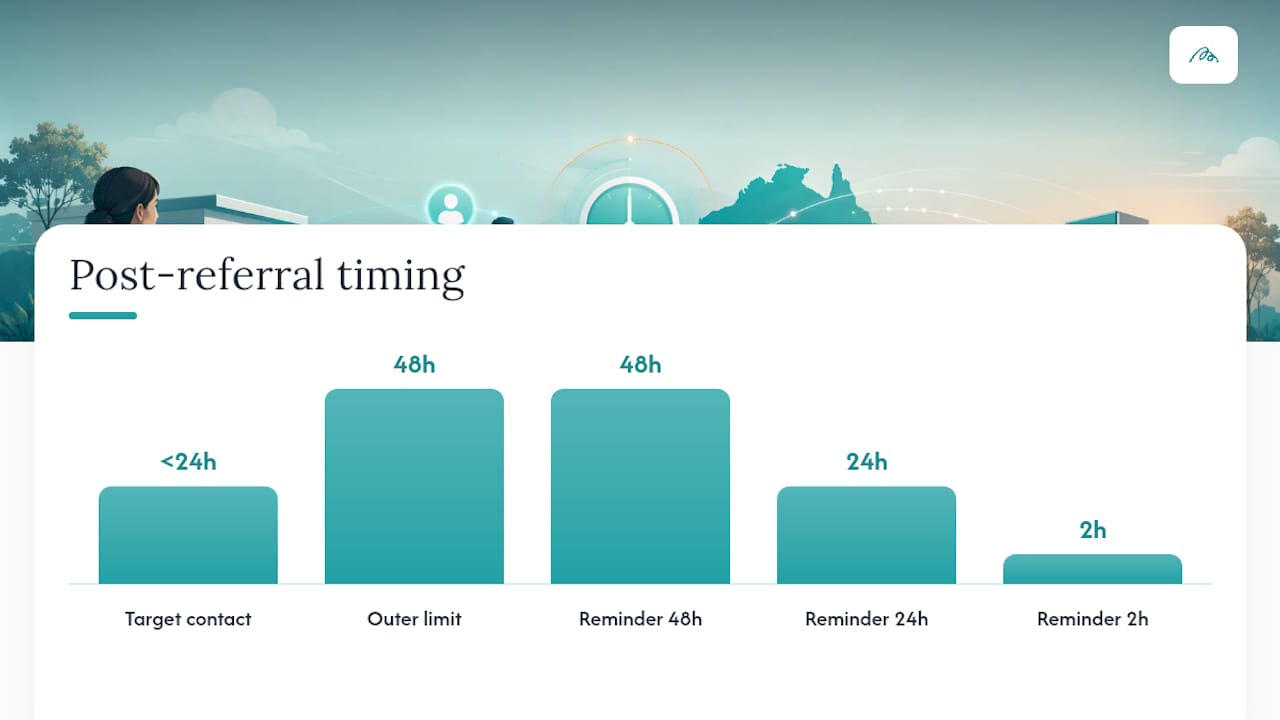
Speed is the single biggest lever in patient engagement after a referral arrives. Contact within 48 hours is the outer limit of acceptable; under 24 hours is the real target, because every day of delay increases the odds a patient books elsewhere or simply gives up.
A workable first-contact script doesn’t need to be clever, it needs to be fast and specific: confirm receipt of the referral, name the service being offered, and give a concrete next step (a booking link, a time slot, or a callback window). Vague messages that just say “we’ve received your referral” without a next action tend to sit unanswered.
-
Send an SMS within hours of a referral reaching “ready for review,” not after the first missed call attempt.
-
Use a reminder cadence of roughly 48 hours, 24 hours, and 2 hours before the appointment, adjusted for how far out the booking sits.
-
Keep patient-facing messages under two sentences: what’s happening, and what the patient needs to do next.
-
Send referrers an automatic status update at each major state change, not just at completion.
Pro Tip: If a patient doesn’t respond to the first SMS within 24 hours, escalate to a phone call rather than sending a second SMS. Text fatigue is real, and a human voice recovers more stalled referrals than a repeated message.
Closing the loop matters as much as opening it. A referrer who never hears what happened to their patient quietly redirects future referrals elsewhere. Automated status updates and a simple summary letter on completion, sent through channels like Meddle’s referrer tools, keep that relationship active without manual follow-up from your team. Guidance on SMS reminder cadences for Australian practices covers timing and message templates in more depth if you’re building this from scratch.
Which KPIs actually prove referral automation is working?
Five numbers tell you whether automation is delivering: referral completion rate, time to first contact, leakage rate, cost per referral, and conversion rate from first contact to booked appointment. Track all five, not just one, because improving contact speed while completion rate stays flat tells you something different to improving both together.
Baseline before you pilot, always. Capture 90 days of data on each metric before changing anything, then compare the same 90-day window after the pilot runs. Comparing post-pilot numbers to gut feeling or last year’s vague memory produces results nobody trusts.
-
Referral completion rate: the share of received referrals that end in a documented, attended consult.
-
Time to first contact: hours or days between referral receipt and the first outbound attempt to reach the patient.
-
Leakage rate: referrals that enter the system but never convert to a booking, the inverse of completion rate.
-
Cost per referral: total admin hours and system cost divided by referral volume, a number leadership cares about directly.
-
Conversion rate: the percentage of contacted patients who go on to book, isolating whether the drop-off happens at contact or at scheduling.
When presenting results to leadership, frame the comparison plainly: baseline completion rate versus pilot completion rate, baseline time to first contact versus pilot time to first contact, and the admin hours saved translated into a dollar figure. A practical playbook on referral analytics walks through how to structure this comparison for a leadership briefing without needing a data analyst on staff.
How does Meddle support referral automation for allied health?
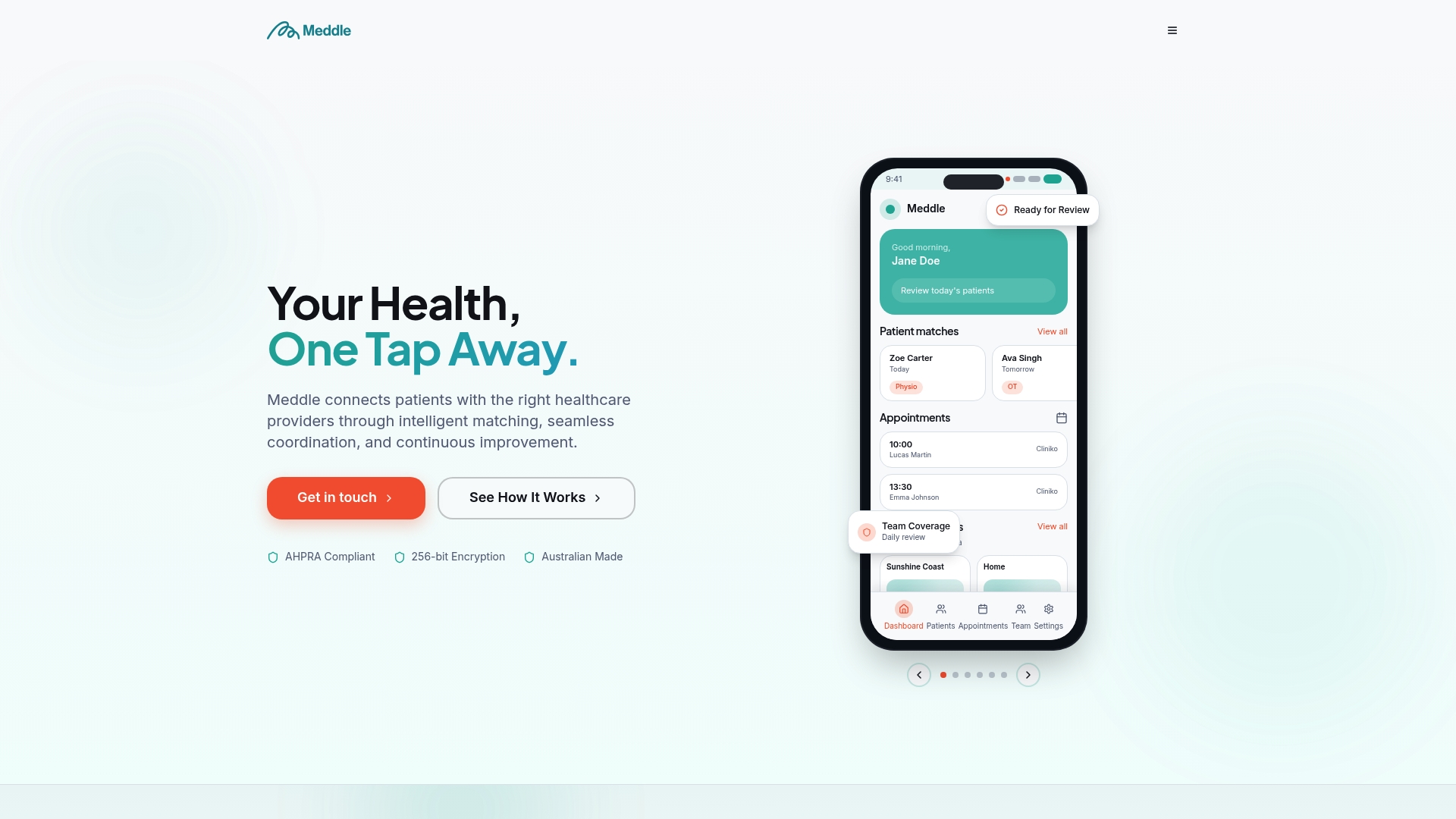
Meddle was built around the same architecture this guide describes: intake, matching, scheduling, and follow-through, rather than a static list of providers. Meddle matches by discipline, location and the capacity each clinician has shared, then routes the referral; the clinic confirms the booking, so referrals move from “received” to “scheduled” without a coordinator manually checking calendars.
Referral templates and structured intake reduce the missing-data problem this guide flags as a common failure point, while built-in messaging keeps referrers updated as a patient’s status changes, closing the loop automatically rather than relying on someone remembering to send an update.
A few practical starting points if you’re evaluating your own readiness:
-
Use the Referral Readiness Checker to see where your current process has gaps before you commit to a platform.
-
Review Meddle’s referral templates and playbooks for practical conversion routines.
-
Check how Meddle’s matching and booking system works end to end before running a pilot.
Privacy sits at the centre of this, with data handling built to support the compliance obligations allied health providers already operate under.
What should you do in the first week?
Map every referral channel your practice actually uses before you look at any software. Most clinics discover referrals arrive through more paths than anyone realised, and each one needs a place in the new workflow. Then spend the week capturing baseline numbers: how long referrals currently sit before first contact, and what share actually convert to a booked appointment.
Pick one pilot site or specialty and reach out to confirm it’s genuinely ready, meaning staff have time to test a new process without dropping other work. The biggest risk isn’t the technology, it’s stakeholders who weren’t consulted early enough. GPs and referrers who don’t understand why a new system is asking for different information will disengage fast, and that quietly kills completion rates before automation gets a fair test. Start narrow, measure honestly, and only scale once the pilot numbers earn it.
— Taylor
Ready to pilot referral automation with Meddle?
Meddle gives allied health clinics a direct path to the workflow architecture this guide describes, without a custom integration project or a year-long rollout. The Simple Rollout plan gets a practice operating on structured referral intake, AI-powered matching and referral routing without the manual chasing described above. It’s from $40 per practitioner per month (ex GST, $250 monthly minimum), with SMS and email notifications included, and you can start with a free 30-day pilot. Add-ons such as CRM Integration (price on application) extend it as your pilot proves out.
Start where this guide recommends: run the Referral Readiness Checker to see exactly where your current process leaks referrals, then check Meddle’s pricing to scope a single-site pilot. If you want to see the matching and booking experience from a patient’s side first, browse how patients find care through the platform before committing your team’s time.
Sources
-
Direct patient pathways for physiotherapy (Australian Physiotherapy Association submission report)
-
Consultation paper: Modernising referral pathways (Australian Government)
FAQ
What does it mean to automate patient referrals?
It means turning a referral into a trackable work item that moves through defined states, from receipt to a booked and completed consult, rather than treating it as a static document to be filed. Systems like Meddle apply this by matching by discipline, location and the capacity each clinician has shared, routing the referral, and sending automated notifications, while the clinic confirms the booking.
How long should it take to contact a patient after a referral arrives?
Aim for contact within 48 hours, with under 24 hours as the ideal target. Delays beyond that window sharply increase the odds a patient books elsewhere or abandons the referral altogether.
What’s the biggest reason referral automation projects fail?
Most fail because they digitise intake and stop there, leaving a gap between receipt and booking where referrals age with no clear owner. A defined state model with explicit exception codes, missing data, patient unreachable, payer query, prevents that gap from swallowing referrals silently.
How much does Meddle cost for a clinic wanting to pilot referral automation?
Meddle’s Simple Rollout plan is from $40 per practitioner per month (ex GST, $250 monthly minimum), with SMS and email notifications included, with a free 30-day pilot. CRM Integration, Telehealth, Transcription and White Labelling are add-ons, price on application. Current details sit on Meddle’s pricing page.
What KPIs should a referral automation pilot track?
Track referral completion rate, time to first contact, leakage rate, cost per referral, and conversion rate from contact to booking. Capture a 90-day baseline before the pilot starts so post-pilot numbers have something real to compare against.