8–12 Patients in 90 Minutes: Group Appointment Scheduling for Clinics

Group appointment scheduling lets one organiser book multiple attendees into a shared session, whether that’s a chronic disease management group visit, a team meeting, or a workshop series. Teams and clinics benefit most when sessions have a clear minimum attendee count and a defined objective. Start by building an organiser booking page with RSVP rules and resource constraints built in from day one.
TL;DR:
Group medical visits work best with at least four to five participants, when sessions last 60 to 90 minutes, and attendee eligibility is clearly defined.
Effective scheduling requires modeling resources like rooms and staff, not just clinician availability, to prevent last-minute cancellations.
Automated booking and waitlist tools should support multi-attendee registration, real-time resource management, and prompts via email and SMS to ensure efficient session fill rates.
Using algorithms for patient matching based on diagnosis and session history improves clinical relevance and reliability of group session roster management.
Clinics should balance group and individual appointments, ensuring sufficient staffing, space, and clear eligibility rules for both formats to run smoothly.
Table of Contents
-
Operational benefits and trade-offs of running group sessions
-
Avoiding common group scheduling failures in clinical settings
-
Why algorithmic matching and constraint modelling change the outcome
-
Where Meddle fits when you’re ready to run group sessions properly
What does group appointment scheduling actually cover?
Group appointment scheduling spans three broad formats, and confusing them is the most common reason a first attempt at group sessions fails. Group medical visits bring several patients with related conditions together for a single clinical session, often for chronic disease education or review. Team meeting coordination pools everyone’s calendar availability to find one workable slot for a recurring standup, project review, or training session. Class and workshop scheduling handles enrolment, capacity, and waitlists for a recurring cohort, like a rehabilitation class or a professional development series.

Each format has its own viability threshold. A group medical visit rarely works below four or five participants because the clinical value comes from shared discussion, not just efficient room use. A team meeting has no minimum, but it does have a maximum: once a group meeting planner is juggling more than about eight calendars, manual coordination usually collapses. A workshop needs enough enrolments to justify the facilitator’s time and the room booking, and enough spare capacity to absorb a predictable no-show rate.
Before committing to a group format over one-to-one appointments, run through a short checklist:
-
Do at least four to six people share the same clinical or professional need? Below that, individual sessions are usually simpler.
-
Is the session length long enough for genuine interaction (60 to 90 minutes), and not just a queue of individual check-ins?
-
Does someone need to own attendee eligibility so the group stays clinically or professionally coherent?
-
Is there a physical or virtual space that comfortably fits the group without compromising confidentiality?
If the answer to most of these is yes, group scheduling is worth building properly rather than improvising through email threads.
Operational benefits and trade-offs of running group sessions
The efficiency case for group scheduling is strong, but it’s not free. A single provider running a group medical visit can typically manage roughly 8 to 12 patients within a 90 minute session, according to AIHW data on chronic disease management and allied health Medicare services, which lifts revenue per hour well above what one-to-one consultations achieve in the same window.
Efficiency snapshot: Grouping patients by shared service needs improved scheduling flexibility by up to 38% in documented case examples, alongside a measurable reduction in total operational costs, according to research on scheduling improvements from patient grouping.
That flexibility gain doesn’t come automatically from putting people in the same room. It comes from grouping by service need rather than convenience, so the session content actually suits everyone attending.
The trade-offs are real and worth naming honestly:
-
Indirect waiting rises. The gap between booking a group session and actually attending it often matters more to attendees than the in-room wait, a pattern noted in the clinical scheduling literature on practitioner insights.
-
Personal attention per attendee drops. A 90 minute session split across 10 people leaves far less individual time than a 20 minute one-to-one slot.
-
Variability compounds. One late arrival, one technical hiccup, or one attendee needing extra support can derail the whole group’s timing, not just their own.
Weighing revenue-per-hour against quality and access isn’t a one-off decision. Track both sides: session throughput on one hand, attendee satisfaction and repeat attendance on the other. If throughput climbs but repeat bookings fall, the group format is working against you.
How do you set up a group appointment session?
A group session succeeds or fails in the setup, not on the day. Skip a step here and you’ll be firefighting during the session itself, so work through this checklist in order.
-
Define the objective and eligible attendee profile. Write down, in one sentence, what this session achieves and who it’s for. A diabetes management group visit and a general wellness check need different eligibility rules, and vague criteria attract the wrong attendees.
-
Set RSVP rules, minimums, and waitlists. Decide the minimum viable headcount below which you’ll cancel or merge the session, the maximum before quality drops, and how a waitlist promotes people when a spot opens.
-
Reserve rooms, equipment, and support staff. Book the physical or virtual space, any AV or clinical equipment, and a second staff member if the group size needs one, before you open bookings, not after.
-
Map billing and attendance rules. Confirm how each attendee is billed (individually, bundled, or covered by a program), and decide your policy for partial attendance or early departure.
-
Prepare invitation copy and pre-session instructions. Tell attendees exactly what to expect, what to bring, and how to join if it’s a virtual session, so the first ten minutes aren’t lost to logistics.
-
Confirm reminders and no-show handling. Schedule automated email and SMS reminders at sensible intervals, and decide in advance how a no-show affects their spot on future sessions.
Pro Tip: Build your minimum and maximum attendee thresholds into the booking page itself, not just your internal notes. A booking page that automatically closes registration at your ceiling and triggers a waitlist prompt below your floor removes the need for anyone to manually track headcount.
Getting the invitation copy right matters more than most organisers expect. An invitation that just says “group session, 2pm Thursday” leaves attendees guessing about format, duration, and whether they need to prepare anything. A stronger invitation states the objective, the exact time commitment, what happens if attendees run late, and who to contact if their circumstances change. That clarity alone reduces the on-the-day scramble that undoes careful planning.
What features should you look for in scheduling software?
Choosing an appointment coordination platform for group sessions means checking a specific set of capabilities against your actual operational problems, not just a generic feature list. Buyer guidance for allied health practice management consistently points to the same core set: practitioner availability, recurring appointments, group sessions, waitlists, and reminders.
Work through these categories before you commit to any tool:
-
Booking page multi-attendee support. The page itself needs to accept multiple registrants against one time slot, with custom fields for eligibility questions, dietary needs, or clinical history where relevant.
-
Team availability pooling. For team meeting coordination, the system needs to intersect several calendars automatically rather than asking one person to manually cross-check everyone’s diary.
-
Resource modelling. Rooms, AV equipment, and support staff should be booking objects in their own right, so the system blocks a session automatically when a required resource isn’t free.
-
RSVP management and automated roster filling. When someone cancels, the platform should pull the next eligible person off the waitlist without a human having to notice the gap first.
-
Reminder automation across channels. Email-only reminders under-perform for time-sensitive group sessions; SMS reminders catch people who don’t check email between bookings.
-
Two-way calendar sync. Changes made in the scheduling tool need to appear in each attendee’s or staff member’s personal calendar, and vice versa, or double-bookings creep back in within weeks.
-
Telehealth link generation. For virtual group sessions, the video link should attach automatically to the booking confirmation and reminder messages, not require a separate email.
-
Reporting on utilisation and attendance. You need visibility into fill rates, no-show patterns, and repeat attendance to judge whether a group format is actually working.
-
Privacy and access controls. Attendee lists, clinical notes, and contact details need role-based access limits, particularly where the group includes people who don’t know each other.
A tool like Meddle’s approach to healthcare scheduling software illustrates how these categories work together in practice, rather than sitting as isolated checkboxes on a features page. And if your booking page itself needs work, booking page design guidance covers the conversion side of getting people from invitation to confirmed attendance.
Avoiding common group scheduling failures in clinical settings
Most group scheduling failures trace back to one root cause: treating the clinician’s time as the only constraint that matters. Rooms, equipment, and supporting staff need modelling too, because ignoring secondary resources causes last-minute cancellations for complex group appointments, a pattern the AIHW’s Medicare services data highlights directly.
Watch for this failure pattern: a group session gets fully booked against the clinician’s calendar, but the room, the projector, or the second staff member needed for the session was never checked. The session gets cancelled or downgraded on the day, and every attendee’s indirect wait just got longer for nothing.
Effective clinical scheduling needs more than slot-level optimisation. Gupta and Denton’s research on appointment scheduling in health care identifies access rules, encounter start-time planning, and handling day-of deviations between scheduled and realised demand as the harder, more consequential problems.
Four tactics address most of the recurring failure modes:
-
Reserve a fixed fraction of daily capacity for urgent cases. Access rules and appointment classes let a clinic hold back a portion of each day for urgent referrals while still filling group sessions with routine bookings, improving access and utilisation together rather than trading one off against the other.
-
Build buffers into every group session, not just individual slots. A 90 minute group visit with zero buffer means one delayed start cascades through the whole session; a 10 to 15 minute buffer absorbs normal variability without wrecking the schedule.
-
Set a clear overbooking rule tied to historical no-show rates. If a group format typically sees a 15% no-show rate, overbook to that figure rather than guessing, and activate the waitlist automatically when a cancellation opens a spot.
-
Standardise appointment types before optimising algorithms. Case study research on scheduling practices found that many clinics rely on experience-based rules, and that reducing variability and standardising appointment types often delivers more benefit than complex mathematical optimisation.
Track a small set of metrics weekly rather than monthly: fill rate against your defined minimum and maximum, no-show rate by appointment type, indirect wait time from booking to session date, and resource conflict incidents (times a session nearly ran without a required room or staff member). These four numbers, reviewed together, tell you faster than any single dashboard metric whether your group scheduling process is actually stable. For teams still fighting persistent bottlenecks, load balancing appointments and reducing clinic wait times both cover template-level fixes that complement the access rules above.
Why algorithmic matching and constraint modelling change the outcome

Manually matching patients to group sessions by diagnosis, treatment stage, and participation history is slow and error-prone once a clinic runs more than a couple of group formats at once. Algorithmic matching automates the selection step, then handles the resulting invitations, RSVPs, and waitlist management so a coordinator isn’t rebuilding a roster from scratch every week, an approach detailed in practitioner commentary on AI-optimised group visit scheduling.
The clinical benefit isn’t just speed. When eligibility rules are defined tightly, by diagnosis, last session date, or medication status, matching improves clinical appropriateness alongside roster-building speed. A group session filled by whoever happened to book first is a different, weaker product than one filled by attendees who genuinely share the same clinical need.
Grouping patients by shared service needs, rather than simple availability, is what drives the flexibility and cost gains documented in scheduling research. The matching logic matters as much as the booking mechanics.
That same constraint-aware logic, treating eligibility, resource availability, and timing as connected problems rather than separate steps, is what makes group scheduling reliable at scale rather than a weekly improvisation exercise.
Choosing between group, one-to-one, and hybrid models
Group formats suit recurring needs shared by several people: chronic disease education, team standups, or workshop series. One-to-one suits complex, individual, or sensitive cases where shared time works against the outcome. Most clinics land on a hybrid: group sessions for routine education, one-to-one slots held back through access rules for urgent or complex cases. Before committing, confirm you have the staffing, room capacity, and eligibility criteria to run both without either one starving the other.
— Taylor
Where Meddle fits when you’re ready to run group sessions properly
Everything above assumes you’re building the eligibility rules, resource constraints, and matching logic yourself. AI-powered matching can connect the right patients to the right practitioner or group session based on symptoms, history, and preferences, using the same constraint-aware thinking that makes group scheduling actually work instead of quietly falling apart on a busy Thursday.
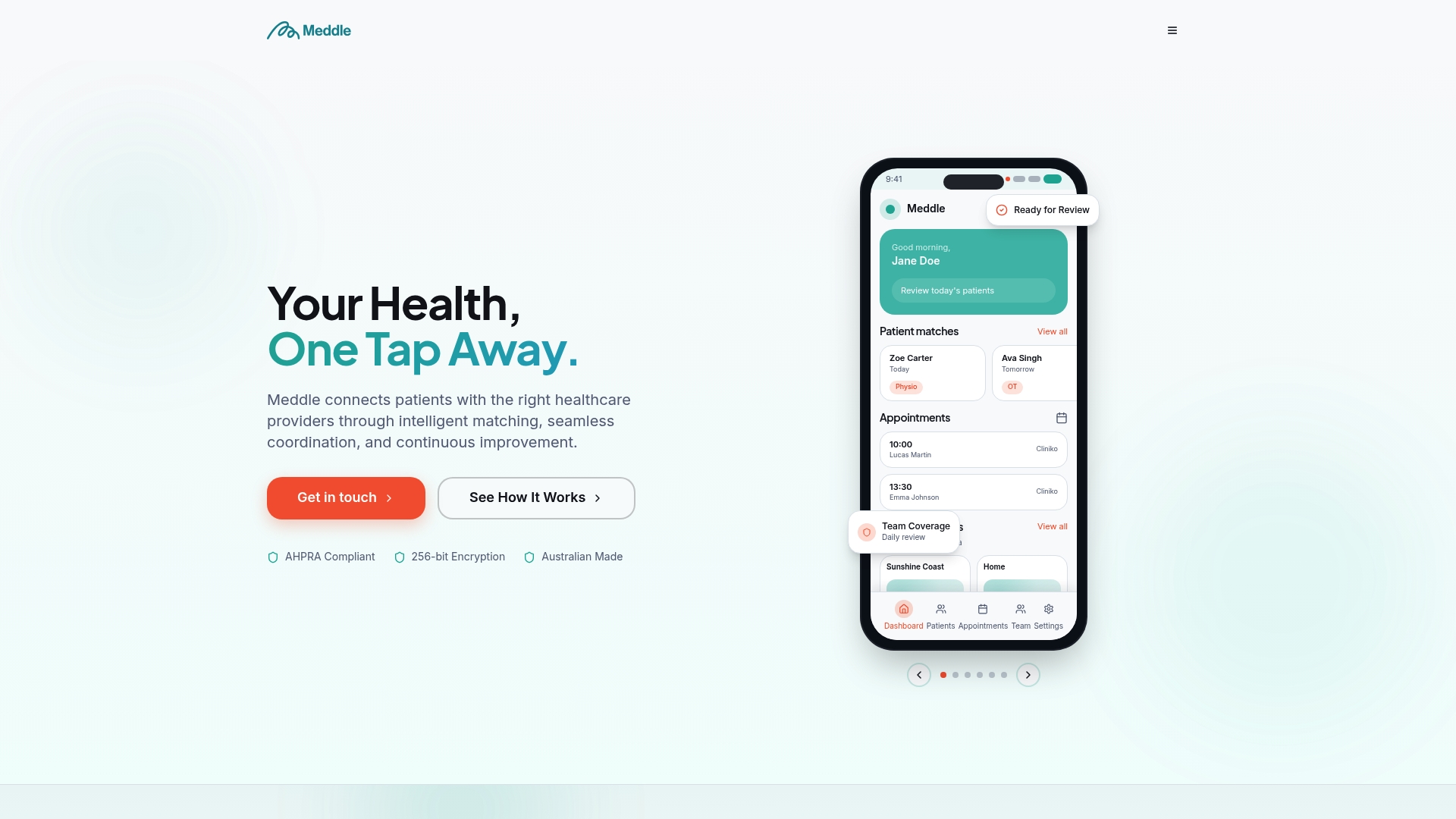
With Meddle, that means matching by discipline, location and the capacity each clinician has shared, referral routing so group sessions fill with clinically appropriate attendees rather than whoever emailed first, and a practice dashboard that keeps referrals and bookings in one view, with practitioner analytics. The clinic confirms each booking.
If you’re weighing whether a group format, a telehealth session, or an in-person visit suits a particular patient group, the telehealth versus in-person advisor walks through that decision before you commit resources. And if you want the mechanics explained in full, how Meddle works breaks down the matching and coordination model end to end. Ready to see it against your own clinic’s constraints? Start with Meddle and check your practice’s fit today.
Sources
For deeper evidence behind the figures in this guide, the AIHW’s report on chronic disease management and allied health Medicare services and Gupta and Denton’s scheduling research cover the operational modelling in more technical detail. The AHPA’s practice management guidance is worth reviewing for scheduling and workflow standards across allied health.
This article is general information, not a substitute for advice from a qualified doctor. Consult a qualified healthcare professional about your own circumstances before acting on anything here.
-
AIHW report on chronic disease management and allied health Medicare services
-
Study on scheduling improvements from grouping patients by service needs
-
Gupta & Denton — appointment scheduling in health care: challenges and approaches
FAQ
What is a good scheduling tool for multiple people?
Look for a tool that pools everyone’s calendar availability automatically, supports minimum and maximum attendee rules, and sends reminders across email and SMS; Meddle applies similar logic to matching: it matches patients by discipline, location and the capacity each clinician has shared, then routes the referral for the clinic to confirm, for group and individual sessions alike.
What is a good free app for scheduling group meetings?
Free tools generally handle basic calendar polling well but rarely offer resource modelling (rooms, equipment) or waitlist automation, which matter once your group sessions involve more than a simple meeting.
How do you schedule a group meeting?
Define the objective and eligible attendee list first, then pool available calendars, set a minimum and maximum headcount, reserve any required room or equipment, and send an invitation with clear pre-session instructions.
What is the best appointment scheduling tool?
The best tool depends on your setting: teams need calendar pooling and video links, while clinics running group visits need resource modelling, RSVP automation, and clinically defined eligibility rules, which is where algorithmic matching platforms like Meddle add the most value.