6 Quick Wins to Increase Online Bookings for Small Clinics (OAIC/ACMA)

The fastest way to increase online bookings is to make booking mobile-first and available 24/7, put a visible “book now” button on every page and social profile, automate confirmations and reminders, promote that channel across your website, email and social, and then measure what happens. Fewer than 12% of Australian businesses currently use AI to run any of this automatically, which means the practices that do it well stand out fast. Some booking platforms already handle much of this for allied health clinics.
TL;DR:
Most bookings now start on mobile devices, so optimizing the booking process for mobile speed, simplicity, and visibility is crucial for increasing conversions.
Automated confirmation, reminders, and easy rescheduling links significantly reduce no-shows and save administrative time across all appointment types.
Promoting booking channels through dedicated landing pages, native social “Book Now” buttons, and Google profile links boosts online reservations without needing extensive marketing budgets.
Keeping booking forms minimal, clearly displaying prices, practitioner credentials, and privacy notices improves trust and helps track abandonment points for continuous improvement.
Measuring key performance indicators like conversion rates, no-show rates, and source attribution is essential for refining the booking process and maximizing return on automation investments.
Table of Contents
-
Make booking accessible 24/7: mobile-first, speed and friction points to remove
-
Cut no-shows and cancellations with automation and simple policies
-
Promote your booking channel: SEO, social, email and paid tactics
-
Booking page design: conversion lifts from form fields, trust cues and UX copy
-
Measure and iterate: KPIs, analytics set-up and reporting cadence
-
Author perspective: practical priorities for small-to-medium providers
Quick wins: 6 tactical steps to lift bookings this week
You don’t need a new website to increase customer bookings. You need friction removed from the path that already exists. Here’s what moves the needle fastest, in the order we’d tackle them.
-
Add a visible “book now” button to your homepage header, every service page, and the bio link on Instagram, Facebook and LinkedIn. If a visitor has to hunt for it, you’ve lost them.
-
Switch to a minimal, mobile-first booking flow and test it on an actual phone, not just your desktop browser. Most bookings now start on a mobile screen, and a form built for a laptop punishes thumbs.
-
Offer a small incentive for booking online rather than by phone, such as a discounted first consultation or priority slot access. Present it right at the point of booking, not buried in a newsletter.
-
Enable card-hold or prepayment options where it suits your service, particularly for high-demand appointment types prone to no-shows.
-
Set up automated confirmation and reminder sequences across email and SMS, with a one-tap reschedule link. This alone recovers hours of admin time each week.
-
Open evening and weekend availability windows specifically for after-hours browsers, and promote those slots in your booking widget copy. A surprising share of bookings happen outside business hours simply because that’s when people finally sit still.
None of these require a developer. Most booking platforms, including Meddle, let you configure all six from a settings panel in an afternoon.
Make booking accessible 24/7: mobile-first, speed and friction points to remove
A booking page that only works well on desktop is turning away the exact people most likely to convert: the ones browsing on their phone at 9pm after the kids are in bed. Improve web booking system performance by treating mobile as the primary experience, not an afterthought.
Start with the basics:
-
Keep booking to a single page or screen, with progressive disclosure for optional extras like intake notes.
-
Cut form fields to the absolute minimum: name, contact detail, preferred time.
-
Make the call-to-action button large enough to tap accurately with one thumb.
-
Cut page load time by trimming redirects and using lightweight widget code rather than a heavy embedded iframe.
-
Place booking links everywhere a decision might happen: homepage, service pages, social bios, and the landing page behind any paid ad.
If your service is delivered in person at a fixed location, only ask for location detail once, not on every step. If you’re remote-serviceable, don’t force a physical address field at all. It’s a small distinction that avoids a real drop-off point.
Pro Tip: Test your entire booking flow, including the reschedule and cancellation steps, on at least three device and browser combinations before you promote it anywhere. A broken flow on Safari mobile will quietly cost you bookings for weeks before anyone notices.
Cut no-shows and cancellations with automation and simple policies
A no-show is a booking you already had and lost twice: once on the calendar and once on the income. The fix is procedural, not motivational.
-
Send an immediate confirmation the moment someone books.
-
Follow with a reminder at 48 to 72 hours out, giving people time to reschedule rather than simply cancel.
-
Send a final SMS reminder 24 hours before the appointment, adjusted for clinical context where longer notice is needed.
-
Offer an easy one-click reschedule link in every reminder, because a friction-free reschedule is far better than a silent no-show.
-
Consider a card-hold or partial deposit for high-value or high-demand appointment types, communicated clearly at booking rather than as a surprise.
Clinics that introduce this sequence typically see meaningful movement in their no-show rate within the first month, and it’s worth tracking that figure alongside revenue recovered so you can prove the automation earned its keep. One nuance matters here: a reminder about an existing appointment is a transactional message, but the moment you add a promotional line to it, it becomes marketing, and marketing requires express consent under the Spam Act. Keep the two separate.
Promote your booking channel: SEO, social, email and paid tactics
Getting more bookings often has less to do with traffic and more to do with where that traffic lands. Optimising booking platforms for promotion means directing every channel at a page built to convert, not your general homepage.
-
Build dedicated, booking-focused landing pages for your top services, with clear CTAs and short testimonials near the button, not just SEO copy near the top.
-
Use native “Book Now” buttons on Instagram, Facebook and Google Business Profile that link straight into your booking flow, and flag limited-availability slots to create gentle urgency.
-
Run welcome and rebook email or SMS sequences for past patients, but follow ACMA’s consent guidance and keep unsubscribe genuinely one click.
-
Add your booking link directly to your Google Business Profile, since 30% of Australian businesses now receive online orders through their own site or app rather than a third-party listing, and every direct booking you capture is one you don’t share a commission on.
-
If you run paid ads, send that traffic to a dedicated booking landing page with UTM tracking, and measure cost per booked appointment rather than cost per click.
A digital marketing guide for allied health clinics walks through how to sequence these channels without spreading your budget too thin.
Booking page design: conversion lifts from form fields, trust cues and UX copy
Every field you add to a booking form is a small tax on conversion. The clinics getting the best results ask for a name, a phone number or email, and a preferred time slot, and nothing else until after the booking is confirmed.
-
Delay clinical intake questions until after the slot is locked in, where it’s clinically safe to do so.
-
Add a brief privacy notice right at the point of booking. OAIC guidance treats this as both a compliance step and a genuine trust signal, and patients notice its absence more than its presence.
-
Show practitioner photos, credentials and one or two short testimonials near the booking button, not on a separate “About” page.
-
State the appointment length and any pricing up front, along with a plain-English cancellation policy.
-
Track where people abandon the flow, field by field, and revisit that data monthly rather than quarterly.
Pro Tip: Run one change at a time, not five at once. If you swap the CTA copy and remove two fields in the same week, you’ll never know which change actually lifted your conversion rate.
The booking page design guide covers specific layout patterns that hold up well for clinical intake without scaring off first-time patients.
Measure and iterate: KPIs, analytics set-up and reporting cadence
You can’t improve what you don’t track, and booking conversion rate is the one number that tells you whether all of the above is actually working.
-
Track booking conversion rate (visits to completed bookings), no-show rate, time-to-book and revenue per booking as your core four.
-
Add UTM parameters and a booking source field so you know which channel actually drove each appointment, not just which one got the click.
-
Run one variable at a time in any test, give it four to six weeks, and don’t call a result until you have enough bookings to trust it.
-
Invest in calendar sync, two-way SMS and payment gateway integrations once manual admin starts costing more time than the integration would.
-
Work out ROI on any booking automation as time saved multiplied by your hourly admin rate, plus revenue recovered from fewer no-shows.
A breakdown of booking conversion rate for allied health clinics goes deeper into benchmark ranges and what a healthy funnel actually looks like.
How Meddle implements these tactics in healthcare settings
Meddle was built around this exact problem: patients abandoning the search for care because booking felt slow or uncertain. Its AI-powered matching pairs patients with the right practitioner based on need, preference, location and the capacity each clinician has shared, then routes the referral, and the clinic confirms the booking. The instant appointment booking guide covers how to cut the back-and-forth that usually stalls a first appointment.
Clinics using Meddle get SMS and email reminders, referral routing, and a platform that works alongside existing practice tools built in, alongside a privacy-first design aligned with OAIC’s guidance on health communications.
A simple checklist worth copying:
-
Booking page loads in under three seconds on mobile.
-
At least one automated reminder is active before go-live.
-
Time-to-book target is under two minutes for a returning patient.
Author perspective: practical priorities for small-to-medium providers
If you can only do one thing this month, make your booking flow mobile-first and turn on a single automated reminder. Everything else compounds from there. I’d triage the rest by effort: cheap fixes first (a visible CTA, a booking widget), then medium-effort wins (reminder sequences, deposits), then the bigger investments (calendar integrations, paid campaigns) once the fundamentals are solid.
Seek outside help the moment you notice recurring double bookings, integration gaps between your calendar and your booking tool, or an inability to say which channel actually drove a given appointment. That’s usually the signal that spreadsheets and goodwill have hit their limit.
— Taylor
How Meddle can help you turn browsers into booked patients
Meddle replaces the guesswork of matching patients to the right practitioner with an algorithm that does it in minutes, not days, then routes the referral so the clinic can confirm the booking without a long wait for a callback. For clinics, that means fewer missed enquiries and less admin chasing reschedules by phone.
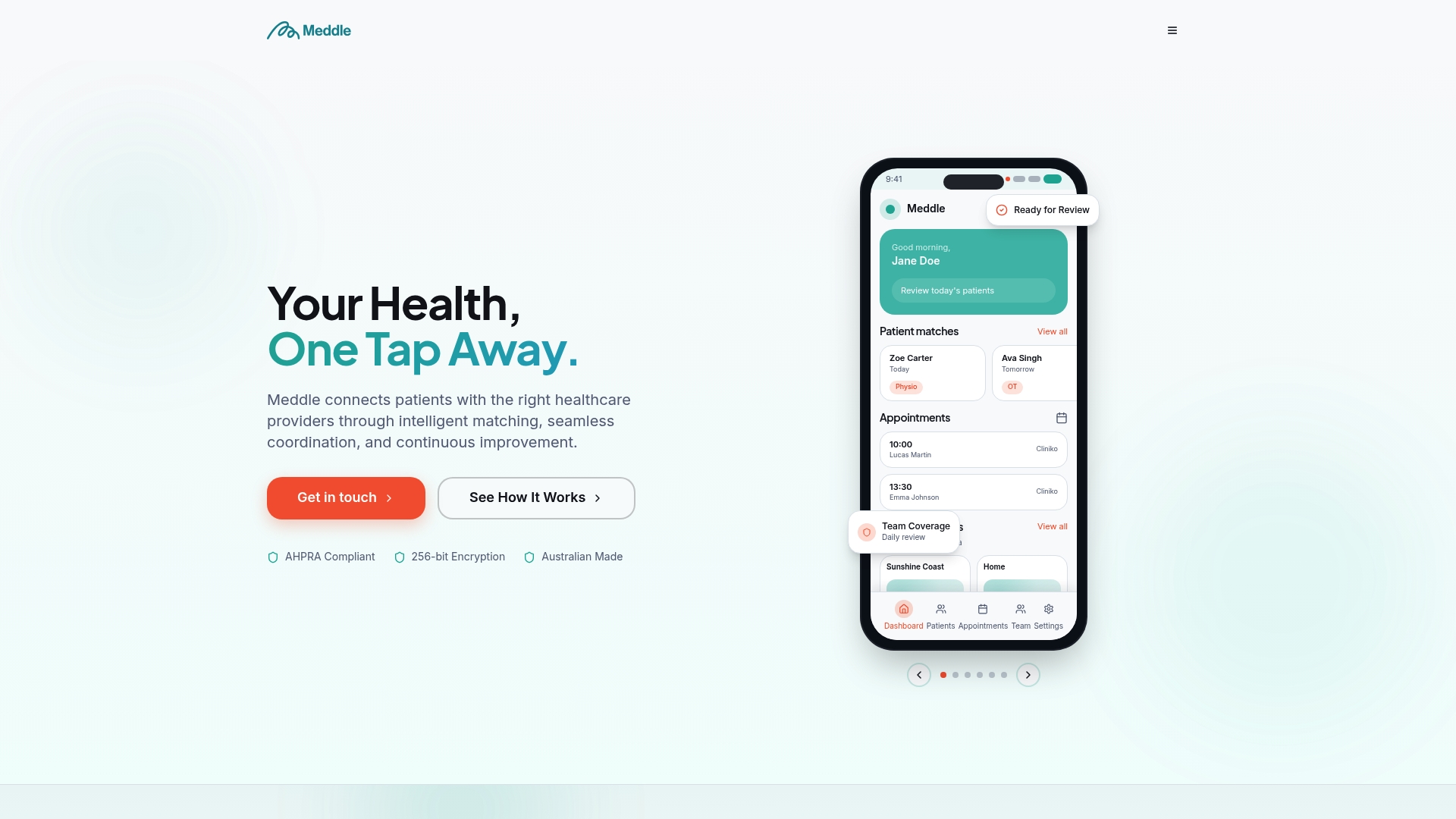
The platform’s core booking and matching tools sit inside the Simple Rollout plan, from $40 per practitioner per month (ex GST, $250 monthly minimum), with SMS and email notifications already included; CRM Integration is an optional add-on, price on application. Patients themselves use Meddle for free through Find Care, so there’s no barrier on their end to actually completing a booking. Clinics considering repeat-booking journeys alongside this might also look at how ongoing patient communication keeps people coming back, not just arriving once.
If you’re ready to see how the matching and booking flow works in practice, check current plans and pricing or browse Find Care to see the patient-facing experience for yourself.

This article is general information, not a substitute for advice from a qualified doctor. Consult a qualified healthcare professional about your own circumstances before acting on anything here.
Sources
-
Guide to health privacy | Office of the Australian Information Commissioner
-
Consent expectations for businesses using direct marketing | ACMA
FAQ
How Do I Increase Online Bookings Quickly?
Start with a visible “book now” button on every page and social profile, a mobile-first booking flow, and automated confirmation and reminder messages. These three changes typically produce the fastest lift because they remove the most common points of friction and forgetfulness.
What Are Online Bookings, Exactly?
Online bookings let a patient or customer reserve an appointment slot directly through a website, app or social platform, without a phone call. Platforms like Meddle combine this with algorithmic matching, so the booking also connects the patient to a suitable practitioner rather than just a calendar slot.
How Do I Update My Booking Page for Better Conversion?
Reduce the form to essential fields only, name, contact detail and preferred time, and add a brief privacy notice at the point of booking, as recommended in OAIC guidance. Then track step-level drop-off so you know exactly where people are abandoning the form.
How Do I Build an Online Booking System From Scratch?
Most small providers are better served by adopting an existing platform than building one, since payment security, reminder automation and privacy compliance all need ongoing maintenance. Meddle’s how it works page explains the setup process for clinics that want matching, booking and reminders configured without custom development.
Do I Need Consent to Send Booking Reminders?
A reminder about an existing appointment is generally a transactional message and can rely on implied consent in many clinical contexts. The moment that message includes promotional content, it becomes direct marketing and requires express consent under ACMA’s rules.