Finish online patient intake in 2–5 minutes for Australian patients
Online patient intake lets you fill in your registration, medical history, and consent forms on your phone or computer before you walk through the clinic door. You do it once, from wherever you are, instead of hunched over a clipboard in the waiting room. It saves you time, gives your clinician a proper summary before you’re even in the room, and, when the platform is built properly, keeps your information more secure than a paper form on a clipboard ever could.
TL;DR:
- Online intake links are usually sent after booking and are single-use, encrypted, and tied to your appointment details for privacy.
- Pre-filled information and branching questions speed up form completion, often taking just two to five minutes for routine visits.
- Digital records include role-based access controls, audit trails, and consent timestamps, making them at least as secure as paper forms.
- When issues arise, such as link expiration or file upload failures, clinics offer simple solutions like on-arrival assistance without delaying appointments.
- Platforms like Meddle can help match you with a suitable practitioner and simplify the entire process from booking to completing intake forms.
Table of Contents
- How does online patient intake fit into the booking flow?
- What do you actually gain by completing intake online?
- Is online intake actually private and secure?
- How do you prepare and complete your intake form?
- How does online intake work with MyMedicare and My Health Record?
- What if something goes wrong with your intake form?
- Why patients notice the difference with online intake
- A simpler way to find care and finish your paperwork
- Sources
- FAQ
How does online patient intake fit into the booking flow?
Most practices send your intake form as a secure link straight after you book, or in the reminder text or email a day or two before your appointment. These links are typically single use, encrypted, and tied to your specific booking, so nobody else can open them.
If you’ve been to the practice before, a lot of the form is already filled in. Your name, date of birth, and Medicare details carry over, so you’re only confirming or updating what’s changed. Newer systems use branching logic too, which means the questions adjust based on your answers. Say yes to “recent surgery” and you’ll get a follow-up question about it; say no, and the form skips ahead.
If you need to attach something, like a photo of a skin condition or a referral letter, that arrives with your clinician’s summary before the consult starts.
- Forms activate after booking or via appointment reminders, usually as single-use secure links
- Returning patients get pre-filled fields instead of starting from scratch
- Branching logic only asks what’s relevant to you
- Attachments and photos route directly to the clinician’s pre-consult summary
- Completed forms feed into the practice’s clinical software or a staff review queue, not a shared inbox
What do you actually gain by completing intake online?
The most obvious win is time. Filling in your details before you arrive means less sitting around at reception, and check-in becomes a formality rather than a fifteen-minute form-filling exercise. Digital intake can shorten waiting-room queues precisely because the paperwork happens before you’re standing at the desk.
There’s a quieter benefit too: accuracy. When you type your own medication list, there’s no reception staff member mishearing a drug name or misreading your handwriting. That means cleaner records and fewer awkward “can you repeat that” moments during your appointment.
- Faster check-in and shorter time spent waiting to be seen
- Fewer transcription errors and cleaner medical records
- Your clinician walks in with a focused summary, not a blank page
- Assisted entry is usually available if you can’t complete the form yourself
For patients who need help, whether that’s vision difficulties, limited digital literacy, or just an unfamiliar interface, most clinics will offer a waiting-room tablet or reception assistance rather than leaving you stuck.
Is online intake actually private and secure?
This is the question worth asking before you type in anything sensitive, and it’s a fair one. Properly built digital intake systems restrict who can see your answers through role-based access, meaning reception staff might see your appointment time and contact details, while only your treating clinician sees your actual health history. National digital health summaries note that this kind of access control, combined with audit trails, can make digital records more protective of your privacy than a form sitting on a clipboard at the front desk, since anyone walking past reception can potentially see a paper form.
Every submission should carry a consent timestamp, a record of exactly when you agreed to share your information and what you agreed to. That timestamp becomes part of an audit trail the practice can produce if you ever ask who accessed your data and when. Data should also be stored in Australian data centres, with clear rules around any cross-border disclosure.
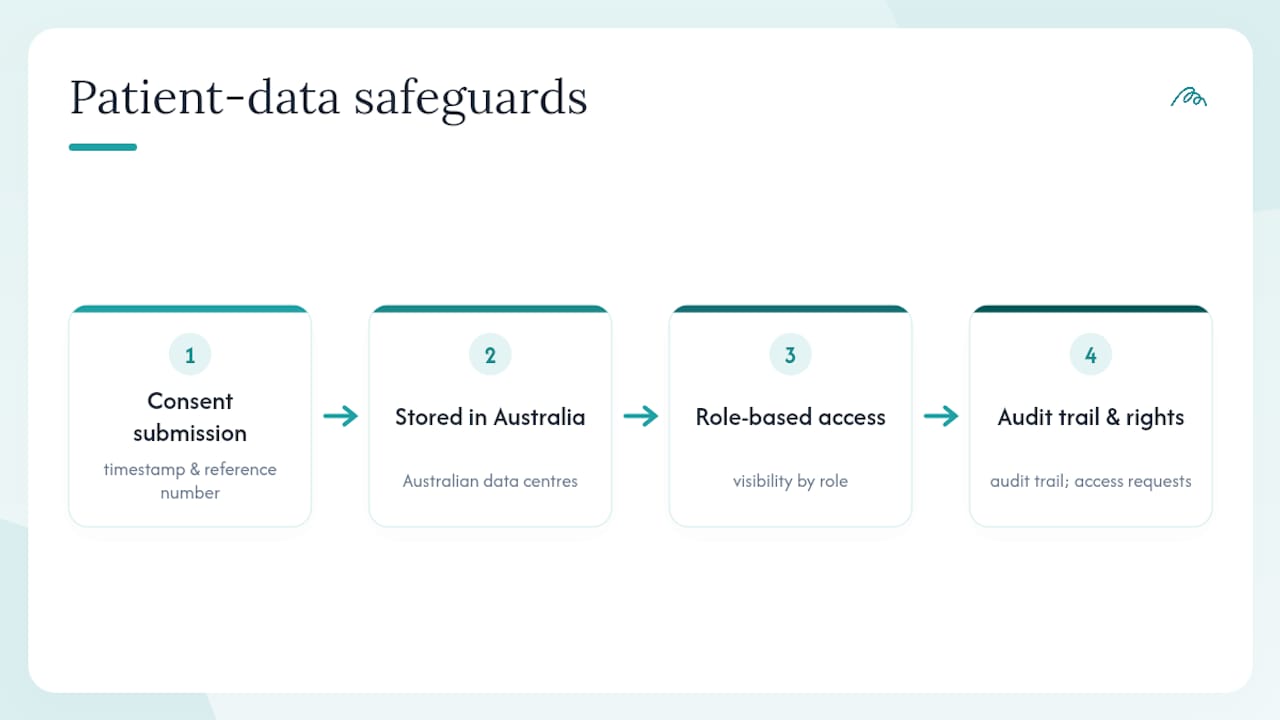
You have the right to ask for a copy of what’s held, request corrections, or withdraw consent. A well-run practice will have a straightforward process for all three, similar to the Australian Privacy Principles that govern how clinics handle personal health information.
Pro Tip: Before you submit anything sensitive through an intake form, check the confirmation screen for a timestamp or reference number. That’s your proof of consent if you ever need to query what was shared and when.
How do you prepare and complete your intake form?
You don’t need to do anything complicated here, just a bit of preparation so you’re not scrambling at the last minute.
- Open the link early. It’ll usually be in your booking confirmation or a follow-up SMS. Don’t leave it until the morning of your appointment in case you hit a snag.
- Gather your details first. Have your Medicare or DVA card, a current medication list, any recent test results or specialist reports, and a photo ready if your condition needs one.
- Work through the form properly. Answer the branching prompts as they come, attach your files where prompted, and check the confirmation screen shows a saved timestamp before you close the tab.
- Ask for help if you need it. If you can’t finish it at home, most clinics have a tablet in the waiting room or staff who can walk you through it on arrival.
Well-designed forms with pre-fill and branching logic typically take between two and five minutes to complete for a standard symptom-focused visit, and completion rates climb noticeably when the link arrives attached to your booking confirmation rather than as a separate, easy-to-miss message.
How does online intake work with MyMedicare and My Health Record?
You can register for MyMedicare two ways: through your Medicare Online Account in myGov, or in person at a participating practice. It’s free, but the practice you choose has to be registered to accept MyMedicare patients, so it’s worth asking at your next visit if you’re not sure. Registration requires the practice to complete its own organisation linking through government systems before it can enrol you.
My Health Record works a little differently. Practices connected to the system can offer what’s called assisted registration, but only if their clinical software supports it and staff are specifically trained to do it. Not every clinic offers this, so ask before assuming your records will link automatically. If a practice does offer it, expect a short conversation about what gets shared and your right to opt out of specific documents.
What if something goes wrong with your intake form?
Most hiccups are minor and easy to fix on the spot.
- Link expired or missing: call the practice or ask reception for a tablet when you arrive.
- File upload failing: try a smaller image, switch browsers, or ask if the practice accepts email attachments instead.
- Worried about who sees your answers: ask directly who has access and how you can withdraw consent, per the best-practice consent standards most clinics now follow.
- Too unwell to complete it: jot a brief note of your main concern and let your clinician follow up in person.
None of these should delay your appointment. A quick word to reception sorts nearly all of them.
Why patients notice the difference with online intake
Paperwork has always been the most tedious part of seeing a new practitioner, and it’s the part patients complain about most. Getting it out of the way before you arrive changes the whole tone of the visit. You’re not filling in your childhood asthma diagnosis for the fifth time; you’re talking about what’s actually bothering you now. Some innovative healthcare platforms approach matching patients with the right practitioner by focusing on less repetition and more relevant information reaching the person who needs it, faster.
— Taylor
A simpler way to find care and finish your paperwork
Certain AI-powered platforms simplify finding the right practitioner and streamline the booking and intake process. These systems may use algorithms that consider symptoms and preferences to connect you with a suitable practitioner, supported by privacy measures to protect your information.
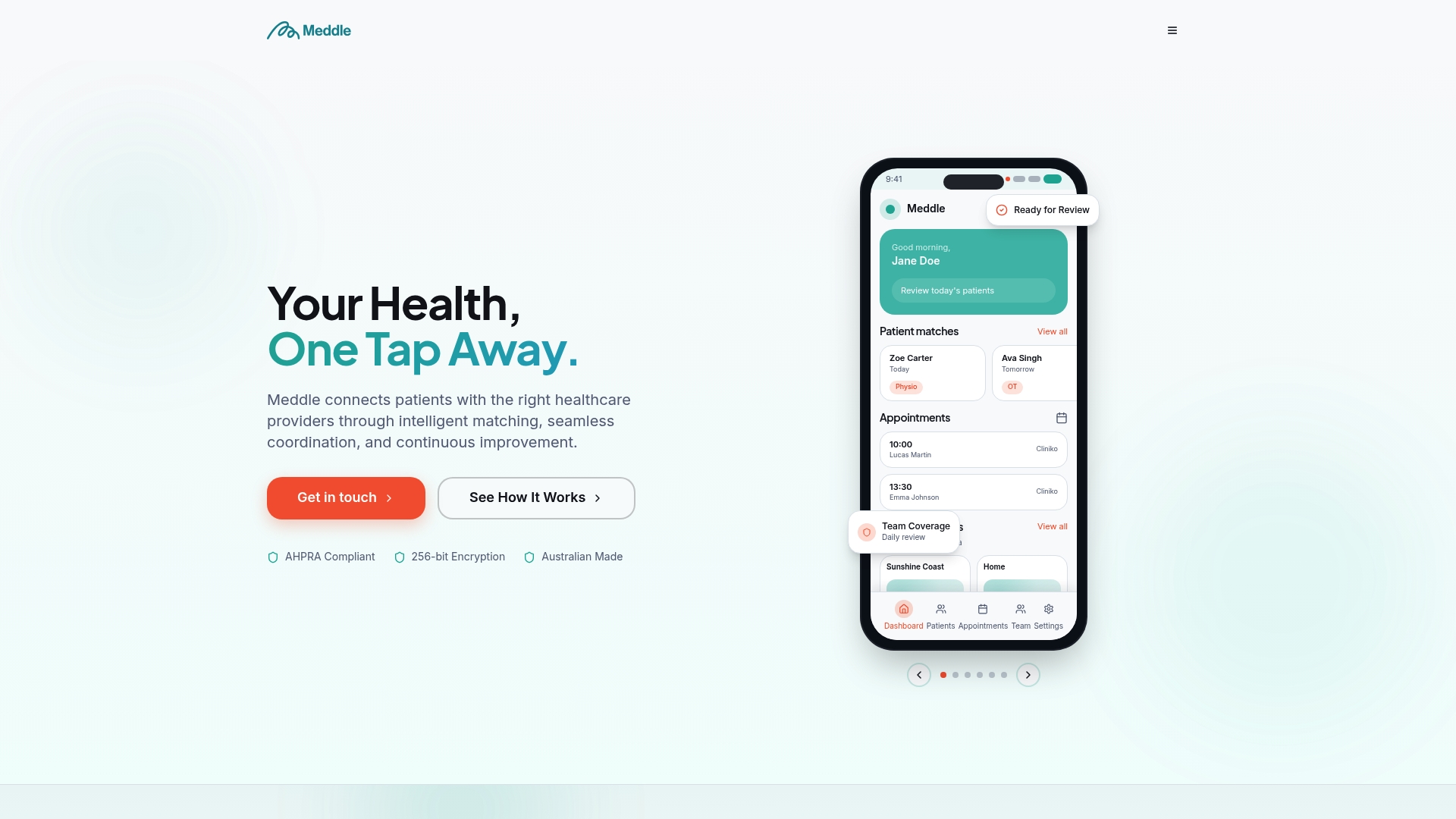
Instead of scrolling through directories or ringing around clinics, you get matched, booked, and set up for a smoother first visit in a fraction of the time. If you’d rather see how the whole process works before committing, have a look at how Meddle’s matching and booking system works, or head straight to the patient benefits page to see what a streamlined healthcare experience looks like from your side of the screen.
This article is general information, not a substitute for advice from a qualified doctor. Consult a qualified healthcare professional about your own circumstances before acting on anything here.
Sources
- Australian Institute of Health and Welfare — digital health overview
- Digital Health Australia — Help your patients to register for My Health Record
- Practice Assist — MyMedicare program overview
- DForms — Digital patient intake and consent forms best practices
FAQ
What is online patient intake?
It’s the process of completing your registration, medical history, and consent forms digitally before your appointment, usually through a secure link sent with your booking confirmation.
Is online patient intake safe?
When built properly, digital intake uses role-based access, encryption, and consent timestamps that can make it more private than paper forms handled at a busy reception desk.
Do I need to register for MyMedicare separately?
Yes. MyMedicare registration is a separate, free process done via myGov or in person, and your chosen practice must be registered to accept you.
Can every practice add me to My Health Record during intake?
No. Only practices with compatible clinical software and trained staff can offer assisted registration for My Health Record.
What happens if I can’t finish the form before my appointment?
Ask reception for a waiting-room tablet or assisted entry. Most practices can help you complete it on arrival without delaying your consult.
Can Meddle help me find a practitioner and complete intake more easily?
Yes. Meddle’s matching tool connects you with a suited practitioner and streamlines the booking process from the first search onward.