5 steps to increase patient portal adoption for admins and IT
Patient portal adoption rises fastest when clinicians actively endorse the tool, sign-up happens on the spot in clinic, the design works for the least digitally confident user first, and staff are trained and measured against clear targets. A systematic review puts mean adoption around 52%, with huge swings between settings. Get the fundamentals right and you shift that number; skip them and no amount of feature-building will.
TL;DR:
- Engagement is highest when clinicians actively endorse the portal and assist with immediate registration during patient visits, especially using simple sign-up methods.
- Setting separate benchmarks for registration, ongoing use, and message activity helps accurately measure progress and tailor targeted interventions.
- Overcoming barriers like login complexity, staff resistance, and low digital literacy requires targeted fixes rather than feature overload or system overhaul.
- Designing portals with plain language, mobile-friendly layout, language support, and caregiver access ensures they are accessible to older and culturally diverse patients.
- Implementing governance, early interoperability, staff training, and clear metrics from the start reduces rollout costs and boosts long-term adoption.
Table of Contents
- What patient portal adoption rates actually look like
- Key barriers to portal uptake: technical, organisational and patient factors
- Strategies that reliably increase registration and active use
- Designing an inclusive portal older and CALD patients will actually use
- Implementation checklist for administrators and IT teams
- What teams actually miss when they roll out a portal
- A complementary approach to access, booking and communication
- Sources
- FAQ
What patient portal adoption rates actually look like
The honest picture is messier than most vendor pitches suggest. The systematic literature review by Fraccaro and colleagues found a mean adoption rate near 52%, but individual studies ranged widely depending on population, specialty, and how “adoption” was even defined.
Statistic callout: Mean patient portal adoption sits around 52% across pooled studies, but the spread between the lowest and highest performing settings is wide enough that a single benchmark figure tells you almost nothing about your own clinic’s realistic target.
That gap matters because registration, account review, and active ongoing use are three separate metrics, not one. A patient who registers but never logs in again counts very differently from a patient sending secure messages monthly. Most published figures blur these stages together, which inflates apparent success. Set separate benchmarks for each stage rather than chasing one headline number, and treat allied health settings as a slower starting point. Research on dental hospital implementation confirms allied health outside major hospitals lags in digitising patient-facing tools, highlighting the need for a robust cartella clinica digitale per studi dentistici to improve clinical workflows.
Key barriers to portal uptake: technical, organisational and patient factors
Three distinct categories of friction slow uptake, and each needs a different fix.
- Technical barriers: interoperability gaps between clinical systems, clunky multi-step authentication, and fragmented records that force patients to juggle several logins for one care journey.
- Organisational barriers: staff resistance to new workflows, unclear ownership of who manages the portal day to day, and ongoing maintenance costs that get underestimated at budget time.
- Patient-level barriers: low digital health literacy, language and accessibility gaps, and simple confusion about what the portal is actually for.
The implementers’ perspective study from a dental hospital setting groups these into legislative, change-adoption, and technical constraints, and found allied health providers outside hospitals struggle hardest with all three simultaneously. Interoperability surveys back this up: even with rising digital tool use, a lot of allied health workflow still runs on paper and hybrid processes, which makes portal data feel disconnected from actual care.
Pro Tip: Map your top three barriers before choosing a single feature to build. Teams that fix a technical bottleneck (like login friction) without addressing staff buy-in usually see registration rise but active use stall within months.
Strategies that reliably increase registration and active use
None of these require a system overhaul. They require deliberate operational choices.
- Get clinician endorsement first. Patients enrol when their GP, physio, or psychologist tells them to, not when a portal exists in theory. Pair this with assisted, one-click sign-up at reception rather than a follow-up email the patient will ignore.
- Run targeted outreach for priority groups. Co-design onboarding flows with the patients who struggle most, rather than assuming one generic tutorial suits everyone.
- Apply digital universal precautions. Design for the least digitally confident patient by default. The National Health Literacy Framework recommends this over relying on broad digital upskilling campaigns, which take years to shift outcomes.
- Automate the small, high-value tasks. SMS reminders, results notifications, and a simplified task list on login do more for retention than adding new portal modules.
- Assign portal tasks to defined staff roles. Clinics that give reception a formal enrolment script and nurses a defined messaging triage role sustain engagement longer than clinics relying on ad hoc staff habits.
Pro Tip: Start with three workflows only, appointments, results, and secure messaging, and measure clinical benefit before expanding. Trying to launch every feature at once is the fastest way to overwhelm both staff and patients.
Designing an inclusive portal older and CALD patients will actually use
Good portal design starts with plain language, not clever features. Every screen should use clear, task-oriented labels (“Book your next appointment” beats “Manage scheduling preferences”) and show the next action a patient should take without them hunting for it.
Practical inclusive design choices include:
- Language support built into the interface, not bolted on as an afterthought.
- One-time-password login instead of complex password rules that trip up less confident users.
- Proxy or carer access for patients who rely on family members to manage their care.
- Mobile-first layouts, since many patients will only ever open the portal on a phone.
Usability testing backs this up directly. A study of an active patient portal found older adults scored measurably lower on standard usability testing and flagged language and design as real barriers to continued use. A separate exploratory study with CALD communities found low awareness and cultural mismatch reduced engagement even where the technology itself worked fine. Test with these groups before launch, not after complaints arrive.
Implementation checklist for administrators and IT teams
Rollout succeeds or fails on groundwork most teams underestimate. Work through these four areas in order.
- Governance first. Lock in privacy controls, role-based access, legal sign-off, and a realistic ongoing maintenance budget before you announce a go-live date.
- Interoperability next. Adopt FHIR-based APIs and healthcare identifiers early. The national interoperability plan recommends an API gateway approach specifically because retrofitting integrations later costs far more than planning for them upfront.
- Training and change management. Build a realistic timeline, name super-users in each team, and prepare help scripts before launch, not during the first week of complaints.
- Metrics from day one. Track registration rate, active users, messages sent, and clinician usage separately, with a target set for each.
Statistic callout: Rollouts that scope FHIR integration and a defined API plan at launch report lower later integration costs and stronger clinician endorsement of the resulting portal workflows, because clinicians trust tools that fit their existing systems rather than sitting apart from them.
Governance and security planning deserve particular care given how sensitive health data is. A step-by-step approach to securing patient records under Australian privacy obligations is worth working through before go-live, alongside a proper security questionnaire for any vendor involved.
What teams actually miss when they roll out a portal
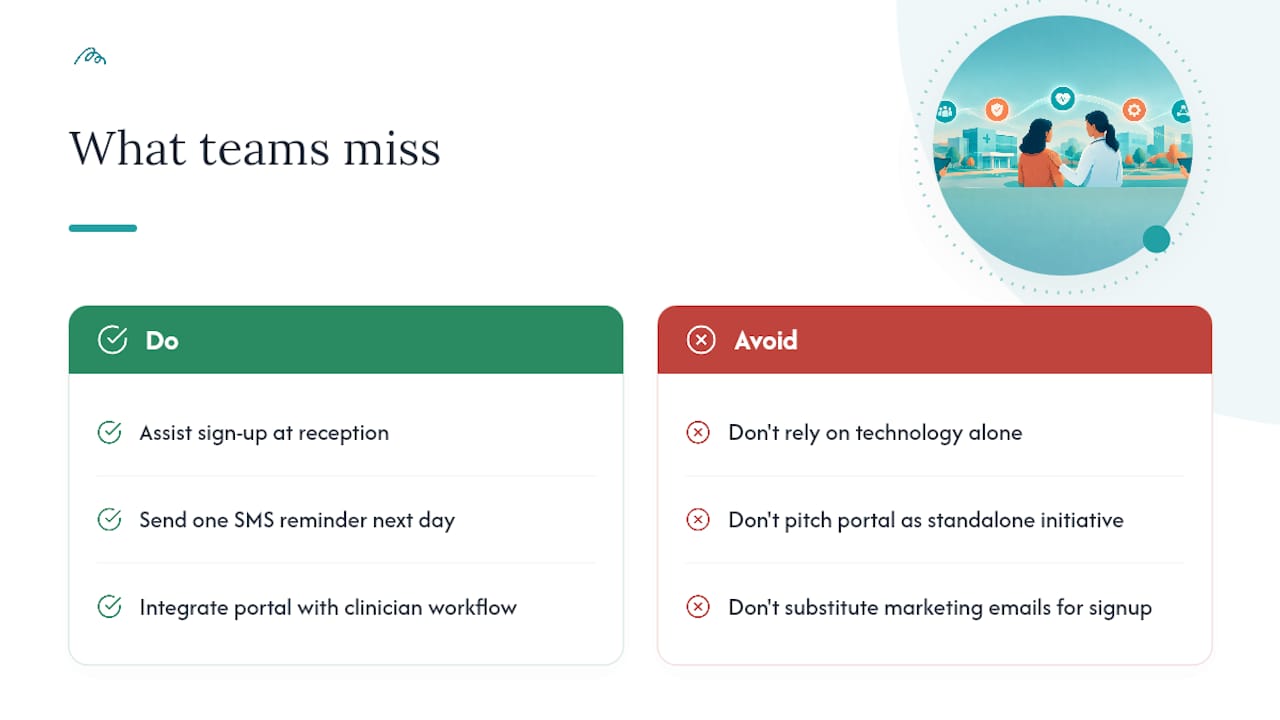
The biggest misassumption in this space is that technology alone produces uptake. It doesn’t. A portal can have flawless usability and still sit unused if it doesn’t fit how clinicians already work, because workflow fit matters more than feature count. Portals succeed when they slot into an existing clinician-patient relationship, not when they’re pitched as a stand-alone digital initiative.
The clearest quick win I’ve seen described in implementation research is deceptively simple: assisted sign-up at reception, paired with a single SMS reminder a day later. No new feature, no big software spend, just a five-minute conversation at the front desk and one automated nudge. That combination consistently beats months of marketing emails, because it removes friction at the exact moment a patient is already engaged with their care.
— Taylor
A complementary approach to access, booking and communication
Portals solve record access and messaging well, but they weren’t built to solve the first problem many patients face: finding the right practitioner and getting an appointment booked without weeks of phone tag. That’s a different job, and it’s worth treating as one.
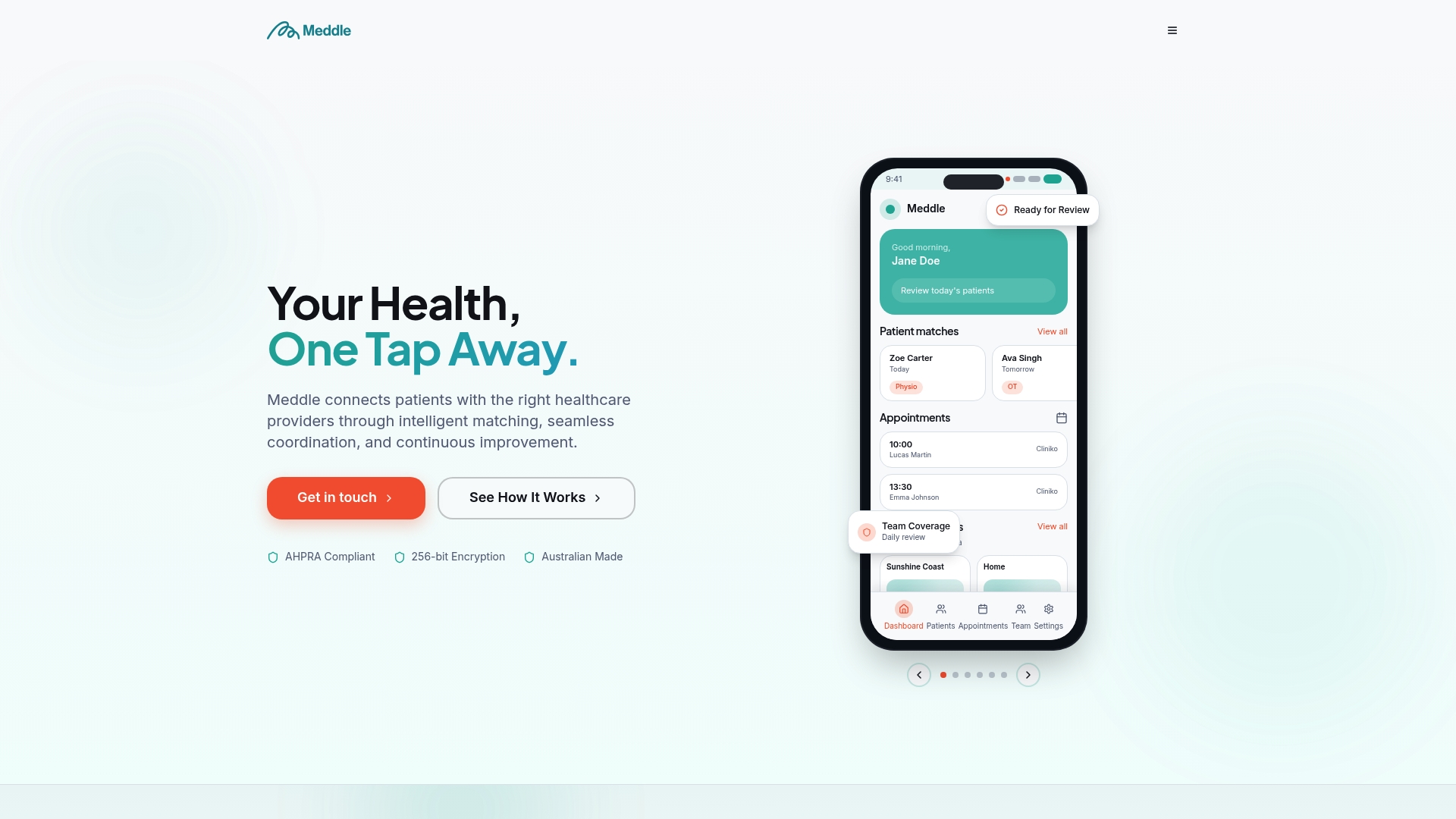
A matching platform approaches this from the access side rather than the records side. Instead of a static directory, its algorithm connects patients with allied health practitioners, physiotherapy, psychology, speech pathology, dietetics, and more, based on individual needs, and pairs that with real-time availability lookup and instant booking. For clinics, that means less admin chasing referrals and fewer no-shows, alongside care coordination tools and secure messaging that sit naturally alongside a patient portal rather than duplicating it. If your clinic wants to reduce the friction patients hit before they ever reach the portal login screen, explore how Meddle’s matching and booking works or check the Simple Rollout, SMS Notifications, and CRM Integration plans to see what fits your practice.
This article is general information, not a substitute for advice from a qualified doctor. Consult a qualified healthcare professional about your own circumstances before acting on anything here.
Sources
- Patient Portal Adoption Rates: A Systematic Literature Review (Fraccaro et al.)
- National Health Literacy Framework
- Usability and patient experience study of a patient portal
- Factors impacting the implementation of a patient portal in a dental hospital: The implementers’ perspective
FAQ
What is a patient portal?
A patient portal is a secure online platform that lets patients view their health records, message their care team, book appointments, and receive results without calling the clinic directly. Most portals connect to a clinic’s existing electronic health record system rather than operating as a separate database.
What are the benefits of using a patient portal?
Patients get faster access to results, reduced phone-call friction, and a clearer view of their own care history, while providers see fewer administrative calls and better-prepared patients at appointments. Adoption gains are strongest when clinician endorsement and assisted sign-up are part of the rollout, rather than relying on patients to discover the portal alone.
What are the risks of using a patient portal?
The main risks are privacy and data security, particularly around unauthorised access to sensitive health information and weak authentication methods. Clinics reduce this risk through role-based access controls, strong governance sign-off, and clear privacy and security practices built in from the start rather than added after launch.
What social factors affect a patient’s ability to use a portal?
Digital health literacy, language proficiency, age, and access to reliable internet or a smartphone all shape whether a patient can realistically use a portal. The National Health Literacy Framework recommends designing for the least digitally confident patient rather than assuming universal comfort with technology.
How can clinics increase patient portal adoption quickly?
The fastest documented gains come from clinician endorsement paired with assisted enrolment at the point of care, such as reception staff helping patients register during a visit. Following that up with a simple SMS reminder and a short list of high-value tasks, like viewing results or booking appointments, sustains engagement better than adding more features.