eReferral Systems: Why Australian GPs Face PMS and State Gaps

An eReferral is an electronic referral document sent securely between clinicians through secure messaging or a state portal, with an optional copy in My Health Record. HealthLink SmartForms and NASH PKI sit at the centre of most Australian setups. Your first step is to check your practice management software and secure messaging provider, then enable SmartForms or register for a secure messaging account.
TL;DR:
- Confirm your PMS version and supported message types with vendors; secure messaging certificates may come from NASH PKI or your provider.
- Public outpatient referrals may require state portals or forms, while private and interstate destinations can need separate address book entries and message types.
- A valid digital referral needs relevant clinical information, a date, and a digital signature; save the sent copy and track its delivery.
- Test messages with the destinations you use, then route receipts and failure alerts to a monitored inbox and assign staff to chase unconfirmed referrals.
- Medicare item numbers and referral conditions depend on the service and patient, so check the current Medicare Benefits Schedule or consult a billing specialist.
Table of Contents
- How eReferral systems work in Australia
- Which systems and integrations do Australian practices use?
- How do you set up your practice and send an eReferral?
- What technical and security requirements apply?
- How do NSW, Tasmania and South Australia run their programs?
- What makes a referral valid?
- What does government guidance say about the benefits?
- How does billing and Medicare work for eReferral consultations?
- Why do interoperability gaps appear between systems and states?
- How do automated notifications and confirmations work?
- What do successful eReferral implementations look like?
- Where eReferral ends and referral coordination begins
- How we help clinics manage referrals and match patients to the right practitioner
- FAQ
- Sources
How eReferral systems work in Australia
An eReferral carries the same clinical substance as a paper letter, only in a structured, machine-readable form. The eReferral v1.5 standard describes these documents as a way to transmit significant patient information between providers, with an optional copy sent to the patient’s My Health Record.
A typical eReferral includes:
- Clinical history and the reason for referral
- Current medications and known allergies
- Relevant diagnostic investigations
- Attachments such as imaging reports
- The referrer’s details, date and signature
The transmission path is short. Your clinical information system hands the document to a secure messaging provider, which delivers it to the recipient’s clinical system. Secure messaging removes the need to re-key data and leaves an audit trail, so you can see what was sent and when.
Copies can also reach a patient’s digital health record. The Australian Government is encouraging uploads of clinical documents, including eReferrals, so authorised providers can see them later.
Which systems and integrations do Australian practices use?
Most digital referral workflows run inside your practice management software (PMS). The products you are most likely to meet are:
- Best Practice
- Medical Director
- Genie
- Medtech Evolution
- Zedmed
- Shexie
HealthLink SmartForms pre-populates patient demographics and clinical data from the PMS into the referral form. That cuts re-keying and the errors that come with it. For public outpatient services, SmartForms and the MyHealthLink portal are the usual routes, and many referrals are specific to a state or health service.
One practice rarely means one configuration. Reaching a public hospital in one state, a private specialist in another and an allied health clinic down the road may need separate address book entries and message types. Plan for that early rather than discovering it when a referral bounces.

Pro Tip: Keep your clinical address book current. Remove fax numbers from letterheads, advertise your secure messaging ID, and review recipient entries regularly so referrals do not fail silently.
How do you set up your practice and send an eReferral?
Treat setup as a short project with a named owner, usually the practice manager or a digitally confident GP. Work through these steps in order:
- Confirm that your PMS supports SmartForms and eReferral messages. If you are unsure, ask your PMS vendor.
- Register with a conformant secure messaging provider and obtain the certificate you need, either NASH PKI or one issued by the provider.
- Enable and test SmartForms or the web portal, then update your clinical address book.
- Build referral templates that include the required clinical fields and a digital signature, and train reception and clinical staff.
- Send test messages, confirm receipt and triage at the other end, and set up a track-and-recall process in your clinical system.
Our secure patient messaging checklist covers the messaging side of this setup in more detail, and our allied health referral templates give you a starting point for the fields your templates should include.
Pro Tip: Run your test sends to the destinations you actually refer to most, not just a test account. A message that reaches a sandbox can still fail at a real specialist’s inbox.
What technical and security requirements apply?
Secure transmission rests on identity, conformant software and sound cyber hygiene. The National Authentication Service for Health (NASH) PKI certificate is used to securely access and share health information. Where you use a secure messaging provider, a provider-issued certificate can serve the same purpose.
The basic model involves the sender’s provider, the receiver’s provider, and the receiving clinical system. Both ends need conformant software, and your provider should publish the message types it supports so you know what can be sent where.
Baseline measures to put in place:
- Use conformant clinical software that supports secure messaging
- Keep certificates current and tied to named users or organisations
- Apply the Essential 8 cyber security principles across your practice systems
- Review who has access to messaging accounts when staff change roles
Essential 8 cyber security principles apply to the secure transmission of sensitive health information, as set out in the Digital Health Agency’s secure messaging guidance. Treat them as the organisational floor, not an optional extra.
How do NSW, Tasmania and South Australia run their programs?
State programs differ in portal and process, but the clinician experience is similar: send from your PMS or a web portal, and the service triages on arrival.
- NSW: Health delivers eReferral forms via HealthLink as part of Engage Outpatients. GPs can send from their PMS or a web portal to selected public outpatient clinics, where referrals are triaged in the electronic Referral Management System (eRMS).
- Tasmania: The Tasmanian eReferral system runs on the Engage platform, with HealthLink SmartForms updates and guidance aimed at GPs.
- South Australia: SA Health runs statewide eReferrals and publishes training and user guides, including SmartForms tutorials for Genie, Best Practice, Medical Director and Zedmed.
Start with your own state’s page, then bookmark any neighbouring state you refer into regularly.
What makes a referral valid?
An eReferral has to meet the same legal and clinical standard as a paper one. The guide for GPs on referrals to medical specialists sets out the minimums.
- The referral must be in writing, and a digital signature is acceptable
- It must carry a date and relevant clinical information
- It can be open or named, so choose deliberately for each patient
- Notify the patient’s GP when treatment changes
- Keep a practice-level track-and-recall system so referrals do not fall through
A common mistake is assuming that generating a digital document equals compliance. Check that the signature, date and clinical detail are actually in the sent version. Referral validity periods remain a live policy discussion, so confirm current rules before relying on a fixed period. Our guide to restricting bookings by referral covers how referral status and privacy obligations interact on the receiving side.
What does government guidance say about the benefits?
Official guidance points to several practical gains: faster, timelier referrals, fewer transcription errors, integrated workflows and a clear audit trail. Nationally, the Commonwealth Digital Health Blueprint 2023–2033 describes digital referral pathways that support care coordination and let specialists see recent diagnostic results before an appointment, saving unnecessary visits.
Legislative direction supports this. The Health Legislation Amendment (Modernising My Health Record – Sharing by Default) Act 2025 requires diagnostic services to share data by default, a precedent for future digital referral sharing. For hands-on steps, the state user guides and the implementer hub tutorials are your best next stop.
How does billing and Medicare work for eReferral consultations?
An eReferral changes how a referral travels, not how a consultation is claimed. The referral still has to meet the written, signed, dated and clinically informed standard described in the GP referral guide, and that is the foundation for any claim that depends on a valid referral.
We do not list specific Medicare item numbers here. Item numbers, eligibility rules and referral conditions change, and the right one depends on the service, the speciality and the patient. Check the current Medicare Benefits Schedule or ask your PMS vendor which item and referral fields apply to your case.
What you can control is the paperwork:
- Make sure every sent referral shows the date and the referrer’s signature
- Choose named or open referrals deliberately, since this affects continuity of care
- Keep a track-and-recall record so you can show a referral existed and when it was sent
- Store the sent version, not just the draft, in the patient’s record
Good records protect both the practice and the patient. If a downstream provider queries a referral, being able to produce the sent document and its delivery receipt settles most questions quickly. When a rule is unclear, ask a billing specialist or your professional body rather than guessing.
Why do interoperability gaps appear between systems and states?
Interoperability is where good intentions meet practical reality. eReferral systems are often state or regional, so a practice set up for HealthLink SmartForms in NSW may need different configurations to reach private specialists or services in other states. The standards are national, but the programs built on them are not identical.
The usual friction points are:
- Different state portals and program rules for public outpatient services
- Secure messaging providers that support different message types
- Address book entries that are out of date or incomplete
- PMS versions that handle eReferral messages differently
The solutions are mostly practical. Rely on conformant software, because the secure messaging guidance ties interoperability to conformance. Ask your messaging provider which message types it supports before you commit. Keep your address book accurate, and test sends to each destination type you use.
When a referral does not reach its target, resist the urge to fall back to fax without finding the cause. A failed send usually points to a fixable address, certificate or configuration issue, and fixing it once helps every later referral. Document each destination’s quirks in a short practice reference so new staff do not relearn them.
How do automated notifications and confirmations work?
Automated receipts are one of the quiet benefits of electronic referral. When SmartForms or your secure messaging provider delivers a referral, the system can return an automated confirmation, so you know it arrived rather than hoping it did. Combined with the audit trail built into secure messaging, this gives you a record of what was sent and received.
To make confirmations useful, set them up deliberately:
- Decide who in the practice receives delivery receipts and failure alerts
- Route failed-delivery messages to a monitored inbox, not an individual who may be away
- Add receipts to your track-and-recall list so an unconfirmed referral gets chased
- Agree a standard time window after which an unconfirmed referral is followed up
For patients, confirmation is more about clear communication than a system feature. Tell them a referral has been sent, to whom, and when they might expect contact. Where a service offers patient-facing notifications, such as an appointment SMS, make sure the patient’s mobile number in your record is correct.
We offer SMS notifications for clinics at 50 AUD per month per practice, which helps with the patient side of this loop. Whatever tools you use, the principle holds: every referral should have a confirmed arrival and a named person responsible for chasing it if it does not.
What do successful eReferral implementations look like?
We do not have a named case study with published results to share, and we will not invent one. What the official materials show is a consistent pattern in practices that adopt eReferral well, and it is worth borrowing.
First, they treat adoption as a workflow change, not a software install. The SA Health training and guides exist because staff need to learn the new steps for their specific PMS, whether Genie, Best Practice, Medical Director or Zedmed.
Second, they keep the clinical address book accurate and promote their secure messaging ID. Removing fax details from letterheads nudges both patients and other clinicians toward the electronic route, and it reduces failed transmissions.
Third, they check content, not just delivery. A common pitfall is assuming a generated digital document is compliant without confirming that the signature and clinical detail are present.
Finally, they test before relying on it. Test sends to real destinations can surface address book and certificate problems while the stakes are low. If you want to measure how your referrals perform once they are flowing, our referral analytics playbook shows what to track.
Where eReferral ends and referral coordination begins
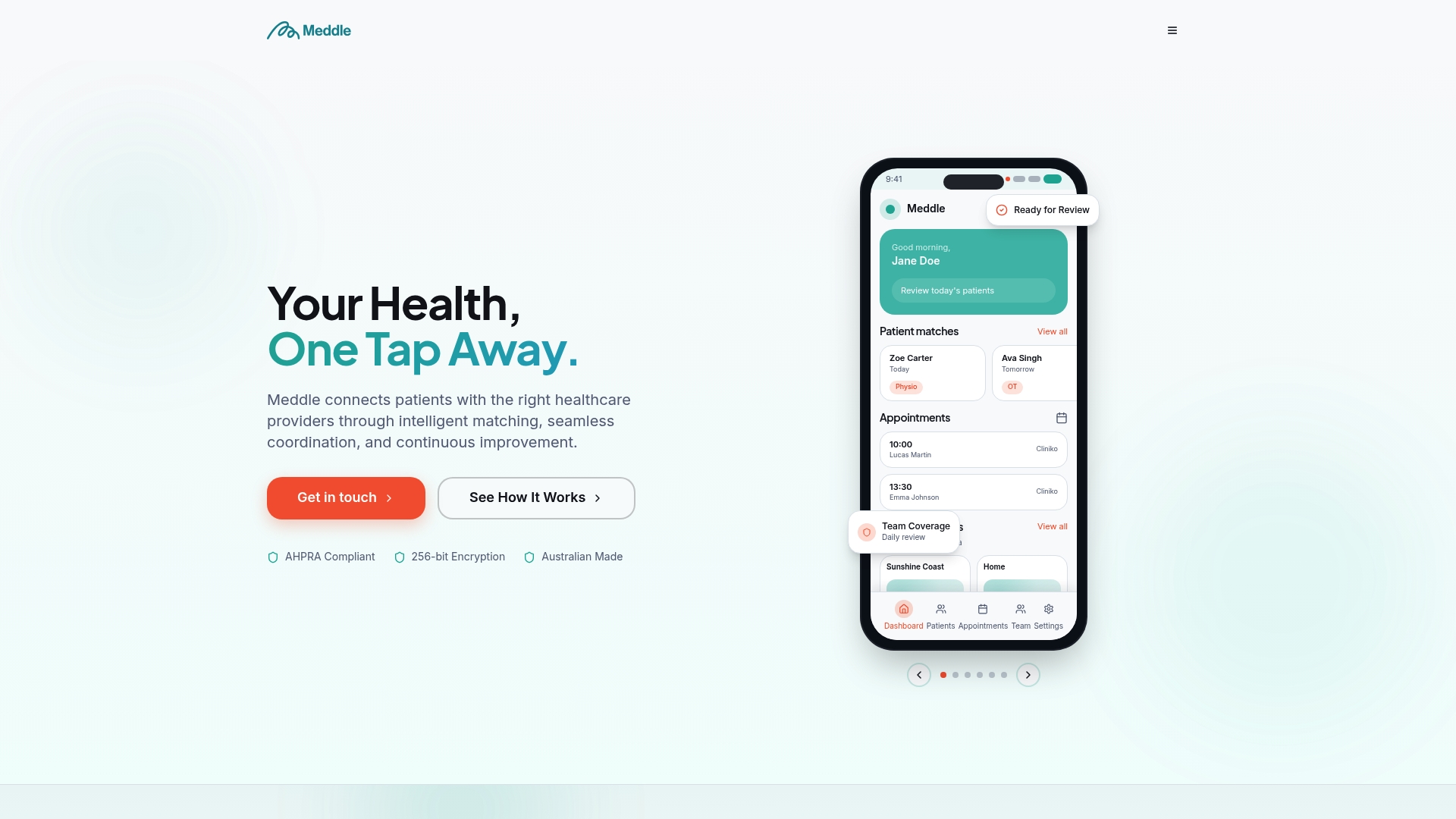
SmartForms and secure messaging solve the sending problem well. They do not always solve the matching problem: finding an allied health practitioner with the right skills, availability and fit for a particular patient. That is the gap we built Meddle to fill, with AI-powered matching, referral automation, scheduling and secure coordination.
A practice may prefer a platform when referrals regularly go to allied health providers who sit outside a state portal, when staff spend time phoning around for availability, or when you want one place to see where each referral stands. For a single known destination, SmartForms in your PMS may be all you need. Our how it works page and help centre are good places to see whether a platform suits your workflow.
— Taylor
How we help clinics manage referrals and match patients to the right practitioner
If your clinic refers to allied health, we can take the coordination work off your plate. Our platform matches each patient to a practitioner using their needs and preferences, automates the referral, handles scheduling and keeps coordination secure, so your team spends less time on the phone and more time with patients.
Here is where to go next:
- See how Meddle works for a walkthrough of matching, referral automation and scheduling
- Review our pricing for current details; SMS Notifications and CRM Integration are each 50 AUD per month per practice
- Download our referral templates for GPs and coordinators to standardise the fields you send
- Use Find care to see how patients are matched across physiotherapy, occupational therapy, psychology, speech pathology, dietetics, exercise physiology, podiatry and other allied health
Start with the pricing page to see what fits your clinic, or open the help centre if you want implementation support before you commit.
This article is general information, not a substitute for advice from a qualified doctor. Consult a qualified healthcare professional about your own circumstances before acting on anything here.
FAQ
What is an eReferral in Australia?
An eReferral is an electronic referral document sent securely from one clinician to another, usually through secure messaging or a state portal. The eReferral v1.5 standard describes it as a way to transmit significant patient information, with an optional copy sent to the patient’s My Health Record.
Do I need a NASH PKI certificate to send eReferrals?
Secure access to health information relies on a certificate, either NASH PKI or one issued by your secure messaging provider. Check with your provider which option applies to your setup, using the secure messaging implementation guide as a reference.
Which practice software supports eReferrals?
Common PMS products that integrate with eReferral include Best Practice, Medical Director, Genie, Medtech Evolution, Zedmed and Shexie. Confirm support for your specific version with your vendor, and use the SA Health SmartForms tutorials if you use Genie, Best Practice, Medical Director or Zedmed.
Is an eReferral legally the same as a paper referral?
Yes, it has to meet the same standard. A valid referral must be written, dated, carry relevant clinical information and be signed, and a digital signature is acceptable under the GP referral guide.
Where do I find my state’s eReferral guidance?
Start with your state health department. NSW publishes its eReferral program pages, and SA Health publishes user guides and training for referring clinicians. Tasmania runs its program on the Engage platform.
Sources
- Secure messaging
- My Health Record | Australian Government Department of Health, Disability and Ageing
- Electronic referral (eReferral) forms
- eReferral system training and guides for referring clinicians | SA Health
- eReferral v1.5 | Digital Health Implementer Hub