Brand Patient Portal for Clinics That Activates Patients in 7 Days
A branded patient portal only lifts engagement when it pairs recognisable clinic identity with real interoperability, usable design, and clinicians who actively push patients to log in. Get those three things right and adoption follows. Skip any one of them and even the best-looking portal sits unused. This guide gives you the checklist, the rollout plan, and a look at how platform design can deliver on all of it.
TL;DR:
A patient portal only boosts engagement if it combines recognizable branding, real interoperability, and active clinician endorsement, with missing any element reducing usage.
Real clinical value depends on features like secure messaging, online appointment booking, contextual results access, and integration with electronic health records.
Ensuring the portal connects securely and automatically with systems like My Health Record prevents data duplication, delays, and manual re-entry errors.
Phased rollout and clinician advocacy, especially during early adoption, significantly improve patient activation and portal usage among diverse populations.
Privacy safeguards such as data encryption, role-based access, and compliance verification are essential to build trust before public launch.
Table of Contents
-
What is a brand patient portal, and why does branding matter?
-
Which portal features actually move the needle on engagement?
-
Does the portal connect safely to My Health Record and other clinical systems?
-
How do you roll out a branded portal without losing staff or patients?
-
What privacy and security checks should you run before launch?
-
Meddle’s perspective: what a well-designed platform actually delivers
What is a brand patient portal, and why does branding matter?
A brand patient portal is a patient-facing platform styled with your clinic’s logo, colours, and messaging, rather than a generic vendor interface. It might sit on your own domain, greet patients with your practice name, and carry your own explanatory content instead of boilerplate text.
Not everything labelled “branding” earns the name. Slapping a logo on a login screen is cosmetic. Genuine branding extends into the content patients see: appointment reminders written in your clinic’s voice, results pages that link back to your own patient resources, and referral confirmations that reinforce who is coordinating their care.
That consistency builds trust, and trust is what gets a patient to open the app a second time. A digital front door that looks and feels like your practice, rather than a rented white screen, gives clinics a channel for ongoing communication they would otherwise lose to phone tag and SMS.
Here’s the catch: branding alone will not save a clunky portal.
-
A polished interface with poor booking sync still frustrates patients.
-
Clinicians who never mention the portal in consultations undercut adoption regardless of design.
-
Branding without interoperability just moves the same friction behind a nicer logo.
Branding is necessary. It is not sufficient. The next three sections cover what actually makes a white label patient portal stick.
Which portal features actually move the needle on engagement?
Vet any patient portal software against a short list of features rather than a long feature sheet. Allied Health Professions Australia advises assessing usability, privacy protections, and integration ability ahead of raw feature counts, and that principle holds for engagement too.
Prioritise these:
-
Secure messaging with configurable notification settings and a clear clinician response timeframe patients can rely on.
-
Appointment booking that reflects the clinic’s current calendar and has a clear, quick confirmation step, not a static request form that sits unanswered.
-
Results access with contextual explanatory content next to each result, not a raw number with no guidance.
-
No-download activation, so patients can start using the portal from a single link rather than an app store detour.
-
Custom content areas where clinics can post their own instructions, forms, or condition-specific resources.
-
Analytics covering activation rate, active usage, and message response times, so admin teams can see what is actually happening.
Results access deserves particular care. Clinicians have flagged that showing a lab result with no context risks alarming a patient who has no way to interpret it. Pairing the number with a short explanation and a suggested next step, such as prompting a follow-up booking when a result looks new, cuts unnecessary anxious phone calls without adding clinical staff time.
Pro Tip: Ask any vendor to demonstrate the patient view of an abnormal result before you sign. If the screen just shows a number with no context, that is a support problem waiting to land on your reception desk.
Does the portal connect safely to My Health Record and other clinical systems?
This is where most patient engagement solutions quietly fail. A portal can look brand-perfect and still create clinical risk if it cannot exchange data with the systems your clinic already runs on.
“Conformant software” means a product has met the technical and security requirements to connect to national digital health infrastructure, including My Health Record and secure messaging pathways. AHPA’s selection guidance points clinics toward checking for exactly this before evaluating anything else, because a portal that cannot integrate becomes a second, disconnected record system.
Before you sign anything, ask your vendor to walk through:
-
Whether the portal holds current conformant registration, and what evidence they can show for it.
-
How the portal syncs with your existing clinical record system, and whether that sync is real-time or batch-based.
-
Whether electronic prescribing and referral data flow through without manual re-entry.
-
What happens to secure messaging when a patient is referred to another provider outside your clinic.
Skip this step and you inherit duplicate data entry, delayed referrals, and staff re-keying information a conformant system would have passed through automatically.
How do you roll out a branded portal without losing staff or patients?
A phased rollout beats a single flick-the-switch launch every time, particularly because usability gaps, especially for older patients, tend to surface only once real people start using the system.
-
Pilot with one team or clinic location. Run it for two to four weeks with a small patient cohort before wider release.
-
Train staff on talking points, not just software. Reception and clinicians need a script, not a manual.
-
Complete core integrations before public launch. Bookings, reminders, and messaging need to work before you promote the portal.
-
Go live in phases, adding patient cohorts by condition type or clinic location rather than all at once.
-
Review and iterate using real usage data, not assumptions about what patients will find easy.
Clinician endorsement is the single biggest lever here. Research using national survey data found physician advocacy was a significantly stronger predictor of portal engagement than patient education alone, while formal education level made no measurable difference. A GP or physio saying “log in tonight and message me if that exercise hurts” during a consult outperforms any pamphlet.
For patient onboarding, send one-click invite links rather than asking patients to search an app store, and prepare translated materials for culturally and linguistically diverse patients. Co-designed resources supporting digitally diverse older adults have shown that removing the download step and simplifying activation materially lifts uptake among patients who would otherwise avoid the portal entirely.
Pro Tip: Track activation within the first seven days, 30-day active users, messages per active user, and appointment self-schedule rate. Review those four numbers at the 30, 60, and 90-day marks rather than waiting for an annual report.
What privacy and security checks should you run before launch?
Branding builds trust on the surface. Privacy safeguards are what make that trust deserved. Before you put your clinic’s name on any portal, confirm the fundamentals directly with your vendor.
-
Where is patient data stored, and does the vendor guarantee data residency requirements you can verify?
-
Is data encrypted both in transit and at rest, with role-based access limiting who inside the vendor’s team can view records?
-
Does the system maintain audit logging showing who accessed what, and when?
-
Can the vendor demonstrate compliance with Australian privacy obligations, including the records-security requirements under APP 11?
-
Will they complete a security questionnaire if your clinic requires one for procurement sign-off?
Once you have those answers, communicate them plainly to patients. A short, clear explanation of how their data is protected, delivered during onboarding rather than buried in terms and conditions, does more for consent and trust than any design element. Verifying patient identity properly at the point of onboarding closes an obvious gap that many clinics leave open.
Meddle’s perspective: what a well-designed platform actually delivers
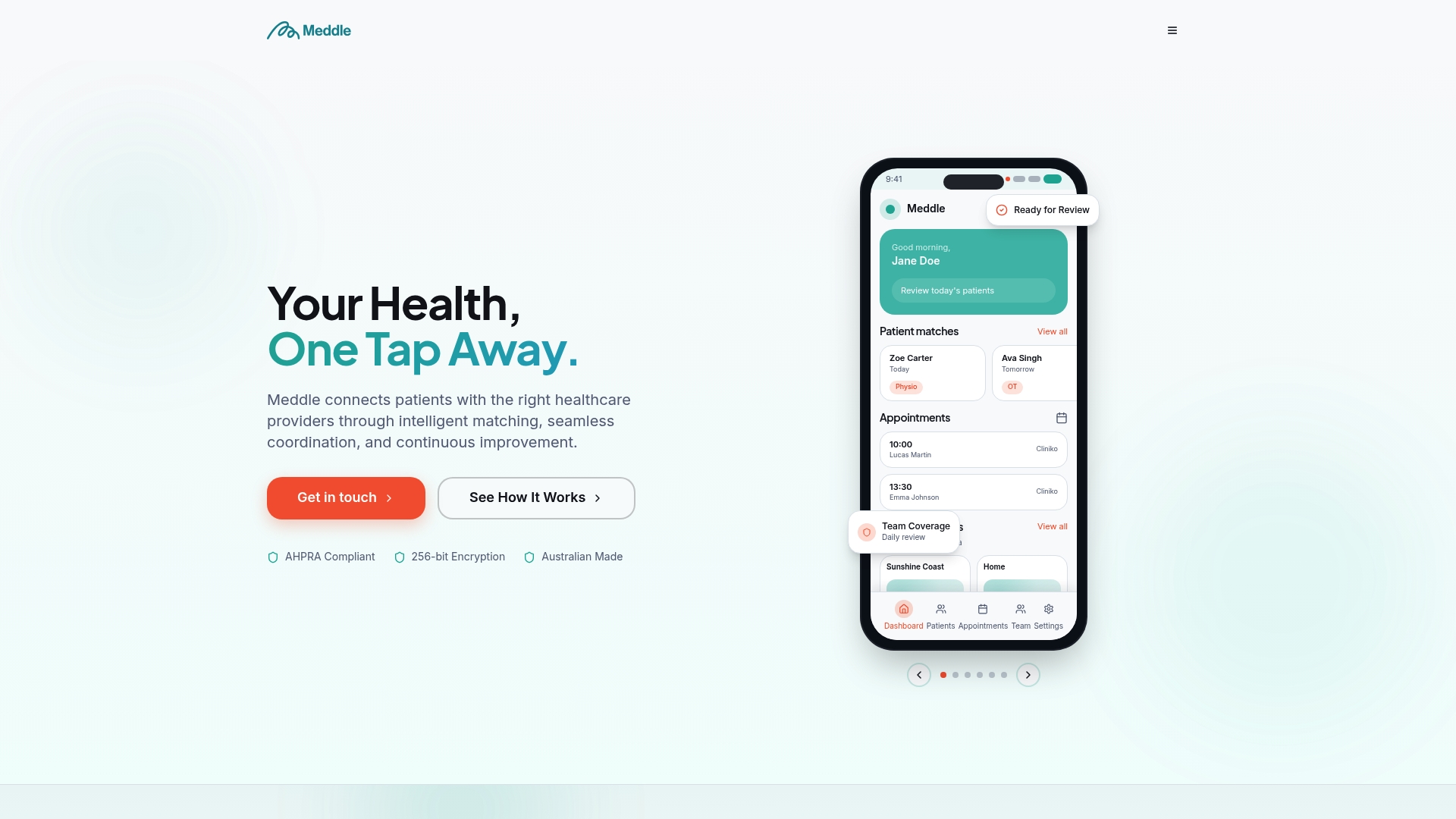
Most of the checklist above comes down to a simple question: does the platform’s architecture support branding, or just its appearance? Meddle offers White Labelling (custom domain, branded login, logo, colours and email templates) as an add-on to its matching and referral routing, so a clinic’s branded front end connects to real referral and appointment workflows rather than a styled shell.
AI-powered matching connects patients with the right practitioner by discipline, location and the capacity each clinician has shared, then routes the referral for the clinic to confirm. That matters because a branded portal is only as good as what happens after a patient logs in. Privacy sits at the centre of that design, in line with the compliance-first approach detailed in Meddle’s own guide to verifying patient identity online. None of this replaces clinician advocacy or a proper pilot. It simply means the platform underneath does not become the reason your rollout stalls.
— Taylor
Ready to launch a branded portal that actually gets used?
Meddle covers the matching side of the checklist this guide just walked through: white labelling for genuine clinic branding, referral matching and routing with the clinic confirming each booking, a platform that works alongside your practice software, and a privacy-first approach to patient data. Rather than bolting a logo onto a generic system, the platform pairs branding with AI-powered matching and referral automation that clinics can subscribe to directly.
If your clinic is weighing up a branded portal against building one from scratch, the practical next step is to check what a subscription actually includes. Review the current plans and add-ons, including White Labelling (price on application); SMS notifications are already included in Simple Rollout. Or see how patients experience the platform firsthand through Find Care before you commit your clinic’s name to it.
Sources
FAQ
What is the difference between a branded and a white label patient portal?
A branded portal typically means a vendor’s existing product carries your clinic’s logo and colours. A white label patient portal goes further, letting you control custom content areas and communication style so the experience feels fully owned by your practice rather than licensed from someone else.
Does branding alone improve patient engagement?
No. Branding builds recognition and trust, but engagement depends more heavily on interoperability, usability, and clinician advocacy, since research shows physician advocacy predicts portal use more strongly than patient education alone from a national survey analysis.
How do I know if a portal vendor is conformant with My Health Record?
Ask the vendor directly for evidence of their conformant registration and how their system exchanges data with My Health Record and secure messaging pathways. AHPA’s selection checklist recommends confirming this before comparing any other features.
What does Meddle charge for white labelling?
White Labelling is an add-on, price on application, as are CRM Integration, Telehealth and Transcription. Simple Rollout is from $40 per practitioner per month (ex GST, $250 monthly minimum), with SMS and email notifications included.
How long does a typical portal rollout take?
Most clinics run a pilot of two to four weeks with one team or location before expanding, then move through phased go-live and a 30/60/90-day review cycle to track activation and usage against early targets.