Multi Appointment Booking for Allied Health Clinics

Multi appointment booking lets a patient book more than one appointment in a single online session. That might be a block of weekly physio sessions, an initial assessment followed by a review, or visits with two different practitioners. To run it well, a clinic needs clear appointment types, one shared diary that prevents double-booking, and rules for confirming, reminding and rescheduling the whole series. This guide covers each step, in the order a practice manager would work through it.
TL;DR
- Multi appointment booking means several linked appointments booked in one patient journey. It is different from a group session and from one long combined visit.
- Start with appointment types: a duration, a buffer, an eligible practitioner and a referral rule for each.
- Double-booking is prevented by one source of truth for availability, not by reception catching clashes by hand.
- Treat a series as one unit when you confirm, remind and reschedule, and decide up front what happens when one visit moves.
- Test with real scenarios before launch: a series across public holidays, two practitioners, a cancellation midway, and a calendar sync check.
Table of Contents
- What multi appointment booking means in an allied health clinic
- Why it matters for clinic owners and practice managers
- Step 1: Define your appointment types first
- Step 2: Build the patient journey for a series
- Step 3: Set availability, durations and buffers to prevent double-booking
- Step 4: Handle different practitioners and services in one journey
- Step 5: Confirmations, reminders, rescheduling and cancellations
- Step 6: Privacy and patient information
- Perspective: why we build around the person, not the slot
- Step 7: Test before you launch
- A simple rollout plan
- Try it with Meddle
- FAQ
- Sources
What multi appointment booking means in an allied health clinic
The phrase gets used for three different things. Mixing them up leads to the wrong set-up, so it helps to separate them.
| Term | What it is | Typical allied health example |
|---|---|---|
| Multi appointment booking | One patient books several separate appointments in one session | Six weekly physio visits, or an OT assessment plus a follow-up |
| Multi-service booking | Several services combined into one continuous visit | A dietitian consult and a podiatry check back to back |
| Group appointment | Several patients share one session with one practitioner | A pain education class or a falls prevention group |
In most allied health clinics, the first one matters most. Treatment is rarely a single visit. A patient recovering from a knee reconstruction, a child starting speech therapy or an adult beginning a psychology plan all need a run of appointments. If each one has to be booked separately, either the patient does it (and drops out after the first) or reception does it (and loses time on every call).
If your interest is group sessions, we cover that separately in our guide to group appointment scheduling for clinics. The rest of this article is about linked individual appointments.
Why it matters for clinic owners and practice managers
Booking is where many referrals quietly fall away. A GP refers a patient, the patient finds a slot for the first visit, and then nothing is booked after that. The clinic has a patient on the books but an empty follow-up diary.
Multi appointment booking helps in four practical ways:
- Fewer lost follow-ups. The treatment plan is booked while the patient is engaged.
- Less reception time. One booking journey replaces a string of calls and texts.
- Better diary planning. You can see the demand for next month’s slots before it arrives.
- Smoother handovers. When a patient needs a second practitioner, the booking carries the context forward.
This is the part of the job we built Meddle around. Directories list who is out there. We focus on connecting the person to the right care and carrying the story forward, so the second and third appointment are not a fresh start.
Step 1: Define your appointment types first
Booking software cannot be smarter than the appointment types behind it. Before you switch anything on, write down each type your clinic offers.
For each appointment type, record:
- Name the patient will understand. “Initial physiotherapy assessment” is clearer than “IA 60”.
- Duration. Initial assessments usually run longer than reviews.
- Buffer time. Time for notes, room turnover or equipment set-up.
- Eligible practitioners. Not every practitioner treats every condition or age group.
- Location or mode. In clinic, home visit or telehealth.
- Referral requirement. Some funding pathways need a referral on file before the first visit.
- Whether it can be part of a series. A first assessment is usually booked alone. Reviews are the natural series.
A common pattern is to make the first appointment a standalone booking, then offer the follow-ups as a linked set once the assessment is confirmed. That keeps the clinical decision about frequency with the practitioner, where it belongs.
Referral rules
If your funding pathway depends on a referral, the booking page should check for it before it offers a series. Our guide on how to restrict bookings by referral walks through doing that for Australian clinics, so patients are not booked into visits you cannot proceed with.
Step 2: Build the patient journey for a series
A good journey asks the patient as little as possible, and asks it in a sensible order.
- Who is this for? The patient, or someone booking on their behalf, such as a parent, carer or support coordinator.
- What do they need? A service type, and the referral if one is required.
- Which practitioner and where? Matched on specialty, travel radius and appointment type, or chosen by the patient.
- Which pattern? Weekly, fortnightly, or a set of specific dates.
- Review and confirm. Show every date and time in one list, with the practitioner and location for each.
Two design choices make a big difference.
Show the whole series before confirming. Patients should see all the dates in one place. If a date does not suit, they change it then, not after the reminders start arriving.
Offer fallbacks, not dead ends. If the third weekly slot with the preferred practitioner is full, the journey should offer the nearest alternative time or another practitioner, rather than failing the whole booking.

Small details such as button wording, form length and page layout decide whether people finish. We cover those in our post on booking page design, and the wider principles of patient self scheduling apply directly to series bookings.
Some patients want to be seen quickly and will choose the clinic that can offer an early first slot. Resources on same-day therapy options show how much weight people put on speed of access, which is a reason to keep your first-appointment availability visible and your journey short.
Step 3: Set availability, durations and buffers to prevent double-booking
Double-booking in a series usually has one of three causes.
- Two diaries. One calendar for the practitioner and a separate one for online booking, and they drift apart.
- Missing buffers. Back-to-back bookings that look fine on screen but leave no time for notes or room changes.
- Resources ignored. The practitioner is free but the gym, the treatment room or the shared equipment is not.
The fix is one source of truth for availability that every booking route reads from: online, phone, email and referral. Our guide to calendar sync to stop double bookings goes into the mechanics and the privacy side for Australian clinics.
Practical settings to review:
- Booking window. How far ahead can a series extend? Eight to twelve weeks is easier to manage than six months, and you can offer a renewal once the plan is reviewed.
- Minimum notice. Stop same-hour bookings if your team needs time to prepare, or allow them if you want to fill gaps.
- Lunch and admin blocks. Mark them as unavailable so a series does not land on top of them.
- Public holidays. Decide whether a series skips the holiday week, moves to the next day or stops and asks the patient.
- Leave. When a practitioner takes leave, decide in advance who covers their series appointments.
In Meddle, the optional Appointments add-on includes a shared diary, so availability lives in one place rather than being retyped between systems. Our instant appointment booking workflow guide explains how real-time availability fits into the clinical workflow.
Step 4: Handle different practitioners and services in one journey
Multidisciplinary clinics face a harder version of the problem. A child with developmental needs might see an occupational therapist and a speech pathologist. An older patient might need a physiotherapist and a podiatrist. A patient on a chronic condition plan might see an exercise physiologist and a dietitian.
There are two sensible models.
Sequential. Book the first practitioner’s series, then offer the second. This suits cases where the second service depends on the first assessment.
Parallel. Book both at once, ideally on the same day at the same site, so the family makes one trip. This suits patients who travel a long way.
Whichever you choose, keep these rules:
- Each practitioner’s appointments follow their own duration and buffer rules.
- If appointments are on the same day, leave a sensible gap for travel between rooms, or for a rest.
- The patient sees one combined schedule, not two unrelated confirmations.
- The referral or intake information goes with the patient, so the second practitioner does not repeat every question.
That last point is where intake quality counts. A structured intake that records the patient’s needs, the referrer and the preferred location once gives every practitioner in the journey the same starting point. Our pre-appointment questionnaire templates cover what to ask and how to handle privacy for Australian clinics.
Step 5: Confirmations, reminders, rescheduling and cancellations
A series multiplies every communication problem. Ten appointments can mean ten confirmations and ten reminders. Decide what the patient receives, and when.
Confirmations
Send one confirmation for the series, listing every date, time, practitioner and location. Add a calendar file the patient can save. Then send a short reminder before each individual visit.
Reminders
- One reminder a few days before, which gives time to reschedule.
- A second the day before or on the day, with arrival instructions.
- For telehealth visits, include the link and what to do if the connection fails. In Meddle, Telehealth is an optional add-on at A$10 a month.
Rescheduling one visit
Decide the rule in advance. Common options:
- Move only that appointment and leave the rest.
- Move that appointment and shift every later one by the same interval.
- Ask the patient to choose once they see the alternatives.
For most treatment plans, moving one appointment without disturbing the rest is the default. Moving the whole series makes sense when a patient pauses care, for example after surgery or a holiday.
Cancelling
Write your cancellation terms in plain words and show them at the confirmation step. Say whether cancelling one visit differs from cancelling the series. Make it easy to release a slot, because a freed slot can be rebooked, while a silent no-show cannot.
Step 6: Privacy and patient information
Online booking collects health information, so the booking journey is part of your privacy practice, not separate from it.
- Collect only what you need. Ask for what is required to book and triage. Leave detailed clinical history for the intake form or the first consult.
- Say what happens to the data. Link a plain-language privacy policy at the point of collection.
- Protect the diary. Reminders and confirmations should not reveal more than needed, such as the nature of a condition, in a text message.
- Control access. Reception, practitioners and managers do not all need to see the same information.
- Know where data is hosted. Meddle hosts patient data in Sydney.
- Keep records for the right period. Retention rules depend on your state or territory and your professional obligations. As one example of how a clinic states it, Integrity Physiotherapy’s privacy policy says records are kept for at least 7 years from the last entry, or until a patient turns 25 if they were under 18 at the last entry. Check what applies to your own practice.
If your clinic works with children, carers or NDIS participants, make sure the booking journey records who is authorised to book and receive messages for the patient.
Perspective: why we build around the person, not the slot
Most booking tools treat an appointment as a slot to be filled. We think the better question is what the patient needs over the next eight weeks, and who is best placed to provide it.
That is why Meddle starts with the referral. A referral from a GP, an email or a web form becomes structured intake, then triage, then practitioner matching on specialty, travel radius and appointment type. By the time a patient is looking at dates, the clinic already knows what they are booking and why.
For multi appointment booking, this matters because a series is only as good as the first decision. If the right practitioner is matched at the start, the follow-ups are easy to book, the diary stays clean and the patient is more likely to keep coming. Clinics lose fewer leads and spend less time on admin.
Our advice to clinic owners is simple. Fix your appointment types, keep one diary, and treat a series as a single journey that you confirm, remind and reschedule as one. The software should carry the story forward, so your team does not have to.
Taylor
Step 7: Test before you launch
Run these scenarios with a colleague playing the patient. Do it on a phone as well as a computer, since many patients will book on mobile.
- Book a six-week series and check every date lands in the practitioner’s diary.
- Book across a public holiday and confirm it behaves as your rule says.
- Try to book an occupied slot from two devices at the same moment.
- Book with two practitioners and check durations, buffers and the combined confirmation.
- Cancel the third visit and confirm the slot is released and the others stay.
- Move a series and check reminders update, not duplicate.
- Book without a required referral and check the page stops or redirects properly.
- Check the calendar sync between your booking tool, your practice management system and any CRM.
- Read the messages as a patient. Are the texts clear, short and free of sensitive detail?
- Check the front desk view. Can reception see, edit and explain a series quickly?
Write down what fails, fix it, and run the list again. Then launch to a small group of existing patients before opening it to everyone. For a wider comparison of tools, see our overview of the best healthcare scheduling software for allied health clinics, and browse our posts on patient flow management.
A simple rollout plan
| Week | Focus | Outcome |
|---|---|---|
| 1 | List appointment types, durations, buffers, eligible practitioners | A clean list your whole team agrees on |
| 2 | Set availability, holidays and referral rules | One diary that reflects reality |
| 3 | Configure messages and run the test list | Known issues fixed |
| 4 | Soft launch with existing patients | Real feedback before going public |
Keep the first version modest. Offer a series for your most common treatment pattern, for example weekly reviews after an initial assessment, and add others as your team gets comfortable.
Try it with Meddle
Meddle turns referrals from GPs, email and web forms into structured intake, triage and practitioner matching, and it integrates with your practice management system and writes back to your CRM. Pricing is A$40 per practitioner per month ex GST for Core, with optional Appointments (+A$20, including a shared diary) and Telehealth (+A$10 a month). There is no minimum spend and a free 30-day pilot.
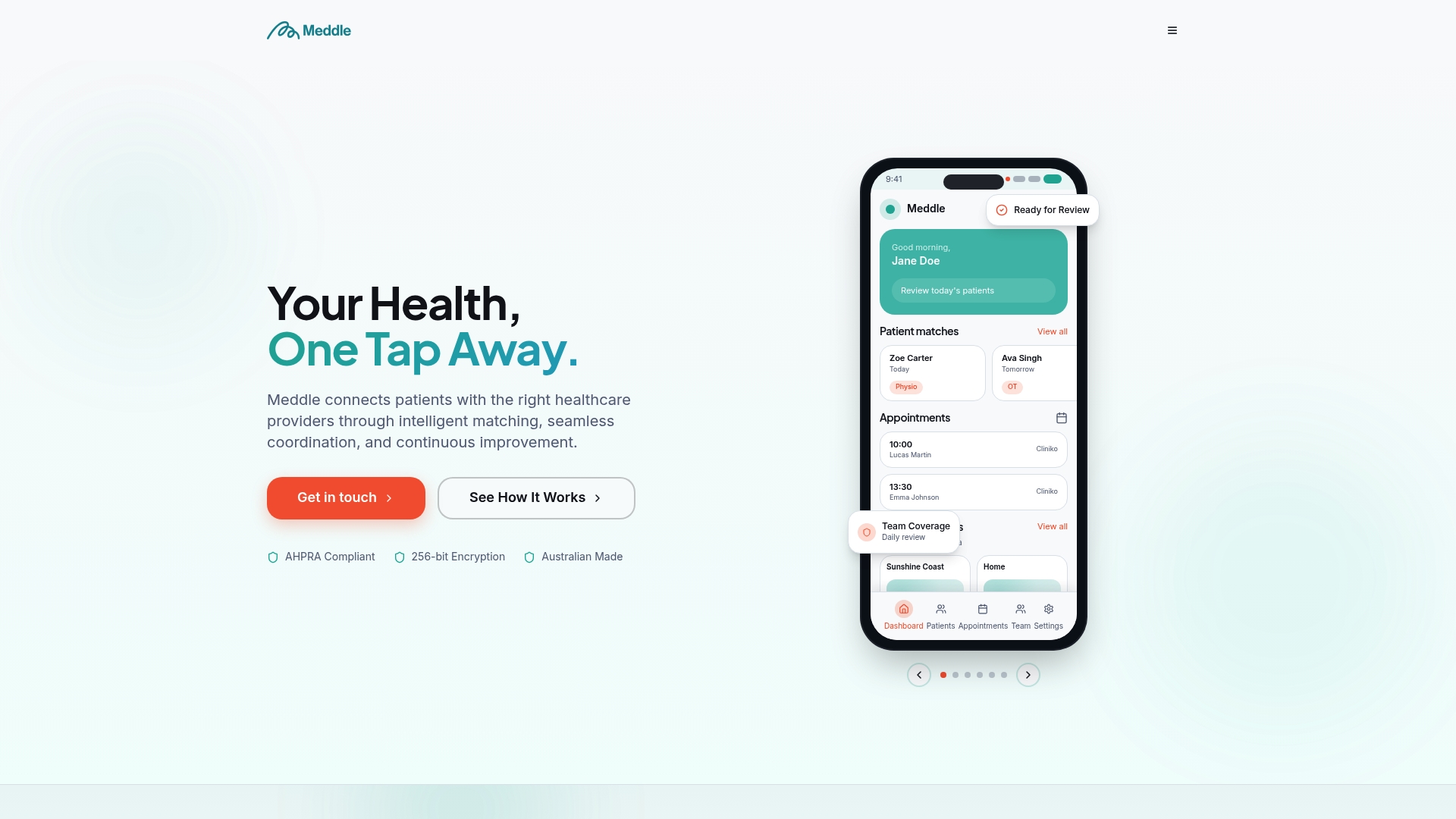
If you want to see how matching and booking work together for your clinic, start on our landing page, or see how patients find care through our find care directory of allied health services. When you are ready, book a 30-minute demo at https://www.meddle.com.au/book-a-demo and we will walk through your own appointment types.
FAQ
What is the difference between multi appointment booking and group booking?
Multi appointment booking is one patient booking several separate visits, such as a weekly series. Group booking puts several patients in one session with one practitioner. Both need clear capacity and diary rules, but they are set up differently.
How many appointments should a patient be able to book at once?
There is no fixed number. Many clinics offer a window of around six to twelve weeks, then review the plan before booking more. Let the practitioner’s clinical judgement set the frequency, and keep the booking window short enough that changes are manageable.
How do we stop double-booking when several people use the diary?
Use one shared diary that every booking route reads from, add buffers to each appointment type, and block lunch, admin and leave. Avoid running a separate online calendar that someone has to reconcile by hand.
What happens if a patient cancels one appointment in a series?
That depends on the rule you set. Most clinics release the single slot and leave the rest in place. Show the cancellation terms at the confirmation step so the patient knows what to expect.
Do we need a referral before the patient can book a series?
It depends on the funding pathway and the service. If a referral is required, check for it before the booking page offers any follow-up visits, so no one is booked into care you cannot proceed with.
Sources
Recommended
- 8–12 Patients in 90 Minutes: Group Appointment Scheduling for Clinics
- Appointment utilisation: how allied-health clinics measure and lift it
- Booking page design that gets patients seen, not just clicked
- Instant Appointment Booking: A Clinical Workflow Guide
This article is general information for healthcare businesses and isn’t legal, clinical or privacy advice. Check current requirements with the relevant regulator or a qualified adviser.