
A booking system downtime plan is a short, written procedure that tells every person in your clinic what to do when appointments, referrals and intake can’t be handled in the software: who takes charge, where bookings are recorded, how patients are told, and how the records are rebuilt afterwards. The clinics that cope best are the ones whose reception team can start the paper process without asking anyone. The sections below give you the plan step by step, and show why a platform that keeps referral intake, triage and matching in one place makes the plan shorter and the recovery cleaner.
TL;DR
- Write the plan down and name one person responsible for each step. The RACGP says a plan should document each team member’s roles and responsibilities.
- Keep a paper fallback ready: next-day appointment printouts, a downtime log, and a referral capture sheet.
- Tell patients, practitioners and referrers early, using channels that do not depend on the booking system.
- After the outage, transcribe every paper entry into the system, then check for gaps and duplicates.
- Test the plan at least once a year and after any change in your technology or procedures.
Table of Contents
- Why allied health clinics need their own downtime plan
- What the plan must contain
- Build the paper kit before you need it
- Handling appointments and new referrals during the outage
- Tell patients, practitioners and referrers early
- Privacy and notification during an outage
- Restoring service and reconciling the paper
- Test the plan and learn from every outage
- How the right platform shortens the plan
- See how Meddle handles referral intake
- FAQ
- Sources
Why allied health clinics need their own downtime plan
Most published downtime guidance is written for hospitals or general practice. Your clinic has different pressure points. A physio, OT, psychology or speech pathology practice runs on a steady flow of referrals from GPs, support coordinators, email and web forms, and many sessions are part of recurring blocks. If the booking system drops, you don’t only lose the diary. You lose the place where new referrals are logged, triaged and matched to a practitioner.
Privacy law also applies whether the system is up or down. The OAIC’s Guide to health privacy (updated May 2025) confirms that allied health professionals are health service providers under the Privacy Act 1988, and that the information you collect in providing a service is sensitive health information. Under Australian Privacy Principle 11, you must take reasonable steps to protect it, including IT security, third-party and cloud providers, and physical security. Paper records made during an outage fall under the same duty.
The Australian Digital Health Agency’s cyber security guide for small healthcare businesses adds that the Privacy Act applies to private-sector health providers regardless of size. A two-practitioner clinic carries the same obligation as a large group.
For a deeper look at those obligations, see our guide to meeting the Australian Privacy Principles in a clinic.
What the plan must contain
The RACGP’s business continuity guidance is written for general practices, but its structure suits any clinic handling patient information. It says the plan should be documented, cover how to keep critical functions running during an unexpected system event, and set out how the team operates at a minimum level without functional computers. It also lists manual management of systems, what information to collect for re-entry, and paper fallbacks for appointment scheduling, billing and claims.
Translated for an allied health clinic, a workable plan has seven parts:
- Trigger and declaration. Who decides the system is down, and after how many minutes. Pick a threshold, such as 15 minutes of failed logins or a vendor outage notice, so nobody hesitates.
- Roles. One incident lead, one person running reception, one person handling practitioner communication, and one person who contacts the software provider and IT support. The RACGP’s backup guidance says a named primary contact should have their role and accountabilities in writing, or a third-party IT company’s role should be set out in writing.
- Paper kit. Printed templates, stored where reception can reach them without logging in.
- Communication scripts. Pre-written messages for patients, practitioners and referrers.
- Clinical safety rules. What a practitioner does when they can’t see a patient’s notes or history.
- Recovery steps. How paper is entered back and checked.
- Review schedule. Who tests the plan and when.
A simple responsibility table
| Step | Who owns it | What they do |
|---|---|---|
| Declare downtime | Practice manager or deputy | Confirms the outage, starts the log, informs staff |
| Front desk | Reception lead | Switches to paper diary and referral capture sheet |
| Practitioner liaison | Senior clinician or coordinator | Tells practitioners which sessions run and which move |
| Supplier contact | Practice manager or IT contact | Reports the fault, records the reference number, asks for estimated restoration |
| Patient communication | Reception | Sends the approved message by phone, SMS or email from outside the booking system |
| Recovery | Admin lead | Assigns staff to transcribe the paper log, then runs the check |
Name a deputy for every role. Outages don’t wait for the practice manager’s day off.
Build the paper kit before you need it
The RACGP’s guidance on backups says practices may print the following day’s appointments each evening, back up practice management and clinical data, and check backups regularly, including whether data can be recovered. Its incident response guidance describes reception and clinical staff using hard-copy appointment diaries as an interim measure.
For your clinic, the kit should hold:
- Next-day schedule printout for each practitioner, with patient name, phone number, appointment type and room.
- Downtime log with columns for date, time, patient, practitioner, appointment type, new, cancelled or rescheduled, and who recorded it.
- Referral capture sheet with referrer name and contact, patient details, reason for referral, urgency, funding type (private, NDIS, Medicare plan or other), preferred location and any documents received.
- Walk-in and phone-in sheet for patients who arrive or call without a booking.
- Contact list for software support, IT provider, practitioners and key referrers, printed and kept off the affected system.
Store the kit in a locked cupboard or cabinet. Paper is health information and needs physical security. The OAIC guide lists physical security among the reasonable steps under APP 11.
If your backups are encrypted, which the RACGP recommends where possible, make sure the person holding the password is named in the plan and that a second person knows where it is kept.
Handling appointments and new referrals during the outage
Appointments
The plan should tell reception exactly what to do at the first failed login:
- Open the paper diary or printed schedule.
- Record every booking, change and cancellation in the downtime log, in real time.
- Offer new bookings only into slots that are clearly free on the printed schedule, and mark them so that the clash risk is visible.
- Keep phone booking open. The RACGP’s digital tools guidance says practices should plan for failure of the online system and keep phone booking available for patients without internet access.
Double bookings are the commonest outage error, because two people can promise the same slot on paper. Assign one person to hold the master diary during the outage and route all booking requests through them. Our guide on preventing double bookings with holds, sync and locks explains how those clashes arise and how to design them out once you’re back online.
New referrals
Referrals keep arriving by fax, email, web form and phone while your system is down. Treat them as the highest-risk item, because a lost referral is a lost patient and a delayed one may be a clinical risk.
- Log every referral on the capture sheet the moment it arrives.
- Sort by urgency using your normal triage criteria. Our referral triage checklist is a useful template for the questions to ask.
- Keep email referrals in a dedicated shared inbox, flagged, so they can be entered once the system is back.
- Acknowledge each referrer within your usual timeframe, even if only to say the referral is received and being processed.
The RACGP notes that online booking can’t triage patients, which is why it recommends online booking for routine and non-urgent appointments only. During an outage, that principle becomes a rule for your phone line too: anyone describing something urgent or clinically concerning goes to a practitioner or the clinical lead, not into the next free slot.
Clinical safety
Without access to notes, practitioners should work from the printed schedule, ask the patient to confirm history and goals, and record the session on paper for later entry. If a session needs information you can’t retrieve, the practitioner decides whether to proceed or reschedule. That decision belongs to the clinician, not to reception.
Tell patients, practitioners and referrers early
Silence during an outage produces calls, walk-ins and no-shows. Prepare three short messages in advance and store them in the paper kit and on a personal device or separate email account that does not rely on your booking system.
To patients with appointments that day: say that your booking system is temporarily unavailable, that appointments are expected to go ahead, that you’ll call if anything changes, and give a phone number. Don’t include clinical or sensitive detail in an SMS or email.
To practitioners: send the printed schedule, tell them where the paper forms are, and say who to ask about changes. Ask them to hand completed paper notes to the named person at the end of each session.
To referrers, including GPs and support coordinators: say that referrals are still being received by phone, email and fax, that you are logging them manually, and when they should expect acknowledgement.
Keep the wording factual. Don’t speculate about the cause. If the cause may be a cyber incident, the privacy and notification rules in the next section apply, and communication should go through the incident lead.
Privacy and notification during an outage
An outage is not always a data breach, but some are. The OAIC guide says mandatory notification of the Australian Information Commissioner and affected individuals applies to breaches likely to result in serious harm, and that breaches involving My Health Record must be notified to the Information Commissioner and the System Operator. The Australian Digital Health Agency’s guide says providers may need a data breach response plan and a process for managing notification.
In practice, add one question to your plan: if the outage is caused by an attack, a lost device or unexpected access, who decides whether it’s a notifiable breach, and who contacts your IT provider and advisers? Put that name and number in writing.
Paper adds its own risk. Don’t leave downtime logs on the front counter, don’t photograph them on personal phones, and lock the kit away at the end of each day.
We cover a longer checklist in 12 steps to secure patient records and meet APP 11 and a document-sharing approach in our 90-day compliance plan for secure document sharing.
Restoring service and reconciling the paper
The moment the system returns is the moment errors creep in. People rush to re-enter data, and the paper log and the live system start to disagree.
The RACGP’s incident response document says information collected on paper should be added to the patient’s electronic record once the incident is resolved, and that the IT provider can help safely retrieve backup data without compromising systems further. It also shows a hospital recovery workflow in which one lead tells all staff the system is back, prioritises recovery actions to minimise risk and allocates staff for transcribing, while an administrative lead assigns dedicated staff to document the paper downtime log into the scheduling book, covering new, cancelled and rescheduled appointments, check-ins and referral information.
You can copy that model at clinic scale:
- Confirm with the supplier that the system is fully restored, and note the time.
- Announce to all staff that the system is back and that nobody should enter data until the lead assigns the work.
- Enter in order of risk: today’s and tomorrow’s appointments first, then new referrals, then cancellations and reschedules, then clinical notes.
- Use two people per batch: one reads the paper, one enters, and the reader initials each line when it matches.
- Check for duplicates: search each new patient name before creating a record, and compare entered bookings against the printed schedule for double-ups.
- Reconcile referrals: count referrals on the capture sheet and in the shared inbox, then confirm each appears in the system exactly once and has been acknowledged.
- Secure the paper until the lead signs off, then store or destroy it according to your record-keeping obligations.
If some data can’t be recovered from backups, the RACGP notes that patient information may be retrieved from sources such as My Health Record, pathology and imaging providers, specialists and pharmacies. For allied health, add the referrer’s records and the patient themselves.
Test the plan and learn from every outage
A plan nobody has rehearsed fails in the first ten minutes. The RACGP says continuity plans should be reviewed, updated and tested periodically, including after technology, procedure or legislative changes. The Australian Cyber Security Centre’s Cyber Incident Response Plan guidance (December 2021) says plans should be tested and regularly reviewed, and that testing can range from a discussion to a functional exercise. The Australian Institute of Company Directors’ 2024 research on cyber crises says lessons from simulations should be captured and acted on.
A 45-minute drill is enough for a small clinic:
- Announce a mock outage at a quiet time.
- Ask reception to take three phone bookings, log one cancellation and capture one referral on paper.
- Time how long it takes to find the kit and send the patient message.
- Run the recovery steps on those entries and look for mismatches.
- Write down what slowed you down, assign a fix, and update the plan.
Repeat after you change software, add practitioners, open a new site or change who holds a role. Also check that backups restore, not just that they run.
How the right platform shortens the plan
Downtime plans are heavy because referral intake, triage, booking and practitioner matching are often spread across inboxes, spreadsheets and several tools. Every one of those becomes a separate manual workaround. Consolidating them shrinks the plan and the clean-up.

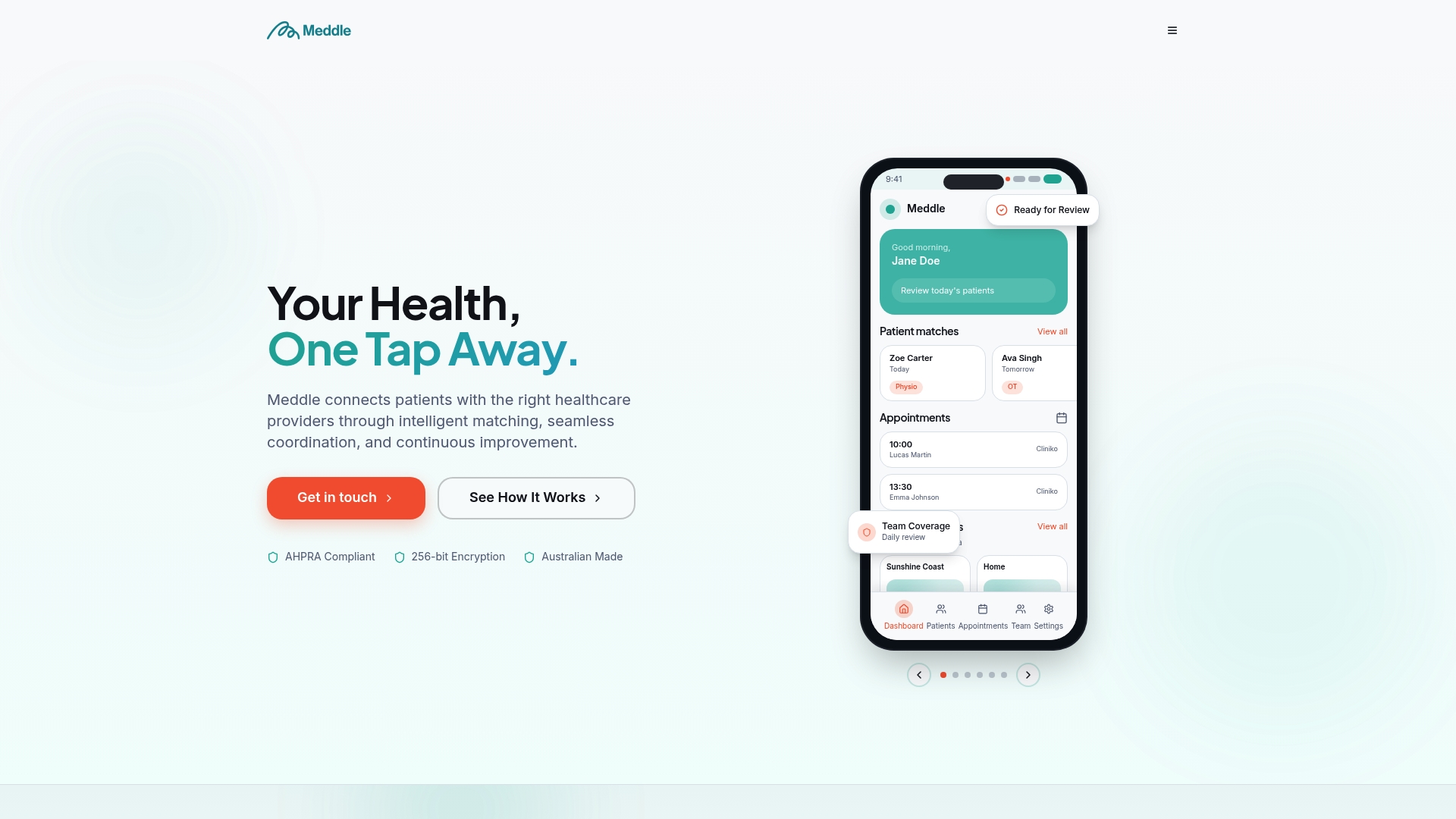
Meddle turns referrals from GPs, email and web forms into structured intake, triage and practitioner matching on specialty, travel radius and appointment type. With referrals arriving in one structured place, your recovery step of checking that every referral appears once is a single list rather than a hunt across channels. Meddle’s patient data is hosted in Sydney, which is a fact you can record in your privacy and supplier documentation.
If you manage a multi-practitioner clinic, our guides on multi-practitioner scheduling and instant appointment booking workflows show how a structured booking flow reduces the manual handling that a downtime plan has to cover.
Our view on downtime
Clinics usually ask how to survive an outage. We think the better question is how much of your intake depends on a person remembering something. A referral that arrives by email, sits in an inbox and is typed in later is already a manual process, outage or not.
That is why we build Meddle around structured intake. When referrals, triage and practitioner matching sit in one place, your downtime plan has fewer moving parts and your recovery has one list to check, not five. Every user pays the same, including admins and coordinators, so the whole intake team can work in the same system rather than a few people holding the process in their heads.
Keep your paper kit, name your roles and run your drill. Then reduce the number of places a referral can hide.
Taylor
See how Meddle handles referral intake
Meddle is priced at A$40 per user per month ex GST, or A$400 per user per year ex GST (two months free). Everything is included, with no add-ons, and you can start with a free 30-day pilot. You can see how referral to booked appointment works on our product page, or explore triage and practitioner matching.
When you’re ready, a 30-minute demo shows you how your intake would run, and what your downtime plan could look like with it. You can book a 30-minute demo here.
FAQ
How long should a clinic wait before declaring booking system downtime?
Set a short, fixed threshold in your plan, such as 15 minutes of failed access or a supplier outage notice, whichever comes first. A defined trigger stops staff debating and starts the paper process early. Your practice manager or deputy should have the authority to declare it.
Do we need a downtime plan if our booking software is cloud-based?
Yes. The RACGP’s guidance on cloud services calls for internet failover, manual workarounds and key provider contacts in the plan. A cloud system can be unavailable because of your internet connection, the supplier or a wider outage, and your team still needs a way to take bookings and referrals.
Can we keep patient details on paper during an outage?
Yes, as long as you protect them. The OAIC guide lists physical security among the reasonable steps under APP 11. Keep paper in a locked cabinet or cupboard, limit who handles it, and add it to the electronic record once the system is restored.
How often should we test the plan?
The RACGP says plans should be tested periodically and after changes to technology, procedures or legislation. A yearly drill is a sensible minimum for a small clinic, with an extra run after you change software, add sites or change key staff.
Sources
- RACGP: Business continuity and information recovery
- RACGP: About backups
- RACGP: How to respond to a cybersecurity incident
- RACGP: Responding to a cybersecurity incident (PDF)
- RACGP: Digital tools in your practice
- OAIC: Guide to health privacy, May 2025
- Australian Digital Health Agency: Cyber security guide for small healthcare businesses
- ACSC: Cyber Incident Response Plan guidance and template
- AICD: Governing through a cyber crisis, 2024
Recommended
- Appointment Slot Optimisation for Allied-Health Clinics
- Real-Time Appointment Availability for Allied-Health Clinics
- Multi-Practitioner Scheduling for Allied Health Clinics
- Prevent Double Bookings in Australian Clinics: Holds, Sync, and Locks
This article is general information for healthcare businesses and isn’t legal, clinical or privacy advice. Check current requirements with the relevant regulator or a qualified adviser.